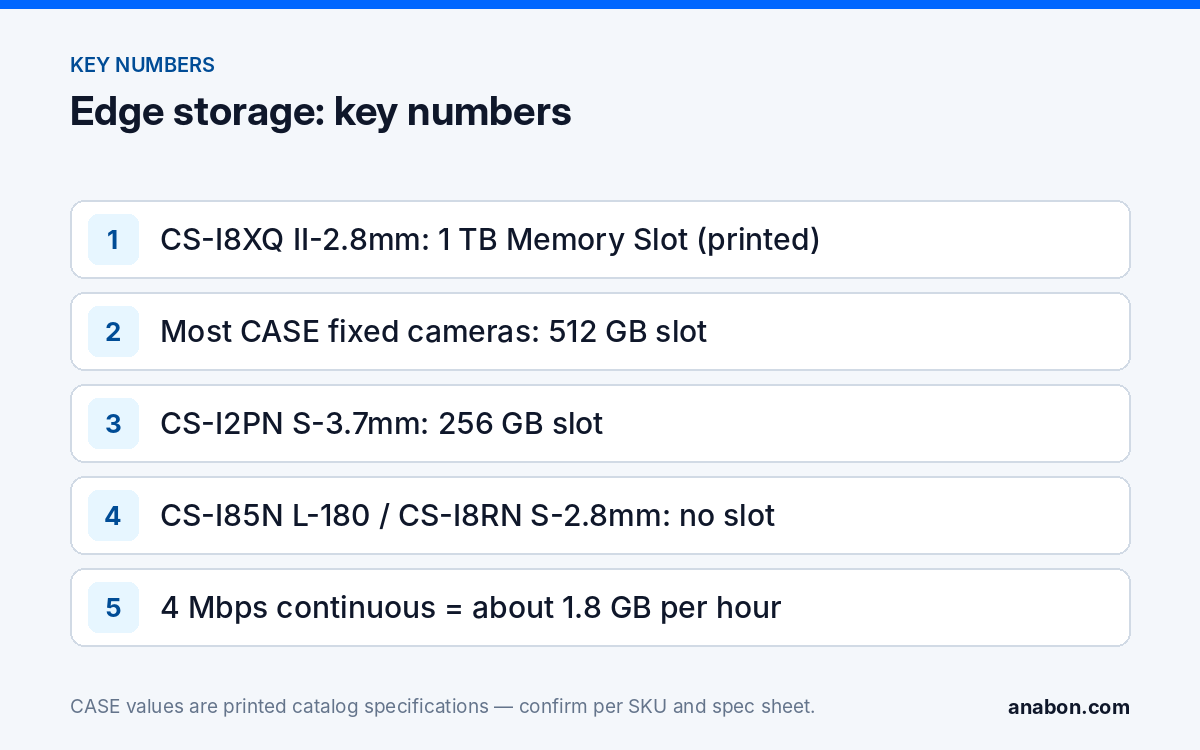
Quick answer: The memory slot on an IP camera is a safety net, not a recorder: it keeps recording while the link to the NVR is down. The catalog prints the slot as “Memory Slot” with a maximum capacity: 512 GB on most CASE cameras, 1 TB on the second-generation turrets CS-I8XQ II-2.8mm and CS-I5XQ II-2.8mm, 256 GB on the pinhole CS-I2PN S-3.7mm, and N/A on the dual-lens CS-I85N L-180 and CS-I8RN S-2.8mm. Specify a high-endurance card rated for the camera’s temperature range, format it in the camera, test it by pulling the uplink, and keep the NVR as the system of record.
Is edge storage a replacement for the NVR?
No, and the proposal should say so in plain words. A card inside a camera fails three tests that a recorder passes. It is a single point of failure in the most exposed place on the site: if the camera is stolen, smashed or burned, the evidence goes with it. It cannot be searched across cameras, so “everyone who came through the gate last Tuesday” still needs the recorder. And it is a wear part: flash memory has a finite number of write cycles, and a camera writing around the clock consumes them fast.
What the slot is for is redundancy. A camera recording to its card during a switch reboot, a cut cable, a wireless bridge dropout or an NVR firmware update covers what would otherwise be a hole in the timeline. For the storage you plan the system around, size the recorder with the NVR Storage Calculator; the card is what you add on top at the positions where a link loss hurts most.
Three places edge recording earns its line on the quote:
- Cameras on a wireless bridge or on a tenant’s network you do not control, where link drops are a matter of when, not if.
- A remote gate, pump house or yard camera on a long run where the uplink is the weak point.
- A single camera at a small commercial site with no recorder yet, as a stop-gap you document as such, never as the retention plan for a regulated vertical such as cannabis or pharmacy.
What happens when the network drops, and what should you promise?
The behavior you can describe is the one printed and tested: the camera writes to its card according to the recording mode you set in its firmware, and the recordings stay on the card until overwritten. Everything beyond that is confirmed per model and firmware before it goes into writing. In particular, whether the recorder pulls the missing segment back from the card automatically after the link returns, whether the card recording is event-only or continuous during an outage, and how the footage is retrieved (through the recorder, the camera’s web page or CASE Connect) depend on the camera model, the NVR model and the firmware and software versions in service. Test the exact combination on the bench, write down what you saw, and quote that.
The test takes ten minutes and belongs in the commissioning report. With the camera recording normally to the recorder, pull its uplink for a timed period, walk in front of it, reconnect, and check three things: the card status page shows the recording, the recorder’s timeline for that window either shows the back-filled segment or does not, and you can play the card segment through the retrieval path you intend to hand over. “The footage is on the card and can be exported from the camera” is a valid design; it just has to be the one in the proposal. Chronic link drops are a network fault to fix, not a reason to buy bigger cards; IP Camera Keeps Disconnecting walks through finding the cause.
Which card: endurance, speed and capacity
The catalog prints the slot’s maximum capacity; the card format (usually microSD in this class of camera), the file system and any tested-card list are on the spec sheet, and the card itself is a third-party consumable with its own manufacturer’s endurance rating and warranty. CASE cameras carry a 6-year warranty, which covers the camera; budget the card as a replaceable part in the service agreement. Four things decide whether the card survives:
- Endurance class. Pick a card sold as high-endurance or industrial, rated in terabytes written (TBW) or hours of continuous video, not a card made for photos. A camera writing continuously at 4 Mbps puts about 1.8 GB per hour, or roughly 43 GB per day, through the card; over a year that is about 15.7 TB of writes.
- Temperature grade. Match the card’s rated range to the camera’s printed operating range, for example −31 °F to 149 °F (−35 °C to 65 °C) on CS-I5KS SD-2.8mm and CS-I86V I-180. A card rated for a desk drawer fails first in a south-facing housing in July.
- Write speed. Use at least the speed class the spec sheet calls for; the card absorbs the stream while doing its own housekeeping.
- Capacity versus the printed maximum. Do not exceed the printed slot maximum. Buy the capacity that covers your longest plausible outage plus margin, and format the card in the camera, never on a laptop.
How many hours fit on the card?
Hours of continuous recording = capacity in GB × 8,000 ÷ (bitrate in Mbps × 3,600). Worked example: 512 GB at 4 Mbps gives 512 × 8,000 ÷ 14,400 = about 284 hours, or 11.9 days. Real figures are lower after formatting overhead and higher when the card records events only. Set the bitrate on the camera, then read the row:
| Stream bitrate | Data per day | 256 GB | 512 GB | 1 TB |
|---|---|---|---|---|
| 2 Mbps (sub-stream or low-motion scene) | about 21.6 GB | about 11.9 days | about 23.7 days | about 46 days |
| 4 Mbps (typical 4MP or 5MP main stream with S+265) | about 43 GB | about 5.9 days | about 11.9 days | about 23 days |
| 8 Mbps (8MP main stream, busy scene) | about 86 GB | about 3 days | about 5.9 days | about 11.6 days |
The bitrates in the first column are configuration choices, not printed specifications; the capacities are the printed slot maxima of CS-I2PN S-3.7mm, most CASE cameras, and the II turrets. S+265 lowers the bitrate for the same scene, which stretches every row; quote the result of your own setting rather than a headline saving.
Which CASE cameras print a slot, and which do not?
The Memory Slot row changes with the series letter, so read it per SKU rather than assuming a family value. The dual-lens non-stitched units print N/A, and the second-generation turrets double the usual maximum.
| SKU | Type | Memory Slot (as printed) | Design note |
|---|---|---|---|
| CS-I8XQ II-2.8mm | 8MP deterrence turret, Gen II | 1 TB | Largest printed slot; suits remote deterrence positions on wireless links |
| CS-I5XQ II-2.8mm | 5MP deterrence turret, Gen II | 1 TB | Same slot as the 8MP unit |
| CS-I5KS SD-2.8mm | 5MP dome | 512 GB | The common value across Value, Sharp and Intelligent fixed cameras |
| CS-I8MS I-2.7-13.5mm | 8MP varifocal AI dome | 512 GB | Analytics run on the camera; card covers event clips during an outage |
| CS-I86V I-180 | 8MP stitched 180° turret | 512 GB | One slot for the stitched 4640×1728 image |
| CS-I2PN S-3.7mm | 2MP pinhole | 256 GB | Smaller maximum; 2MP bitrate makes it go a long way |
| CS-I85N L-180 | 8MP (4+4) non-stitched bullet | N/A | No edge storage: plan NVR recording and a resilient link |
| CS-I8RN S-2.8mm | 8MP (4+4) non-stitched camera | N/A | No edge storage: same rule |
Two consequences for the camera schedule. Where a camera that prints N/A lands on a fragile link, either fix the link (fiber, a second path, a managed bridge) or choose a SKU that prints a slot. And where the retention policy sets a minimum, the card never counts toward it; the recorder’s disks do. Video Retention Policy sets out how to size for that.
How do you commission and maintain edge recording?
- Install and format in the camera. Seat the card with power off where the housing allows, power up, and format from the camera’s storage page so the file system matches the firmware. Record the card make, model, capacity and install date in the job file.
- Set the recording mode deliberately. Continuous, event-only or record-on-network-loss, as the firmware offers; event-only on an analytics camera such as CS-I8MS I-2.7-13.5mm gives the longest cover, continuous gives the simplest evidence story.
- Enable overwrite so a full card keeps recording the newest footage instead of stopping, the same rule you apply to the recorder, covered in Security Camera Not Recording.
- Run the uplink-pull test described above and paste the result, including whether the recorder back-filled, into the commissioning report.
- Check card health on every service visit. Read the storage status page, note any error counter the firmware exposes, and replace the card on the schedule the endurance rating implies rather than after it fails.
- Hand over the retrieval path. Show the customer where the card footage appears in the tool you commissioned; app features and remote access options should be confirmed by model, software version and project configuration.
What to tell your customer
“Your recorder is where the video lives and where you search it. The cameras we placed on the weaker links also carry a memory card, so if a cable, a switch or the wireless link drops, those cameras keep recording locally until the connection returns. We tested that on site and documented how the footage is retrieved. The card is a wear part that we check and replace on our service visits, and it does not replace the recorder or count toward your retention period.”
FAQ
Can I use SD card recording on an IP camera instead of an NVR?
For a single camera at a small commercial site it can be a documented stop-gap, never the retention plan. The card is a single point of failure in the most exposed place on the site, it cannot be searched across cameras, and flash memory wears with continuous writing. Plan the recorder as the system of record and use the card as redundancy at positions where a link loss hurts.
Which CASE cameras have a 1 TB memory slot?
The second-generation deterrence turrets CS-I8XQ II-2.8mm and CS-I5XQ II-2.8mm print a 1 TB Memory Slot. Most other CASE fixed cameras print 512 GB, the pinhole CS-I2PN S-3.7mm prints 256 GB, and the dual-lens non-stitched CS-I85N L-180 and CS-I8RN S-2.8mm print N/A. The card format and any tested-card list are on the spec sheet of the exact SKU.
Does the NVR fill in the gap from the card after the network comes back?
That depends on the camera model, the NVR model and the firmware and software versions in service, so it is confirmed on the bench rather than assumed. Pull the uplink for a timed window, reconnect, and check whether the recorder’s timeline shows the segment. Whichever result you get is the one that goes in the proposal and the commissioning report.
What card should I specify for an outdoor camera?
A high-endurance or industrial card rated in terabytes written, with a temperature range at least as wide as the camera’s printed operating range, for example −31 °F to 149 °F (−35 °C to 65 °C) on CS-I5KS SD-2.8mm, at or below the printed slot maximum. Format it in the camera, record its details in the job file and replace it on a schedule.