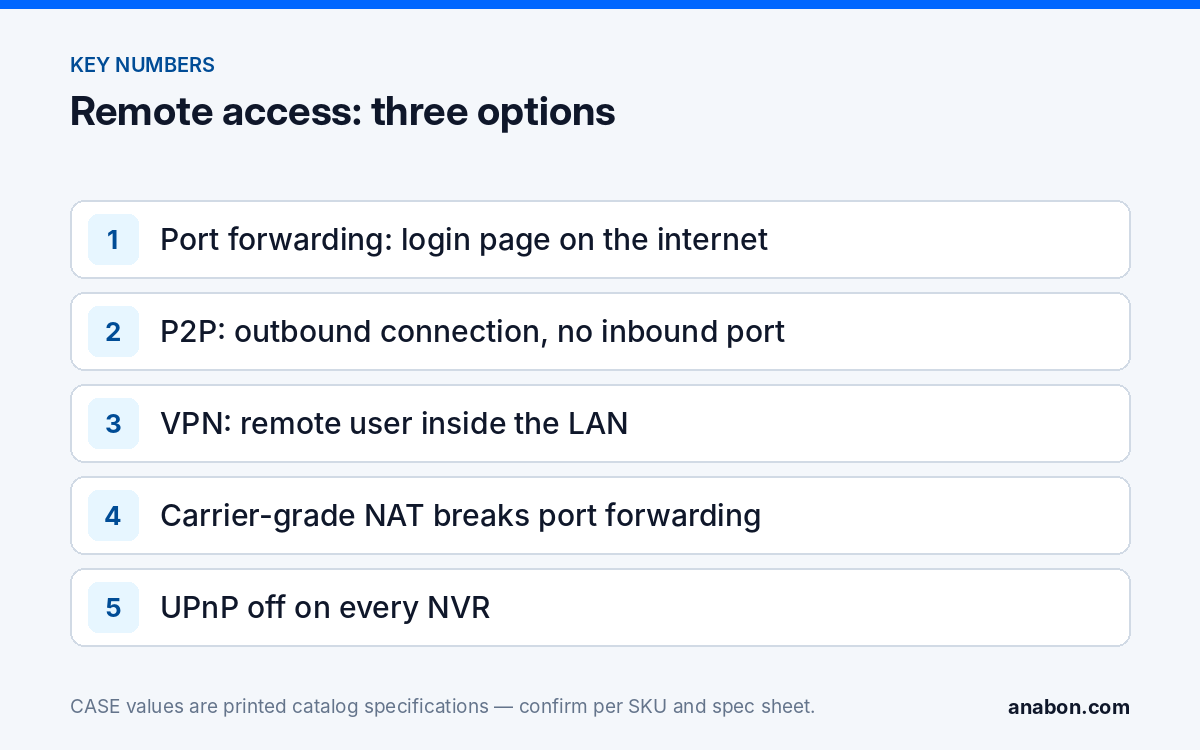
Quick answer: Recommend P2P remote access, where the NVR model offers it, for the typical commercial site, a VPN where the customer has IT staff and a managed firewall, and port forwarding for no site at all. Port forwarding places the NVR login page on the public internet; P2P uses an outbound connection from the recorder so no inbound port is opened; a VPN puts the remote user inside the LAN under the customer’s own access control. App features and remote access options are confirmed per NVR model, firmware, software version and project configuration.
What are the three ways to reach an NVR from outside the site?
Every remote-view request comes down to one of three designs, which differ in who opens what, who authenticates whom, and what breaks when the router changes.
| Question | Port forwarding | P2P (where offered) | VPN |
|---|---|---|---|
| Inbound port opened on the customer’s router? | Yes, for every exposed service | No; the NVR connects outbound | One, for the VPN server only (or none with a hosted VPN) |
| Who can reach the login page? | Anyone on the internet | Only an app account the device was added to or shared with | Only authenticated VPN users |
| Works behind carrier-grade NAT (LTE/5G, some fiber ISPs)? | No | Yes | Only with a reachable VPN endpoint or a hosted concentrator |
| Needs a static IP or DDNS? | Yes | No | Usually yes for a site-hosted VPN |
| Skills on the customer side | None, which is the problem | Install the app, scan the QR code | IT staff to run the VPN and the user accounts |
| Desktop and web clients | Exposed to the internet | Mobile app, plus web where offered, per model | Any LAN client, including the NVR web interface and CASE Station |
| Audit trail of who connected | Only the NVR log, if enabled | App account level, per model | VPN server logs plus NVR log |
| Typical site | None recommended | Single-site commercial, retail, HOA, yards, temporary sites | Multi-site, enterprise, compliance-sensitive, VMS-based |
Why is port forwarding the wrong default?
The port forwarding security camera risk is simple to state: a forwarding rule publishes the recorder’s login page to the entire internet, and the internet is continuously scanned. Automated tools probe every public address for open HTTP, RTSP and vendor ports; a recorder that appears on a scan is then subject to password guessing and to any vulnerability in its firmware version, without anyone at the site noticing. The consequences land on the installer who built the rule:
- Brute force against the admin account. A weak or reused password is tried from hundreds of addresses, and lockout features vary by model and firmware.
- Unpatched firmware becomes directly exploitable. A recorder on the LAN with an old firmware version is a maintenance item; the same recorder on a public port is an incident waiting to happen.
- UPnP makes it worse silently. With UPnP left on, the NVR or another device can open its own inbound ports without a technician deciding anything. Turn it off, as covered in hardening a CASE NVR.
- It is fragile. A new ISP router, a changed public IP, a lapsed DDNS name or carrier-grade NAT on an LTE connection breaks it, and the call comes to you.
- It exposes the customer’s privacy obligations. Video of staff and the public is personal information under state laws (US) / provincial laws and PIPEDA (Canada); an exposed recorder is a reportable problem, not a technical one.
Changing the port number from the default is not a mitigation; scanners check all ports. If a customer’s IT department insists on forwarding for a documented reason, treat it as an exception: HTTPS only, an allowlist of source addresses on the router firewall, a unique long password, login lockout and logging enabled, firmware current, a review date, and the customer’s written acceptance of the residual risk. For most sites the better answer is to say no and offer P2P or a VPN.
What does P2P remote access actually do?
In a typical P2P design, the recorder makes an outbound connection to a rendezvous service and registers under a device ID. When a viewing app opens, the service helps the app and the recorder find each other across their NATs and establish a session. Whether CASE Connect reaches a given recorder this way (for example a P2P-style connection that avoids inbound port forwarding), and how the session is brokered, is confirmed by model, firmware, software version and project configuration. Nothing is opened inbound on the customer’s router, so a scanner sees nothing to probe. Video is not stored anywhere but the NVR; the service brokers the connection and the stream still comes from the recorder.
The approved description of the app is: “CASE Connect is the official app experience for CASE systems. App features and remote access options should be confirmed by model, software version, and project configuration.” The functions printed for the mobile app are device list and preview, sorting and management, device sharing, live view and playback, and alarm information. Which of them apply on a given recorder is confirmed per model and firmware.
Setting it up without leaving a hole behind
- Finish the hardening checklist first: unique admin password, camera passwords changed, UPnP off, no forwarding rules, firmware current from the download page.
- In the NVR’s network menu, enable the P2P service (the menu name varies; confirm per NVR model and firmware) and note the device ID or QR code.
- Add the recorder to CASE Connect on the customer’s own account, not yours, using the add method the app version offers for that model (for example the code from the NVR menu); the app’s device sharing function is the right way to add further users where the model supports it.
- Test on mobile data with the site WiFi switched off, so you prove the remote path and not the LAN.
- Decide how you keep service access: a documented account that the customer knows about, or no standing access and a visit when needed. Either is fine; an undocumented installer login is not.
- Record the device ID, accounts added and app version in the handover file.
Two limits to tell the customer up front. Remote view depends on the site’s internet connection; if it drops, recording continues on the NVR and the app reconnects when the link returns. And the site’s upload speed is usually the bottleneck long before the recorder’s printed outgoing bandwidth, which is 80 Mbps on the CS-N220 P16H-AI and the CS-N105 P4H-AI, is reached; set the app to the substream for multi-camera views. For your own technicians, CASE Cloud provides remote NVR configuration over P2P, not cloud recording; confirm availability per model and firmware.
When is a VPN the right recommendation?
A VPN puts the remote user on the customer’s LAN under the customer’s own authentication. It is the right answer when the customer has IT staff, a managed firewall with a VPN server, and several sites, a desktop VMS, or a policy that forbids outbound connections to third-party relay services. Over the VPN, the technician or operator reaches the recorder exactly as if on site: the NVR web interface (Plugin-Free where supported per model), CASE Station on a desktop, and CASE Connect on the LAN. Common protocols are IPsec, SSL VPN, OpenVPN and WireGuard; the choice belongs to the customer’s IT, not to the surveillance installer.
Trade-offs to put in writing:
- The VPN endpoint must be reachable: a static public IP, DDNS or a hosted VPN concentrator. Behind carrier-grade NAT, only the hosted option works.
- Every remote user needs a VPN client and an account, ideally with multi-factor authentication; the customer’s IT owns that list, including your service account.
- Logging lives in two places, the VPN server and the NVR; agree on who reviews them.
- The NVR still needs hardening. A VPN limits who can reach the login page; it does not fix a default password or old firmware.
Combining the two is normal: a VPN for IT and desktop operators, CASE Connect for the manager’s phone, over P2P where the recorder and app version support it and policy allows. Document which users use which path.
How do you decide for a given site?
| Site | Recommend | Reason |
|---|---|---|
| Single commercial site, no IT staff, ISP-supplied router | P2P where the NVR model offers it | No inbound ports, no DDNS, typically works through the existing router |
| Temporary site, yard or trailer on LTE/5G | P2P where the NVR model offers it | Carrier-grade NAT rules out forwarding and site-hosted VPN |
| Multi-site customer with IT and a managed firewall | VPN; CASE Connect for mobile where policy allows | IT-owned accounts, desktop clients, central logging |
| Compliance-sensitive site (government, healthcare, cannabis, finance) | VPN, IT-owned, documented; P2P only if the written policy permits outbound relay services | Access control and audit requirements come from the customer’s policy |
| Customer insists on port forwarding | Documented exception with the mitigations above, or decline | The liability for an exposed recorder follows the installer |
Whatever the path, the hardening items do not change: the access method decides who can reach the login page; hardening decides what happens when they do.
What to tell your customer
“Your cameras are viewed through CASE Connect, using the remote access method we confirmed for your recorder; we have not opened any ports on your router, so your system is not visible to internet scanners. Remote viewing needs your internet connection; if it drops, recording continues on the recorder. App features and remote access options are confirmed for your model and software version, and we have listed the accounts that have access in your handover file.”
FAQ
Is P2P the same as cloud recording?
No. With P2P the recorder makes an outbound connection to a service that helps the app and the NVR find each other; the video stays on the NVR and streams from it when you view. Whether CASE Connect uses it is confirmed per model and app version. CASE Cloud is a tool for remote NVR configuration over P2P, not cloud recording. Nothing is stored off site unless you design an export.
Is port forwarding safe if I change the port number?
No. Scanners check every port, not only the defaults, so a forwarding rule on an unusual port is still a login page on the public internet. The risk comes from the exposure, not the number. If forwarding cannot be avoided, use HTTPS, a source-address allowlist on the router, a unique password, lockout and logging, current firmware and the customer’s written acceptance.
Can I use P2P and a VPN at the same time?
Yes, and on larger sites it is common: the customer’s IT and desktop operators come in over the VPN, while managers use CASE Connect on their phones, over P2P where the model and app version support it and the customer’s policy allows an outbound connection to the P2P service. Document which users use which path, and confirm the app’s remote access options per NVR model and software version.
What happens to remote viewing if the site loses internet?
Recording continues locally on the NVR, because the cameras and the recorder sit on the site network and do not depend on the internet. Remote viewing through CASE Connect or a VPN is unavailable until the connection returns, and then reconnects. Tell the customer this at handover so an outage is not reported as a camera failure.
Does the customer need my login to use CASE Connect?
No. Add the recorder to the customer’s own CASE Connect account and use the app’s device sharing function for additional users, where the model and app version support it. Keep your own service access to a documented account the customer knows about, or none. Shared installer credentials are a common way an ex-employee keeps a view of a site.