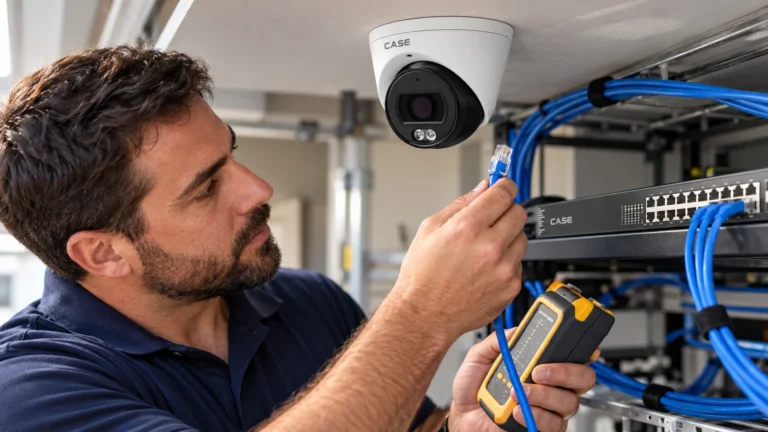
Quick answer: A listed memory slot is an option for local recording, not proof of automatic outage protection or NVR backfill. Confirm a supported card, configured recording mode, independent camera power during the outage and a tested retrieval path. CASE lists 1TB on the II turrets, 256GB on CS-I2PN S-3.7mm and N/A on the two named non-stitched models; read every exact SKU. Use the approved retention design rather than assuming that a card replaces or never counts toward the recorder plan.
On this page
Is edge storage a replacement for the NVR?
Local card recording and central recording have different failure and retrieval paths. A card may be lost with a stolen or damaged camera and has finite endurance. Central search, redundancy and access controls depend on the actual software and storage design, not simply on the presence of an NVR. Describe which system is the record of reference and test the required search/export and retention behavior.
A configured camera may continue local recording during a network interruption if it remains powered and the supported storage/mode works as tested. A PoE switch reboot or cut camera cable may remove power as well as data; a card cannot record without power. For central storage calculations use the NVR Storage Calculator, then define the separately powered outage cases and retrieval workflow the local recording is intended to cover.
Consider edge recording for these identified outage or retrieval cases after the actual power, storage and acceptance requirements are assessed:
- A camera behind a wireless bridge or a separately managed network may have an identified data-outage case. Verify actual reliability and retained power; local storage is not a repair for a defective link.
- A remote gate, pump house or yard position may need a defined outage and retrieval design. A long run alone does not establish the failure mode or make local recording sufficient.
- A deliberately designed local-only camera may be considered if the responsible reviewer accepts its actual retention, access, retrieval, loss and compliance limits. Neither the absence of an NVR nor a media label settles that assessment.
What happens when the network drops, and what should you promise?
Document the actual configured and tested behavior: supported recording modes, usable capacity, overwrite/storage-full policy and retrieval paths. Recordings can be lost through device/media failure, damage, deletion or formatting as well as overwritten. Automatic NVR backfill, outage-triggered recording and camera/web/client retrieval must be confirmed for the exact camera, recorder and software combination. A slot row alone proves none of those workflows.
Use an authorized bench test that preserves camera power. On a suitable PoE switch, interrupt the recorder-facing data path while leaving the camera port powered; do not unplug the camera’s PoE lead and expect recording to continue. Record the interruption period, walk through the view, restore data and check the local clip, timestamps, recorder timeline and intended export path. Verify any backfill separately. Record results and limitations in the commissioning report, and fix repeated link faults rather than treating cards as the repair. IP Camera Keeps Disconnecting covers fault isolation.
Which card: endurance, speed and capacity
The catalog lists a maximum slot capacity, not the complete card specification. Check the exact model’s supported format, speed, capacity, file system, temperature and tested-card guidance. Select media with suitable continuous-write endurance and follow both manufacturers’ instructions. Confirm separate camera and card warranty terms; do not assume the camera’s badge covers third-party media or a particular failure.
- Write endurance. Compare the approved media’s published endurance and test conditions, not its high-endurance/industrial label alone. At a constant 4Mbps, stream data is 1.8GB/hour, 43.2GB/day and 15.768TB per 365 days (about 15.8TB), before additional writes or reserve. This arithmetic is not a card-life or warranty promise.
- Check the media’s specified operating range and the actual housing conditions. The ambient camera range is not a measured card temperature or a guarantee of media life. Follow the exact model and media guidance.
- Write speed. Match the documented camera/host requirements and supported class family. Similar headline MB/s values across different class symbols do not automatically establish equivalent host/card performance; validate the actual recording workload.
- Capacity. Use actually supported media within the listed maximum and size it for the approved recording duty, outage/retrieval and retention requirements, with usable-capacity reserve. A maximum slot number does not approve every card or prove that the full number is usable.
How many hours fit on the card?
For an ideal constant stream, hours = capacity in decimal GB × 8,000 ÷ (Mbps × 3,600). Thus 512GB at 4Mbps is about 284 hours or 11.9 days before overhead/reserve. Actual results depend on usable capacity, all recorded streams, variable bitrate and the configured recording duty cycle. The table is arithmetic at the stated constant rates, not a promised retention time.
| Stream bitrate | Data per day | 256 GB | 512 GB | 1 TB |
|---|---|---|---|---|
| 2 Mbps — illustrative constant rate | about 21.6 GB | about 11.9 days | about 23.7 days | about 46 days |
| 4 Mbps — illustrative constant rate | about 43 GB | about 5.9 days | about 11.9 days | about 23 days |
| 8 Mbps — illustrative constant rate | about 86 GB | about 3 days | about 5.9 days | about 11.6 days |
The bitrate examples are configuration assumptions, not model specifications or guaranteed S+265 savings. Measure the configured streams over representative day/night scenes and use the actual recording schedule, usable capacity and reserve. Event-only recording may consume less space, but an unknown event duty cycle cannot prove a required retention period. The SD Association speed-class overview explains sequential-write performance labels and host/card matching; those labels do not establish this camera’s supported media, write endurance or retention.
Which CASE cameras print a slot, and which do not?
The Memory Slot row changes with the series letter, so read it per SKU rather than assuming a family value. The dual-lens non-stitched units print N/A, and the second-generation turrets double the usual maximum.
| SKU | Type | Memory Slot (as printed) | Design note |
|---|---|---|---|
| CS-I8XQ II-2.8mm | 8MP deterrence turret, Gen II | 1 TB | 1TB listed for this SKU; verify supported media, power, recording and outage/retrieval behavior |
| CS-I5XQ II-2.8mm | 5MP deterrence turret, Gen II | 1 TB | Same slot as the 8MP unit |
| CS-I5KS SD-2.8mm | 5MP dome | 512 GB | 512GB is the listed maximum for this exact SKU; do not infer other models |
| CS-I8MS I-2.7-13.5mm | 8MP varifocal AI dome | 512 GB | Confirm supported recording mode, continued power and the tested event/retrieval path |
| CS-I86V I-180 | 8MP stitched 180° turret | 512 GB | 512GB printed; verify supported recorded streams, resolution and usable retention |
| CS-I2PN S-3.7mm | 2MP pinhole | 256 GB | 256GB maximum; measure bitrate and schedule rather than inferring retention from megapixels |
| CS-I85N L-180 | 8MP (4+4) non-stitched bullet | N/A | N/A printed; do not assume card recording. Design/test central or another documented storage path |
| CS-I8RN S-2.8mm | 8MP (4+4) non-stitched camera | N/A | N/A printed; do not assume card recording. Verify the actual storage architecture |
Treat link reliability and retention as explicit requirements. Repair or redesign fragile data/power paths; a different camera with a slot changes the equipment choice and still needs verification. Whether local recordings can satisfy any retention requirement depends on the actual rule, approved architecture, accessibility and tested behavior. Do not count the same footage twice or declare that cards always qualify or never qualify. Video Retention Policy explains the design questions.
How do you commission and maintain edge recording?
- Install and format. Follow the exact device/media installation, power and formatting instructions and the supported tool/process; do not impose a universal camera-only or never-on-a-computer rule. Protect required recordings and resolve holds before a destructive format. Record make, model, capacity, relevant settings and install date.
- Choose an actually supported recording mode and test it. Continuous and event-based modes have different retention and missed-event risks; do not assume a network-loss mode or a longest-coverage result. Approve overwrite, storage-full and legal-hold behavior against the retention requirements.
- Approve storage-full behavior. Agree and test the supported overwrite/stop policy against retention, preservation and legal-hold requirements. Do not enable overwrite as a universal rule or assume retained evidence remains protected when media fills.
- Run the authorized data-interruption test while keeping the camera powered. Record local playback/export, timestamps and any independently verified NVR backfill result.
- Check health and maintenance. Review the actual supported status/diagnostics and recording/playback behavior under the approved service plan. Follow device/media guidance for checks and replacement; a nominal endurance figure alone does not determine a guaranteed replacement date.
- Hand over the retrieval path. Show the customer where the card footage appears in the tool you commissioned; app features and remote access options should be confirmed by model, software version and project configuration.
What to tell your customer
Before handover, identify where recordings will be stored and how they will be retrieved. Test the approved data-interruption scenario with camera power preserved, and document the observed local-recording and any separately verified NVR backfill result. Report the media-health checks, retention assumptions and remaining limits; do not describe an unperformed test as completed.
FAQ
Can I use SD card recording on an IP camera instead of an NVR?
It can be part of a deliberately designed local-recording system if that meets the actual requirements. Assess loss of the camera/media, search/export, access control, endurance, power and retention. A regulated installation needs the responsible reviewer’s accepted architecture; neither a single card nor an NVR label alone proves compliance.
Which CASE cameras have a 1 TB memory slot?
CS-I8XQ II-2.8mm and CS-I5XQ II-2.8mm print 1TB; CS-I2PN S-3.7mm prints 256GB; CS-I85N L-180 and CS-I8RN S-2.8mm print N/A. Many other named models print 512GB, but each SKU must be checked. Request actual supported-media, format and tested-card guidance rather than assuming every spec sheet supplies a complete list.
Does the NVR fill in the gap from the card after the network comes back?
Confirm the exact camera, recorder and firmware/software combination. Keep the camera powered while interrupting its data path, restore the connection and compare the local clip with the NVR timeline and export. Do not infer automatic recovery from a memory-slot row or an ONVIF profile label. Use the IP camera user manual and request missing recorder/client instructions before testing the proposed recovery path.
What card should I specify for an outdoor camera?
Choose media supported by the exact camera and suitable for the intended write workload and actual card operating conditions. A camera ambient-temperature range does not establish card temperature or lifetime. Obtain the supported capacity/format and maintenance guidance, then follow the approved installation and formatting process after protecting any required recordings.
References
- Anabon current model documents and manuals
- ONVIF model and firmware conformance database