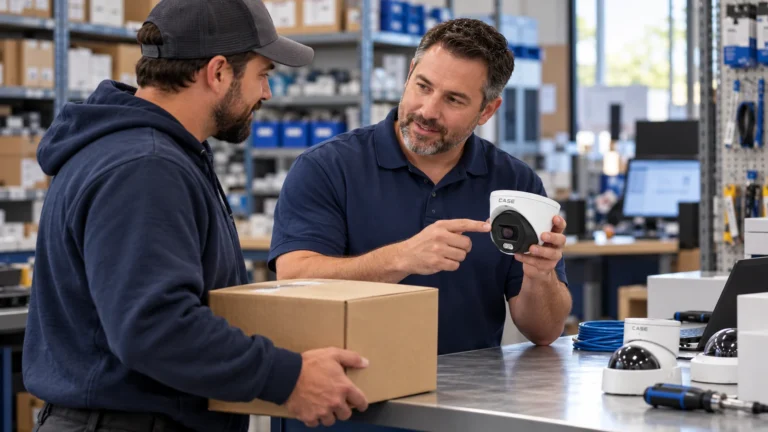
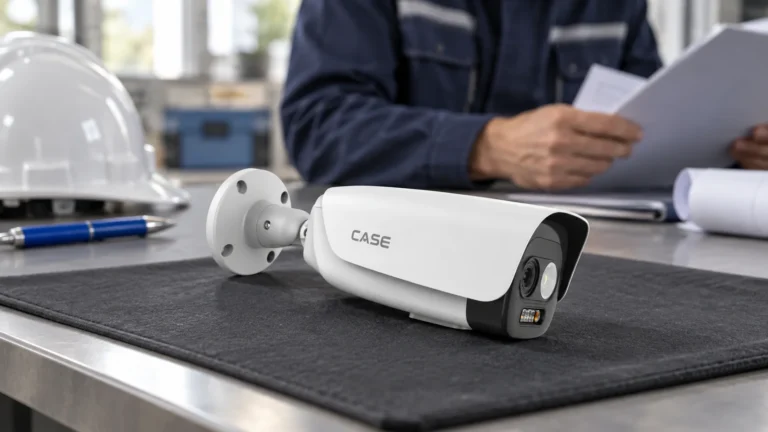
Quick answer: The CASE security camera demo program is for installers, integrators, dealers and approved business accounts: for approved demo products we provide a 90-day test period under the approved demo return process. This is not a general return policy. Use it to evaluate a product on your own terms before you standardize on it or present it in a larger project.
On this page
What is the exact demo policy?
Start with the approved statement, then obtain the actual written package approval, conditions and return instructions before relying on the offer:
For approved demo products we provide a 90-day test period under the approved demo return process. This is not a general return policy.
Approval, the test period and the return route are separate requirements. The official RMA policy last updated October 2026 describes the 90-day option for CASE units included in an approved test package, excludes PTZ cameras and hard drives from that option, and requires saleable condition, packaging/accessories, no installation damage or misuse, prior support contact and the completed RMA process. Inspection and the applicable conditions determine the outcome; do not promise an automatic refund, free use or a general return right. Use the terms that actually apply to the purchase; the updated policy does not automatically replace earlier agreements.
The purpose is practical. Changing the camera line you quote every week is a real risk for a small security company: a new line means new menus for your technicians, new mounts in the van and a new answer when the customer calls at night. The demo test lets you check image quality, installation, software experience and customer fit before you take that risk, and it is available to approved trade partners in the US and Canada.
Which product families could you evaluate?
Use the IP camera user manual and the exact revision’s model sheet when preparing a proposed test. These four models illustrate different questions, not a current list of approved demo stock or a compatibility guarantee. Ask Anabon to confirm the exact package, charges, permitted setting and written return conditions. Numerical rows are catalog/data-sheet references; the actual supplied revision and supported modes must be checked before an equipment or performance commitment.
| Family | SKU | Printed specs | Evaluation question; approval required |
|---|---|---|---|
| Night color | CS-I4SV S-2.8mm | 4MP turret, 2688×1520@25fps, PhotonX, 0.0001 Lux, 33 ft (10 m) white light, IR N/A (catalog), IP67, −40 °F to 149 °F (−40 °C to 65 °C) | Evaluate recorded color/detail in agreed lighting and exposure, not a range guarantee |
| Active deterrence | CS-I8XQ II-2.8mm | 8MP turret, 3840×2160@30fps, 164 ft (50 m) IR, 98 ft (30 m) white light, red and blue light, built-in mic and speaker, 1 TB slot, IP66 | Verify supported warning trigger/light/audio sequence on actual firmware and client |
| 180° panoramic | CS-I86V I-180 | 8MP (4+4) stitched, 4640×1728@25fps (catalog; linked sheet PAL25/NTSC24), 0.0009 Lux, 98 ft (30 m) IR, 98 ft (30 m) white light, IP67, −31 °F to 149 °F (−35 °C to 65 °C) | Check actual stitched view, required detail, streams and NVR channel handling |
| Thermal | CS-I5LQ I-T-4mm | Bi-spectrum: optical 2880×1620@30fps plus thermal 256×192@25fps, NETD ≤45 mK, horizontal FOV 88.7° as printed; confirm applicable channel/revision, IP67, −31 °F to 149 °F (−35 °C to 65 °C) | Verify permitted thermal task and required accuracy/calibration documents, not a fire-system test |
White light, red/blue LEDs, a speaker or an EW/AEW label do not establish every automatic warning sequence or prevention of an incident. Verify the actual trigger, firmware/client path, permitted light/audio use and recorded result. Night-color performance depends on the actual exposure, motion and lighting. The linked I86V sheet distinguishes PAL25/NTSC24; the thermal reference and linked revision also have unresolved lens/temperature differences discussed in its guide. Do not convert an example model or one printed maximum into approved-demo eligibility.
How does the 90-day demo test work, step by step?
- Have an approved business account. The demo program is for trade partners only. If you do not have an account yet, apply at account.anabon.com.
- Request the proposed package and state the actual acceptance question, such as required recorded color/detail in the approved scene. Do not start from a promised camera replacement ratio or an assumed identification distance.
- Receive approval for the exact products and test setting. Confirm the price/charges, start date, decision date, return-authorization and shipment deadlines, packaging, condition requirements and freight responsibilities before starting; do not assume these details.
- Keep the packaging and every accessory. It makes meeting the return condition requirements straightforward if the product does not fit.
- Run the evaluation on your bench and in the test setting the approved conditions allow, and record what you see (see the plan below).
- Make the retain/return decision early enough for the actual agreed deadlines. Keep the written start, decision, authorization and shipment/receipt requirements with the test record. A move into a permanent customer project or a different use must follow the approved purchase/deployment terms; do not assume the trial return conditions carry over.
What should you test during the 90 days?
A demo that ends with “looked good” teaches you nothing you can quote. Write the test plan before you power the unit, and use the same plan for every family. Copy this table into your job folder:
| Check | How to test | What to record |
|---|---|---|
| Night image | Same scene at dusk, at full dark and with headlights in frame | Screenshots at fixed times; can a face or a vehicle color be read? |
| Deterrence response | Walk test at the edge of the detection zone, day and night | Trigger distance, false triggers from vehicles, animals or weather |
| Coverage | Mark the frame edges on a site sketch | Actual blind spots and required recorded detail; no automatic replacement count |
| Thermal readings | Use a suitable known reference under the model’s measurement instructions and approved test conditions. | Record the setup and limitations; a warm object alone does not validate accuracy or a fire-detection distance. |
| Recording and search | Record and retrieve the agreed test event with the supported NVR and client | Time to find and export a clip |
| Installation | Use only approved temporary mounting, cabling and configuration within return conditions | Setup time, approved mounts and any condition or compatibility limitations |
| Remote viewing | Live view and playback from a phone | Actual model, firmware, app/client version and supported functions demonstrated |
Use the CASE Connect handover guide to plan the supported customer-access task. CASE Connect is the primary next-generation camera-control software; Android is available, iOS is forthcoming and no unverified public web URL or feature parity is promised. Confirm exact device, firmware, app/client and permitted functions before demonstrating remote access or sharing accounts. For a compliance-sensitive bid, request the actual clause-specific model evidence and written project confirmation; this demo does not establish procurement acceptance.
What the 90-day demo test is not
The demo program has a narrow scope on purpose, so that it can stay available. It is not:
- A general return policy for regular project orders.
- A return route for products in an installed customer system.
- A return route for special-order products.
- A return route for damaged goods.
- A return route for products used outside the approved demo conditions.
- A way to supply a customer project and return the hardware if the job changes.
Keep the CASE Project Series overview separate from standard demo eligibility. CSP- configurations require actual project-specific supply, evidence, lead time and warranty confirmation; a catalog entry is not approval for this return option. Do not advertise every product as returnable in 90 days, offer a permanent customer installation as an automatically eligible trial, or claim a no-conditions/free-use guarantee. Any proposed exception or test setting needs explicit written confirmation before ordering or deployment.
How do you turn a successful demo into a standard?
The test pays off when the result changes how you quote. If the product passed:
- Write the SKU into your standard proposal template with its full spelling and printed specs.
- Add the matching mounts and junction boxes to the same template, so the technician is not waiting on site for a bracket.
- Brief your technicians on the configuration you settled on during the test.
- Use the screenshots from your night and deterrence checks in your own customer presentations, with no site or customer identifiable.
- Bring the first larger job for review before you quote. “Bring us the opportunity before you say no.”
Use the thermal camera model guide when evaluating the CS-I5LQ I-T-4mm example and its documented revision limits. Record why any candidate did not meet the agreed task; do not generalize one scene or a warm object into calibrated accuracy, a fire role or a guaranteed detection distance. Confirm the authorized return process and deadlines for the actual approved demo instead of assuming a failed test automatically earns a refund or a new unit.
How to use this with your customers
The program is for approved trade partners. In customer discussions, present only the results you actually recorded under the agreed test conditions, with permission for any site images you share. Keep the demo purchase and conditions separate from your customer’s project quotation.
FAQ
Who can use the CASE demo program?
Review the security camera installer program for the trade-partner route, then request the appropriate approved business-account and demo-package decision. Installers, integrators, dealers and eligible trade businesses in the US/Canada may apply under the actual terms; application is not guaranteed approval or stock. Anabon’s end-user service relationship remains through the supplying installer/company, not a direct consumer demo offer.
Can I return any CASE product within 90 days?
No. The 90-day option is for the actual approved CASE test package under the applicable process, not every CASE purchase. The published policy excludes PTZ cameras and hard drives from that option and sets condition, packaging, prior-contact and inspection requirements. Do not treat installed customer systems, damaged/misused equipment, special orders or use outside the written approval as automatically eligible. Confirm the actual terms and return authorization before making any promise.
Which products are approved as demo products?
Browse IP cameras for installers only as a product-comparison starting point. Night-color, deterrence, panoramic and thermal examples do not constitute a live approved-demo list. Obtain written approval for the complete SKU/revision and actual package, permitted test setting, charges and return conditions. A store listing, illustration or product family alone does not grant eligibility or establish stock or compatibility.
Can I install a demo camera at a customer site?
Obtain written approval for the intended test setting before mounting or deploying a demo product. Agree who controls the site, the allowed use, condition requirements and return deadlines. A permanent customer installation or ordinary project purchase must not be assumed to qualify for the demo return process.
When does the 90-day period start?
Confirm the start date with Anabon when your demo is approved, and write it into your job folder together with a decision date a little before the end of the period. That leaves time to finish your notes, decide whether to standardize, and, if the product does not fit, return it under the approved demo return process.
References
- Anabon demo and project enquiries
- Current product documents
- Anabon partner program