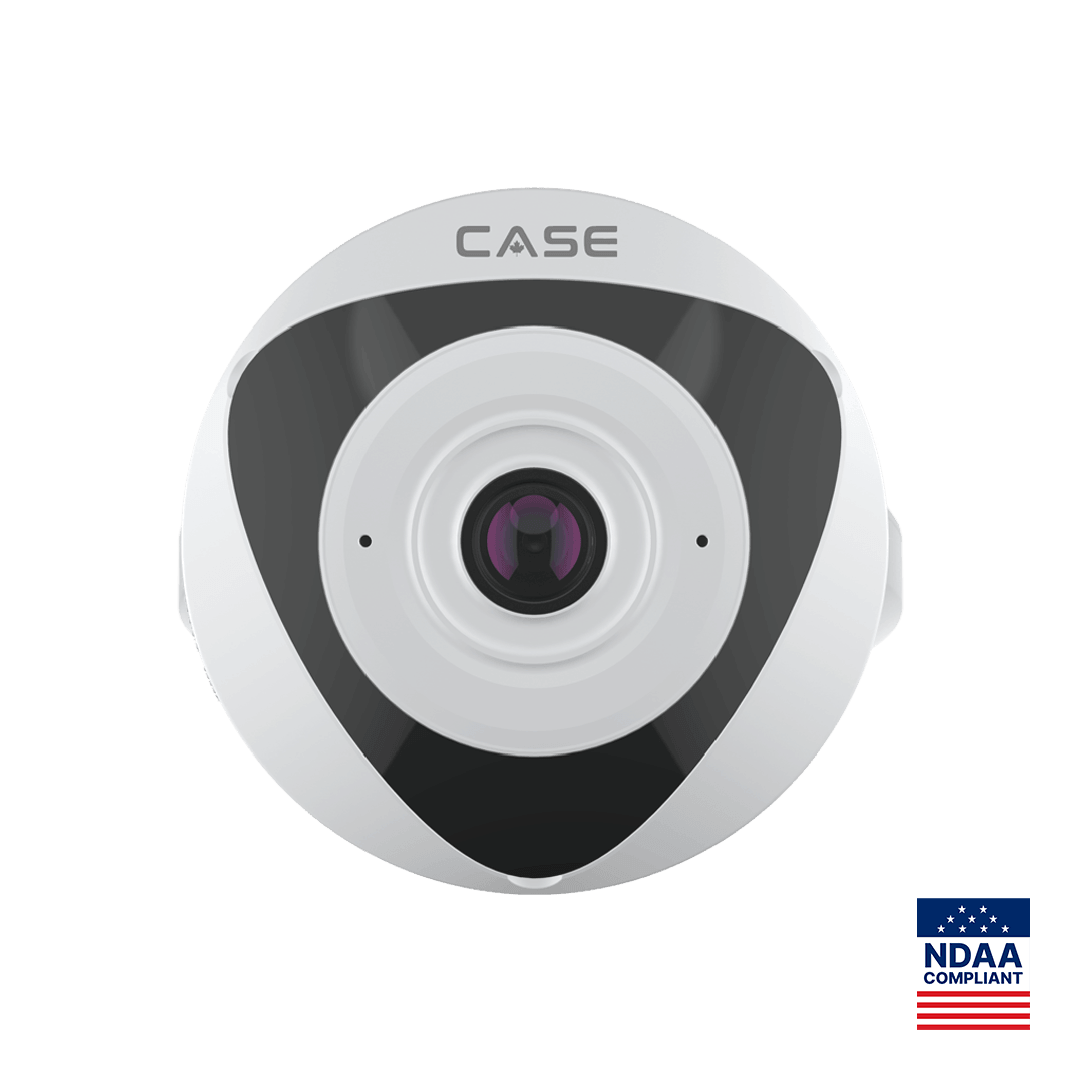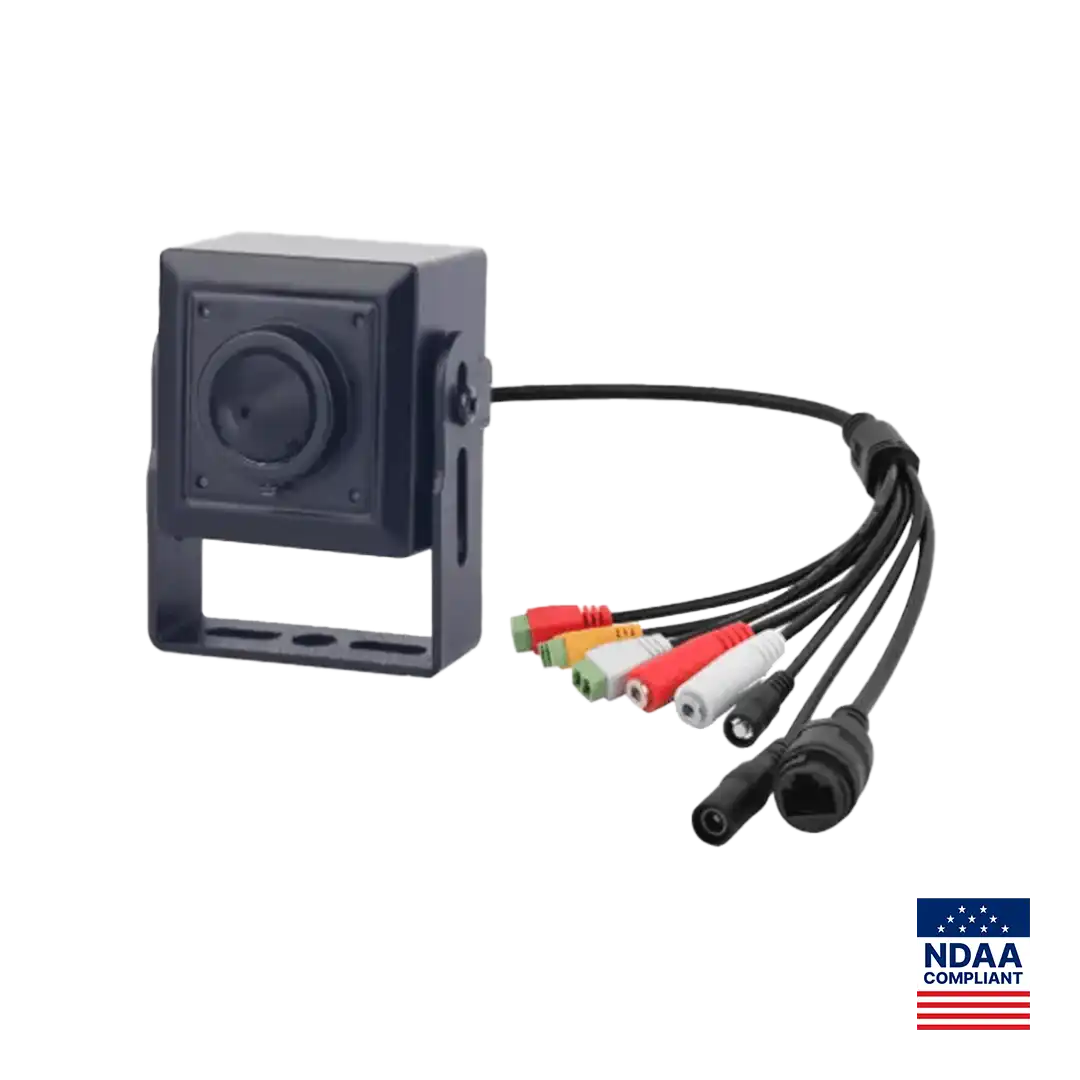
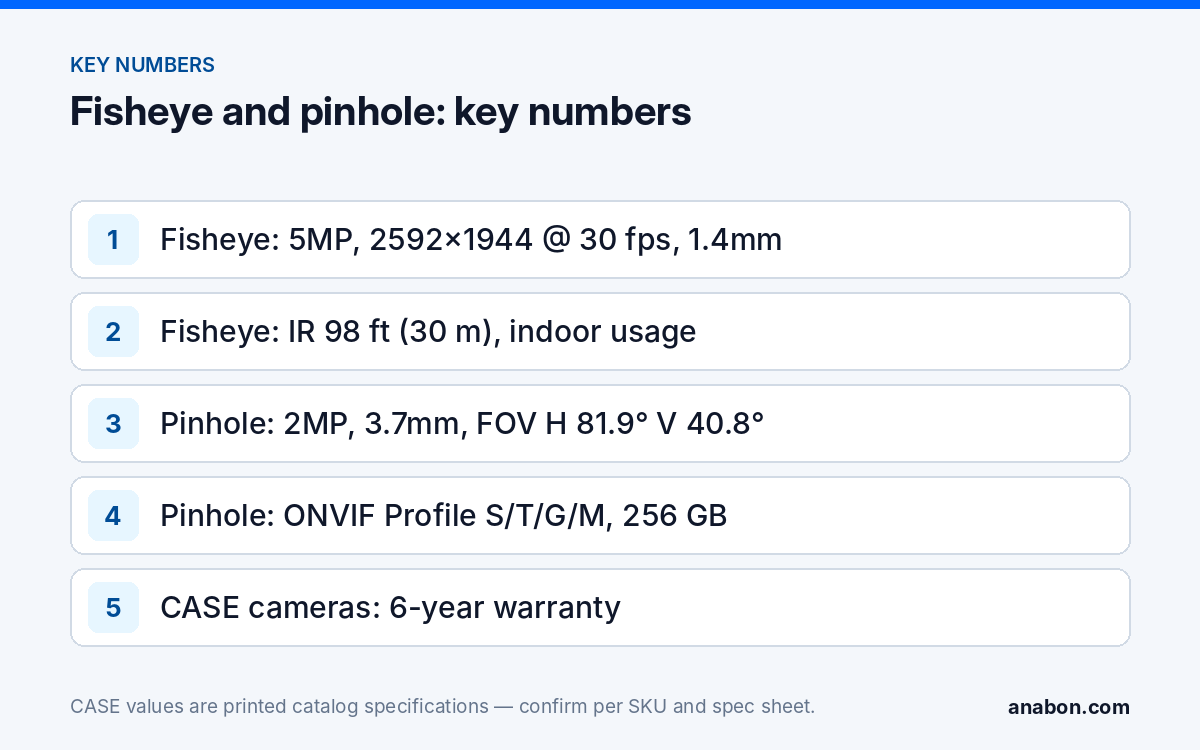
Quick answer: The CS-I5VN S-1.4mm is a 5MP indoor fisheye security camera (2592×1944@30fps, 1.4mm fixed lens, 98 ft (30 m) IR) with Heatmap, Tripwire, Double Tripwire and Perimeter printed on camera. The CS-I2PN S-3.7mm is a 2MP pinhole camera with a 3.7mm fixed lens, True WDR, three streams and the only CASE spec page that prints ONVIF Profile S/T/G/M. Use the fisheye to cover open indoor areas from one point, and the pinhole only where covert recording is lawful and documented. Both are CASE cameras with a 6-year warranty serviced through you.
When does a fisheye security camera beat several fixed cameras?
A fisheye lens is an ultra-wide lens that trades straight lines for coverage: the image is strongly curved, and the recorder or viewing software can flatten (dewarp) parts of it into conventional views. One unit placed well can replace two or three fixed cameras watching the same open floor, with one cable, one NVR channel and one mount. It does not replace a camera aimed at a door or a counter for identification, because the pixels are spread across the whole scene.
| Indoor scene | Fisheye | Fixed camera |
|---|---|---|
| Open retail floor or showroom | Good fit: overall activity and traffic patterns | Add at entrances and point of sale for faces |
| Open-plan office or lobby | Good fit: one unit for the open area | Add at the reception desk and exits |
| Warehouse cross-aisle or staging area | Fits where the area is open and roughly square | Better for long, narrow racking aisles |
| Cafeteria, break area or common room | Good fit, with signage and privacy review | Rarely needed |
| Entrance door, cash office, counter | Not the main camera | Use for identification |
For the wider choice between one fisheye and a multi-sensor unit, see fisheye vs multi-sensor cameras for indoor coverage.
What does the CS-I5VN S-1.4mm print, and what does it leave to the spec sheet?
The CS-I5VN S-1.4mm is a Sharp-series special camera. Its printed rows give you resolution, lens, low-light figures, analytics and the I/O you need for design. Two guards apply before you write a proposal. First, protection is printed as Indoor Usage: do not place it outdoors or describe it as an outdoor unit. Second, the field of view and the mounting position (ceiling or wall) are not printed on the spec page, and neither is a list of dewarping views; take those from the spec sheet and confirm the dewarping modes per NVR, firmware and software version.
- Image: 5MP sensor, 2592×1944@30fps, 120dB WDR, 0.02 Lux minimum illumination.
- Lens and IR: 1.4mm fixed, IR printed to 98 ft (30 m), white light N/A.
- Analytics: Tripwire, Double Tripwire, Perimeter and Heatmap.
- I/O: Audio I/O 1/1 with a built-in microphone and no built-in speaker; Alarm I/O 1/1.
- Storage and codec: 512 GB memory slot; S+265/H.265/H.264B/H.264M/H.264H/Motion JPEG.
- Build: Metal+plastic housing, operating conditions −40 °F to 149 °F (−40 °C to 65 °C), 0–95% RH, as printed.
Using Heatmap on a fisheye
Heatmap shows where activity concentrates over a period. On a fisheye covering a whole floor, that gives a store or facility manager a picture of traffic toward aisles, displays or exits that a door camera cannot. Treat it as an operations report, not evidence: agree with the customer which period to report, export a baseline after the first full week, and keep the camera position fixed so later maps compare like with like. Heatmap results depend on the mounting position and scene and should be checked on site.
How do you install and commission a fisheye?
- Confirm the mounting position on the spec sheet before you order the mount; it is not printed in the catalog.
- Center the camera over the area of interest. Fisheye detail falls off toward the edge of the image, so put the activity that matters nearer the middle.
- Check ceiling height and obstructions: light fixtures, signage and high shelving all cast blind areas in a single-point view.
- Watch the IR at night: indoor IR reflects off nearby walls, ducts and glass; walk the scene with the lights off and move the camera if one surface washes out the image.
- Draw rules after the view is final: a Tripwire across a doorway or a Perimeter zone around a stockroom entrance.
- Decide on audio deliberately: the built-in microphone records sound only where state laws, or provincial laws and PIPEDA in Canada, allow it; verify the local requirement and document the decision.
- Test the dewarped views on the recorder the customer will actually use, and check the live view in CASE Connect on the customer’s phone, before handover.
What is the CS-I2PN S-3.7mm for?
The CS-I2PN S-3.7mm is a small-format pinhole camera for places where a standard housing does not fit or must not draw attention: inside a kiosk or teller station, above a cash drawer, in a display fixture or in an equipment panel. The printed rows are specific:
- Sensor and image: 2MP, 1/2.8” Progressive Scan CMOS, Max. Resolution 1080×1920 (portrait order as printed), True WDR.
- Lens: Pinhole, 3.7mm fixed, fixed iris, F2.0; field of view H: 81.9°, V: 40.8° as printed. Confirm the image orientation on the spec sheet before you design the view.
- Low light: 0.01 Lux (F2.0, AGC ON) in color and 0.001 Lux (F2.0, AGC ON) in black and white. No IR row is printed.
- Analytics: face, human and vehicle detection; Intrusion, Single Line Crossing, Double Line Crossing, Loitering and Wrong-Way, with alarm triggering by specified target types (human and vehicle).
- Streams and storage: 3 streams; 256 GB memory slot; Metal housing.
- Interoperability: ONVIF (Profile S/T/G/M), SDK, CGI.
ONVIF profiles supported are S, T, and G, with M on pinhole models. Third-party behavior is confirmed per platform and project. The CS-I2PN S-3.7mm is the pinhole model that prints Profile M; if a third-party platform needs Profile M metadata, confirm that platform’s support for it in writing. For what each profile covers, see ONVIF Profile S, T, G and M explained. Rows not printed on this page, such as power input, operating temperature and protection rating, come from the spec sheet; plan for a protected, indoor installation unless it states otherwise.
Where are pinhole cameras appropriate, and where are they not?
Covert recording is the area where an installer’s name is most exposed. The camera is a standard product; the placement is what privacy law governs. Treat every pinhole request as a documented decision by the customer, made before you quote it.
| Placement | Typical position |
|---|---|
| Cash office, teller or kiosk station | Commonly appropriate with a documented business purpose |
| Point of sale or cash drawer | Commonly appropriate; check employee-notice rules |
| Equipment, server or panel interior | Commonly appropriate |
| Employee-only areas such as break rooms | Restricted in many places; notice or consent rules apply |
| Washrooms, change rooms, sleeping areas | Not appropriate; do not install |
- Record the customer’s stated purpose and the approved locations in writing.
- In the US, check the state laws for the site; in Canada, PIPEDA and the provincial laws (for example Alberta PIPA, BC PIPA and Quebec Law 25) set notice and purpose expectations.
- This SKU prints no audio row; do not plan audio capture at a covert location.
- Verify with counsel or the local code before installing covert cameras in workplaces.
For the full placement discussion, see pinhole and covert cameras: where they are appropriate.
Spec tables: both SKUs as printed
The two pages print different row sets, so each SKU gets its own table; a row printed for one SKU is not assumed for the other.
| CS-I5VN S-1.4mm | As printed |
|---|---|
| Image sensor | 5MP |
| Lens | 1.4mm Fixed |
| Max. IR distance | 98 ft (30 m) |
| Audio I/O / microphone / speaker | 1/1, Yes, N/A |
| Min. illumination | 0.02 Lux |
| Protection | Indoor Usage |
| Max. resolution and frame rate | 2592×1944@30fps |
| Wide dynamic range | 120dB |
| Housing | Metal+plastic |
| Alarm I/O | 1/1 |
| Memory slot | 512 GB |
| Operating conditions | −40 °F to 149 °F (−40 °C to 65 °C), 0–95% RH |
| AI | Tripwire, Double Tripwire, Perimeter, Heatmap |
| CS-I2PN S-3.7mm | As printed |
|---|---|
| Megapixel | 2MP |
| Lens type | Pinhole, 3.7mm Fixed, F2.0, fixed iris |
| Image sensor | 1/2.8” Progressive Scan CMOS |
| Min. illumination | 0.01 Lux color; 0.001 Lux B/W (F2.0, AGC ON) |
| Max. resolution | 1080×1920 |
| Wide dynamic range | True WDR |
| Field of view | H: 81.9°, V: 40.8° |
| Streams | 3 |
| Interoperability | ONVIF (Profile S/T/G/M), SDK, CGI |
| Memory slot | 256 GB |
| Housing | Metal |
What to tell your customer
One fisheye camera will cover the open floor from a single point and can show you where traffic concentrates over time; we will still put dedicated cameras on the doors and counters where faces matter. The pinhole camera goes only in the locations you approve in writing for a stated business purpose, and we check the local privacy rules first. Both cameras carry a 6-year warranty, and all service runs through us.
FAQ
Can the CS-I5VN S-1.4mm be installed outdoors?
No. Its protection row is printed as Indoor Usage, so treat it as an indoor camera regardless of its −40 °F to 149 °F (−40 °C to 65 °C) operating range. For outdoor wide coverage, look at the stitched 180° models such as the CS-I86V I-180, which prints IP67, or at a dual-lens non-stitched camera.
What field of view does the fisheye cover?
The field of view and the mounting position are not printed on the catalog page for the CS-I5VN S-1.4mm. Take both from the spec sheet before you design the layout, and confirm the dewarped views your recorder and software version offer. Do not quote a coverage angle in a proposal until you have it from the spec sheet.
Does Heatmap identify people?
No. Heatmap summarizes where activity concentrates over a period, which suits store layouts, queues and traffic toward exits. It is an operations report rather than an identification tool. For faces, specify a fixed camera at the door or counter and size it for identification with a pixels-per-foot target. Results depend on mounting position and scene.
Why does Profile M matter on the pinhole camera?
ONVIF Profile M covers analytics metadata and events. The CS-I2PN S-3.7mm prints ONVIF Profile S/T/G/M, SDK and CGI, which makes it the CASE pinhole model to choose when a platform consumes analytics metadata. ONVIF profiles supported are S, T, and G, with M on pinhole models. Third-party behavior is confirmed per platform and project.
Is it legal to install a pinhole camera at a client site?
It depends on the location and the jurisdiction. Washrooms, change rooms and sleeping areas are off limits, and many workplaces require notice. In the US check the state laws; in Canada check PIPEDA and the provincial laws. Get the customer’s purpose and approved locations in writing and verify with counsel or the local code first.
What warranty applies to these special cameras?
CASE cameras and CASE NVRs carry a 6-year warranty. CASE PTZ cameras carry a 3-year warranty. CASE accessories carry unlimited warranty. Hard drives are supported through back-to-back manufacturer warranty. Both SKUs here are CASE cameras. Service runs through the installer or dealer; an end user should contact the installer or company that supplied their system.