Quick answer: A dead PoE camera almost always has one of five causes: the switch’s total PoE budget is used up, the camera needs a higher PoE class (802.3at or 802.3bt) than the port supplies, the run is longer than 328 ft (100 m), the cable is copper-clad aluminum, or a connector is badly terminated. Put a PoE tester on the camera end first; its reading tells you which one you are dealing with before you replace anything.
Which PoE class does the camera actually need: 802.3af, 802.3at or 802.3bt?
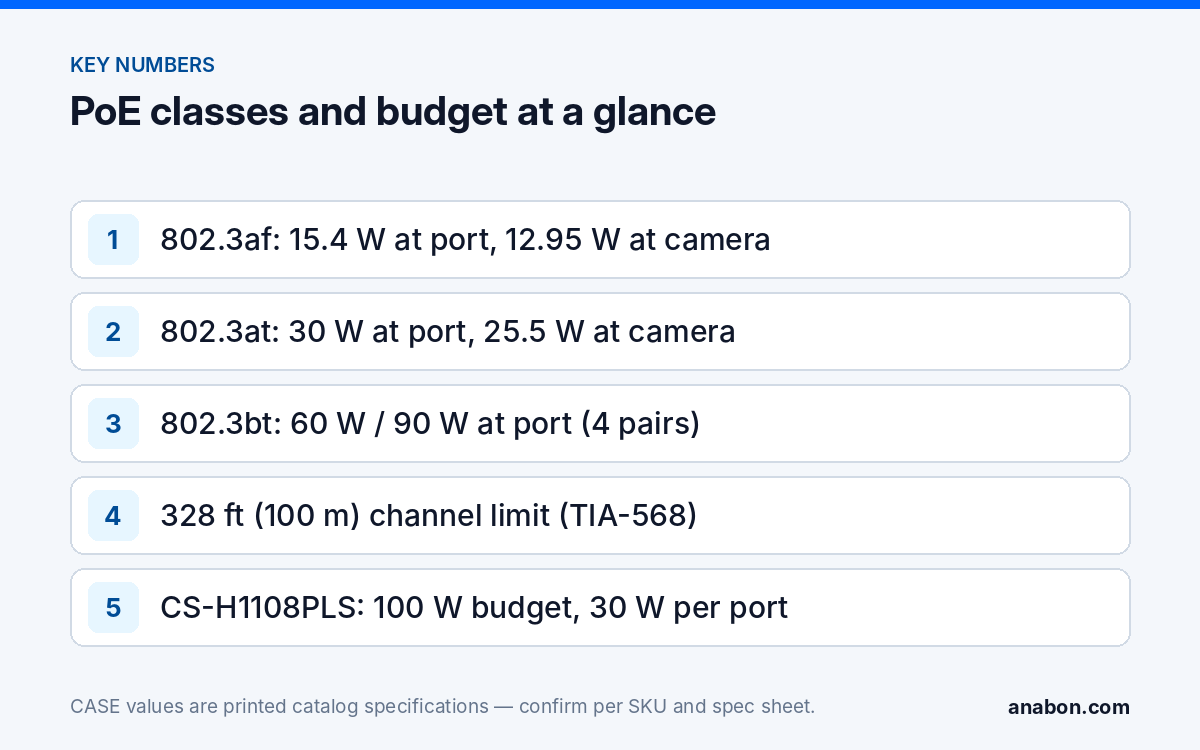
Power over Ethernet is defined by IEEE 802.3, and three generations matter on a camera job. Each states two numbers: what the switch or injector (the PSE) must put on the port, and what the camera (the PD) can count on after the loss across a full 328 ft (100 m) channel. A camera spec sheet quotes a PD number; the port has to offer the matching PSE class.
| Standard | Common name | At the port (PSE) | At the camera (PD) | Pairs | Class |
|---|---|---|---|---|---|
| IEEE 802.3af (Type 1) | PoE | 15.4 W | 12.95 W | 2 | 0–3 |
| IEEE 802.3at (Type 2) | PoE+ | 30 W | 25.5 W | 2 | 4 |
| IEEE 802.3bt (Type 3) | PoE++ / 4PPoE | 60 W | 51 W | 4 | 5–6 |
| IEEE 802.3bt (Type 4) | PoE++ / 4PPoE | 90 W | 71.3 W | 4 | 7–8 |
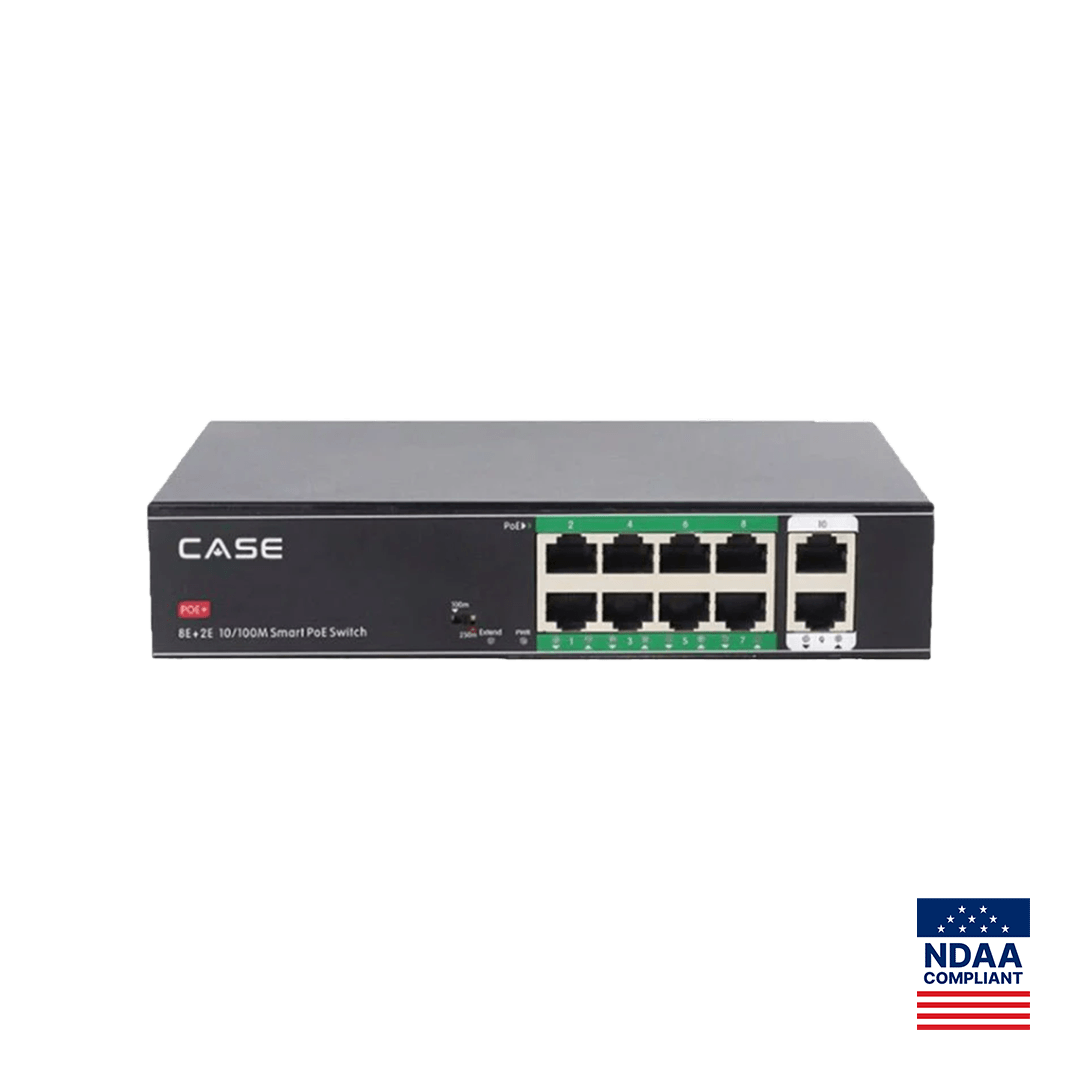
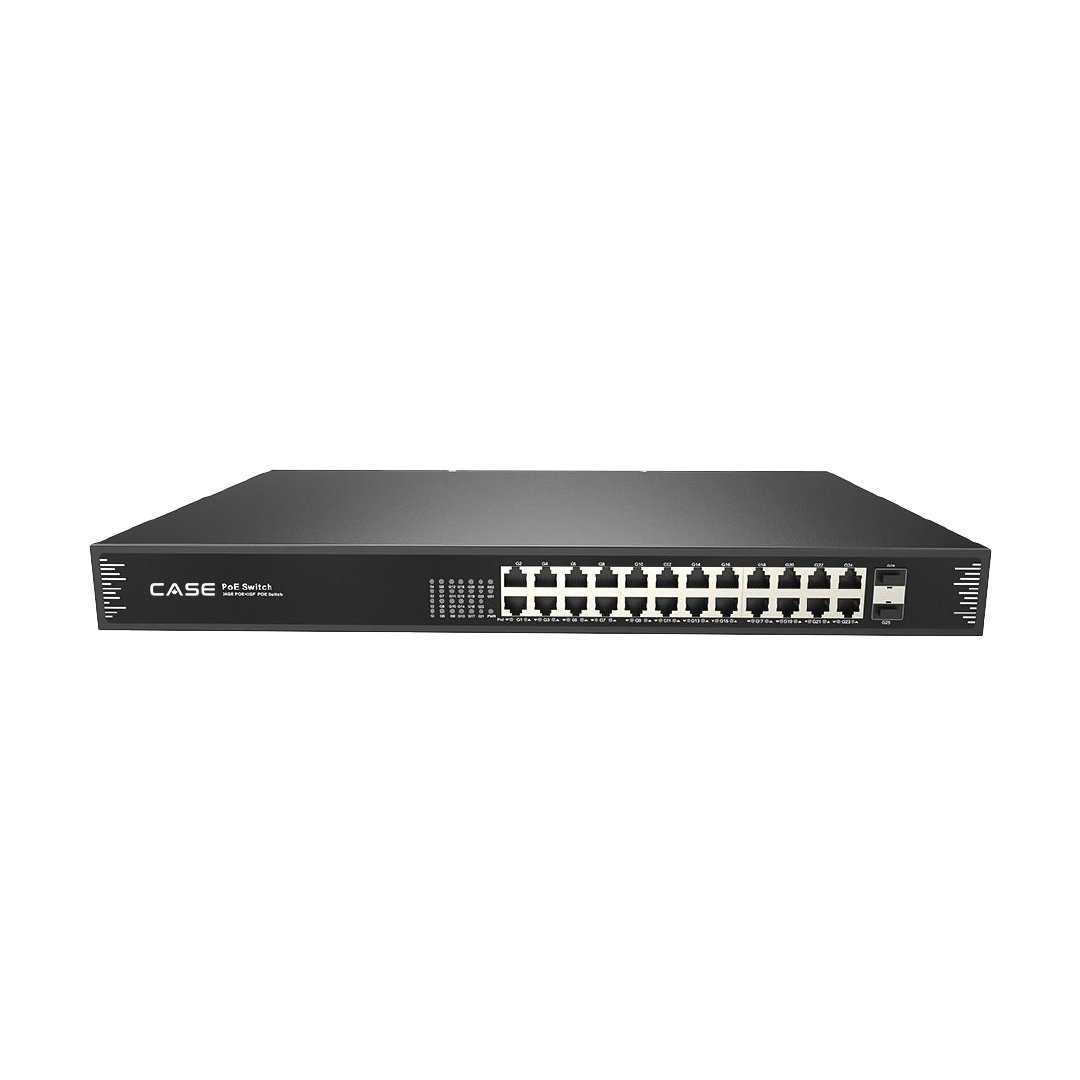
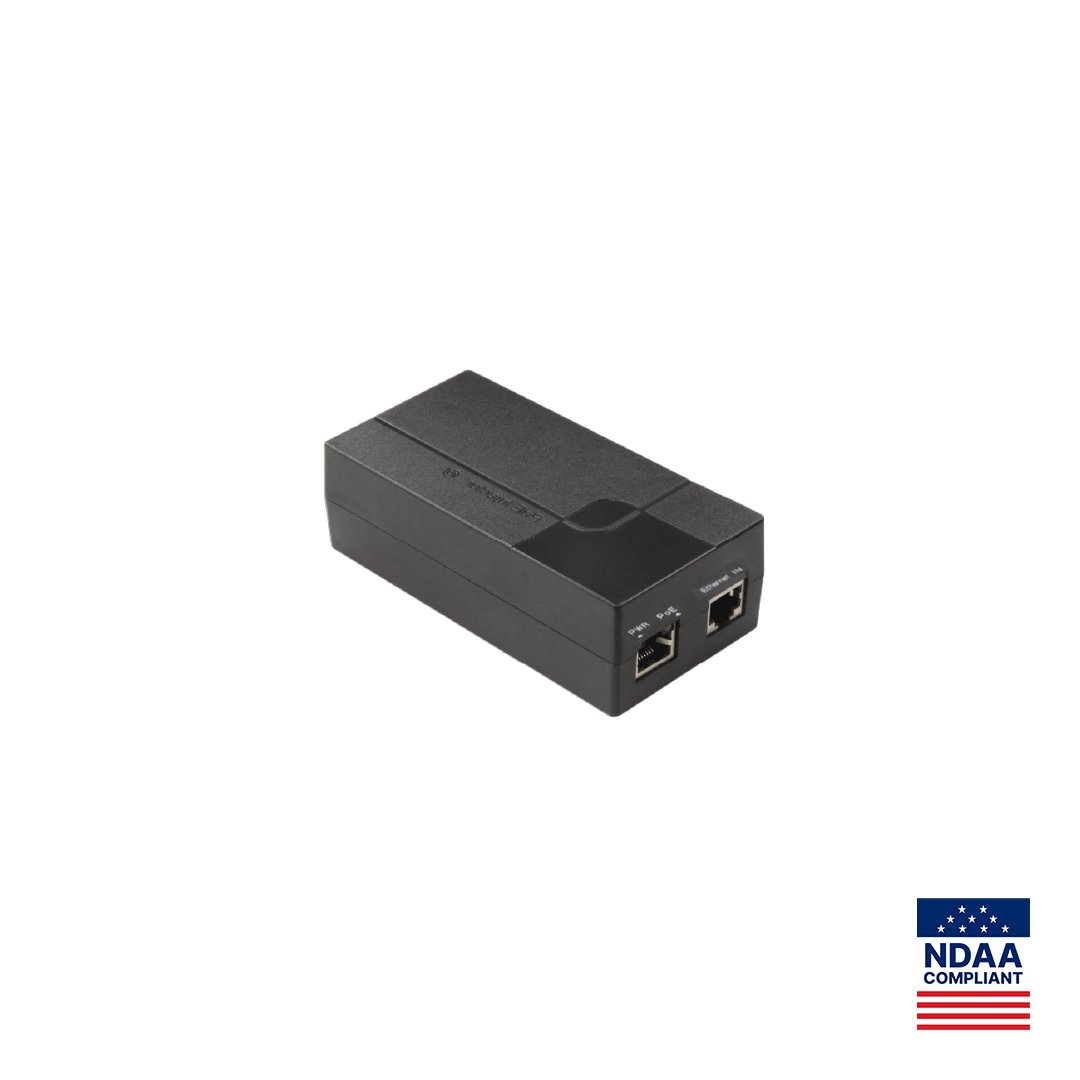
Now the CASE catalog figures for the power layer and for the PTZs that most often generate this call. The CASE switches and injector below are all 802.3af/at with 30 W as the per-port maximum; none is a bt device.
| SKU | Role | PoE standard as printed | Max per port | Total PoE budget |
|---|---|---|---|---|
| CS-H1108PLS | 8×10/100M PoE + 2×10/100M uplink | IEEE802.3af/at | 30 W | 100 W |
| CS-POE33108PF | 8×10/100/1000M PoE + 2×1000M SFP | IEEE 802.3af/at | 30 W | 130 W / 250 W |
| CS-POE33024PF | 24×10/100/1000M PoE + 2×1000M SFP | IEEE 802.3af/at | 30 W | 400 W / 600 W |
| CS-PSE3301AC | Gigabit injector (Ethernet IN + PoE OUT) | IEEE802.3af / IEEE802.3at | 15.4 W (af) / 30 W (at) | 18 W (af) / 35 W (at) |
| CS-P44S 25XA | 4MP 25x PTZ | DC12V±10% / PoE+ (IEEE 802.3at) | — | — |
| CS-P48 63X | 4MP 63x laser PTZ | DC36V±25%, PoE++ (IEEE 802.3bt) | — | — |
| CS-P88 44X | 8MP 44x laser PTZ | DC36V±25% / PoE++ (IEEE 802.3bt) | — | — |
| CS-P66V 25XA-180 | 180° panoramic + 25x PTZ | AC24V±25%; DC24V±10%; PoE 802.3bt | — | — |
The catalog prints the PoE class for these cameras, not the wattage; take the maximum draw from each SKU’s spec sheet before you add it to a budget. Cameras with IR or white-light illuminators draw more at night, which is why a camera that runs all afternoon can drop off the recorder at dusk.
Is the switch’s PoE budget exhausted, and how do you check?
“30 W per port” and “100 W total” are two different limits, and the total bites first. On a CS-H1108PLS, eight ports at the printed 30 W maximum would be 240 W against a printed total budget of 100 W. On a CS-POE33024PF the 400 W version averages about 16.7 W per port across 24 ports and the 600 W version 25 W, so a rack switch fully loaded with 802.3at-class PTZs is not a realistic design on either. Many switches also reserve budget by the class a device announces at power-up, not by what it draws; check the switch documentation before you blame the cameras.
Worked example on a CS-H1108PLS: six fixed cameras whose spec sheets state 7 W maximum (42 W) plus one CS-P44S 25XA at its 802.3at class (up to 30 W) is 72 W, under 100 W with headroom. Add a second at-class PTZ and the paper total is 102 W; the last device to boot stays dark, and which one that is changes after every power cycle: the classic “camera 7 is dead today, camera 3 was dead yesterday” ticket.
- Add up the spec-sheet maximum of every powered device, not the typical draw.
- Compare with the printed total budget and keep about 10% headroom for illuminators and cold starts.
- Managed switch: read per-port power and the remaining budget on the management page.
- Unmanaged switch: unplug two working cameras. If the dead camera boots, the budget is the cause.
- The NVR’s own PoE ports are a separate budget: the 16 PoE ports of a CS-N220 P16H-AI have their own figure on the spec sheet.
Cable length, CCA versus solid copper, and connector faults
The 328 ft (100 m) channel
ANSI/TIA-568, the cabling standard used across the US and Canada, defines a channel of 328 ft (100 m): 295 ft (90 m) of permanent link plus 33 ft (10 m) of patch cords combined. The IEEE PoE figures assume that channel and no more; beyond it the link may not negotiate and the loop resistance rises, so the camera sees less voltage. An injector does not change this: the CS-PSE3301AC prints “1000Base-T Cat5e or higher (≤100m)”. Longer runs need an extend-mode port, a PoE extender or fiber; see PoE max distance and PoE extenders.
Copper-clad aluminum (CCA)
Aluminum conducts roughly 61% as well as copper, so a CCA conductor of the same gauge has considerably higher resistance: more voltage drop on a long run, more heat on a 30 W PTZ feed, and conductors that crack where they are punched down. CCA is not recognized under ANSI/TIA-568 and does not carry a legitimate UL / ULC communications-cable listing; the NEC (US) / CEC (Canada) call for listed cable in most commercial work, so verify the local code before you accept a reel. On site, scrape a conductor: a silver core under a thin copper skin is CCA.
Connectors and wiremap
PoE Mode A delivers power on pins 1-2 and 3-6; Mode B uses 4-5 and 7-8. The switch chooses the mode, the camera must accept either, and 1000BASE-T data needs all four pairs. An open on 4-5 or 7-8 can pass data at 100 Mbps and still leave a Mode B port unable to power the camera. The usual faults are a split pair (continuity passes, the link fails), T568A on one end and T568B on the other, pass-through plugs whose blades did not seat, and outdoor connectors without a gel-filled or IP-rated boot.
PTZ and 802.3bt devices: injector or dedicated power supply?
CS-P48 63X, CS-P88 44X and CS-P66V 25XA-180 print 802.3bt as their PoE option. The CASE switches and the CS-PSE3301AC injector are 802.3af/at with 30 W per port, so they cannot deliver what a bt-class PTZ asks for. The usual result is a unit that never powers up, resets in a loop, or shuts down when the motors and IR load up. Two options are correct:
- The PTZ’s own supply, with only data on the switch port. The catalog prints DC36V±25% for CS-P48 63X and CS-P88 44X, and AC24V±25% or DC24V±10% for CS-P66V 25XA-180. Size it from the SKU spec sheet and mount it in a rated enclosure at the pole.
- An 802.3bt midspan injector rated for the class on the spec sheet (Type 3, 60 W at the port, or Type 4, 90 W), on solid-copper Cat6 within 328 ft (100 m). A passive “PoE” adapter is never an option for a PTZ.
CS-P44S 25XA is the exception: it prints PoE+ (IEEE 802.3at), so it runs from a 30 W port on any of the three CASE switches, subject to the total budget. CASE PTZ cameras carry a 3-year warranty; CASE accessories, including switches and the injector, carry unlimited warranty. Both run through you as the installer.
Test sequence with a PoE tester
Work from the camera end back to the rack; each step clears or confirms one cause.
- Unplug the camera and connect the PoE tester at the camera end. A healthy af port shows 44–57 V; at and bt ports show 50–57 V. Many testers also display the class or wattage offered.
- No voltage: move the tester to the switch end with a 3 ft (1 m) patch cord. Voltage there means the field cable is the fault; none means the port or the budget.
- Move the field cable to a known-good port. If the camera boots, it is a port fault or a budget limit, not the cable.
- Bench-test the camera on the short patch cord. It boots: suspect length or cable quality. It stays dead: suspect class mismatch or the camera itself.
- Run a wiremap and length test: total channel 328 ft (100 m) or less, all eight conductors mapped, no split pairs.
- If the camera works by day and fails at night, leave the tester logging through dusk; the illuminator turn-on is when the budget or the voltage drop gives out.
- Record switch SKU, camera SKU, firmware, cable length, tester readings and time of failure before you call Anabon technical support.
If the camera powers up but the recorder still shows nothing, move on to the DHCP checklist for cameras missing on the NVR and then the recording checklist.
What to tell your customer
“The camera is fine; the fault was in how it was being powered. Every PoE switch has a total power limit as well as a per-port limit, and your long-range PTZ needs a higher PoE class than a standard port provides. We have corrected the power layer, documented the readings, and the system now has headroom for night operation.” On warranty: CASE cameras and CASE NVRs carry a 6-year warranty, CASE PTZ cameras carry a 3-year warranty, and CASE accessories carry unlimited warranty, all handled through you.
FAQ
Can a CASE PoE switch power a CASE PTZ camera?
It depends on the printed class. CS-P44S 25XA prints PoE+ (IEEE 802.3at), so it runs from a 30 W port on CS-H1108PLS, CS-POE33108PF or CS-POE33024PF within the total budget. CS-P48 63X, CS-P88 44X and CS-P66V 25XA-180 print 802.3bt, which these af/at switches do not supply; use the PTZ’s own supply or a bt injector sized from the spec sheet.
Does a PoE injector let me go past 328 ft (100 m)?
No. An injector adds power to a non-PoE port; it does not extend the Ethernet channel. The CS-PSE3301AC prints Cat5e or higher at 328 ft (100 m) or less, the same limit as a switch port. Longer runs need an extend-mode port such as the 820 ft (250 m) Extend Mode printed for CS-H1108PLS, a PoE extender within 328 ft (100 m) of the source, or fiber.
Why does the camera work all day and go offline after dark?
IR and white-light illuminators switch on at dusk and raise the camera’s draw to its spec-sheet maximum. If the switch budget was already near its limit, or the run is long and the voltage at the camera is marginal, that extra current is the point of failure. Log the tester through sunset, then redistribute cameras or shorten the run.
Can a 24-port 600 W switch run 24 PTZ cameras at 30 W each?
No. Twenty-four ports at the printed 30 W maximum would be 720 W, above the 600 W total PoE budget printed for CS-POE33024PF and far above the 400 W version. The budget averages 25 W per port on the 600 W version and about 16.7 W on the 400 W version, so mix PTZs with lower-draw fixed cameras or split them across switches.