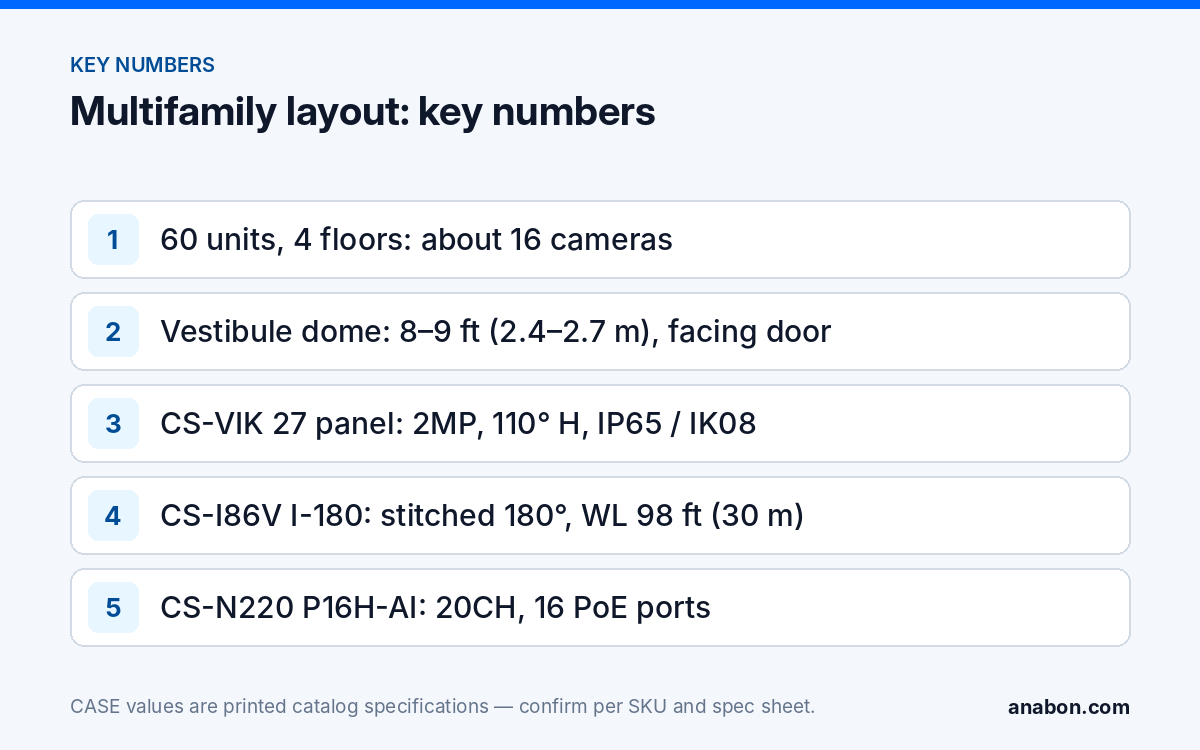
Quick answer: In a multifamily building the customer is the property manager or the board, not the residents, and the spec follows the complaint log: the entrances, the mailroom, the parking area and the elevator lobbies. Put a dome in every vestibule facing the door, a camera on the parcel lockers, stitched 180° units on the parking corners, a dome in each elevator lobby, and pair the main entrance with a video intercom. A 60-unit, four-story building lands at about 16 cameras on a 20-channel NVR.
Entrances and intercom: how do you stop the propped door and still let the courier in?
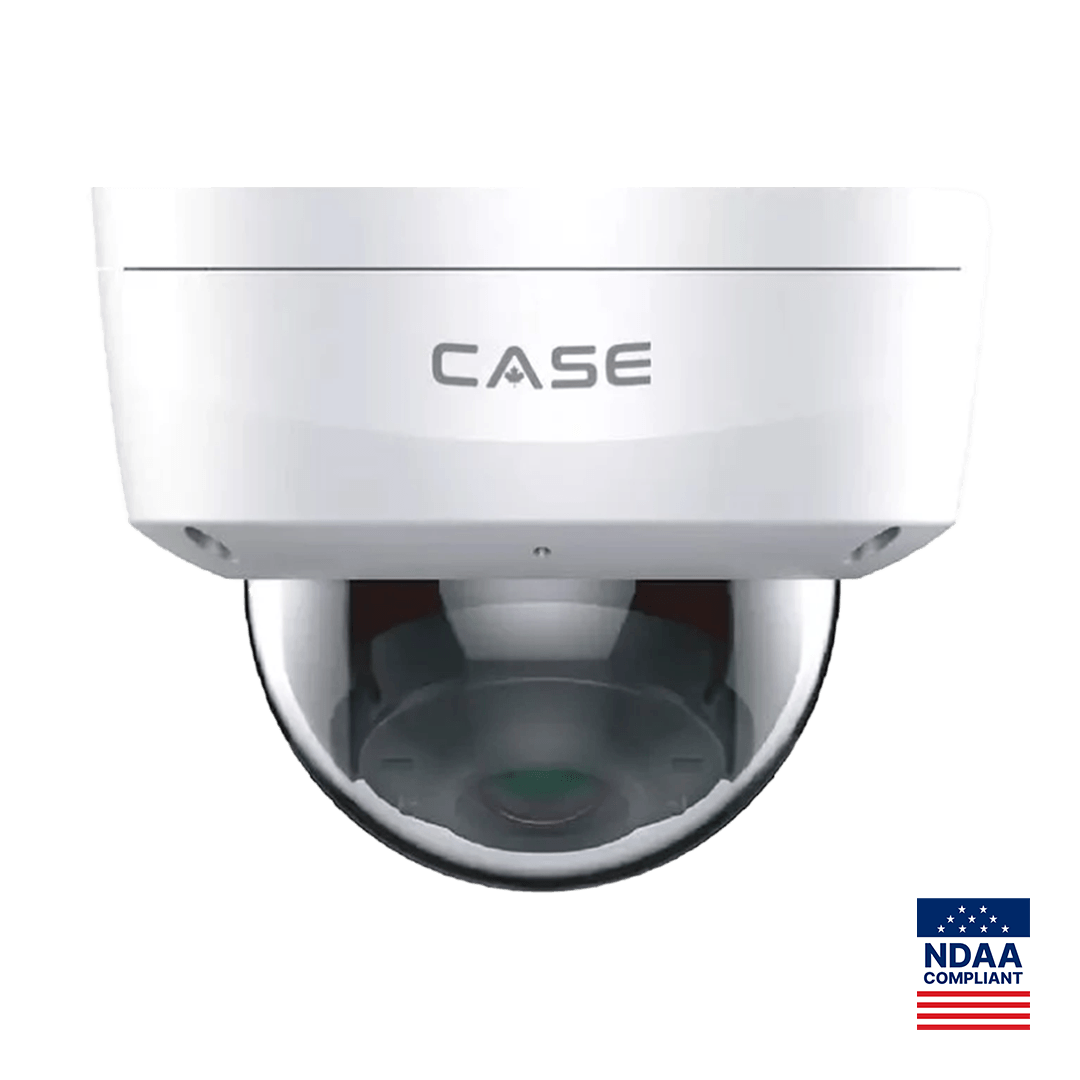
Every incident report starts with how the person got in: a held door, a propped side door, a courier buzzed in without a check. The vestibule camera faces the door from inside at 8–9 ft (2.4–2.7 m), so every face passes it under the lobby light with 120dB WDR handling the daylight behind. The CS-I5KS SD-2.8mm (5MP 3072×1728@30fps, IR 98 ft (30 m), white light 33 ft (10 m), IP67, IK10, Metal+Plastic) is the example for every door, including the side and garage pedestrian doors that get propped.
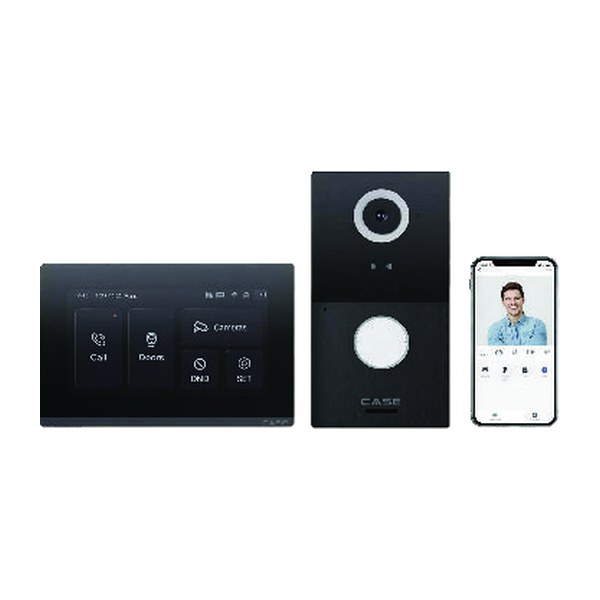
The intercom is the second half of the entrance. The CS-VIK 27 is a video intercom kit printed as an outdoor panel and a 7″ indoor monitor. The panel prints a 2MP camera with a 110° horizontal / 127° diagonal viewing angle, RFID at 13.56 MHz / 125 kHz, 2 relay outputs, a Wiegand + RS485 interface, IP65 / IK08 and an operating temperature of −40 °F to 131 °F (−40 °C to +55 °C). The monitor prints a 7″ TFT at 1024 × 600, PoE, MicroSD support, 8 alarm zones and 14 °F to 131 °F (−10 °C to +55 °C). Place the monitor at the leasing desk or the superintendent’s office so staff see the caller before releasing the door; one relay output can switch the vestibule strike, within the relay rating on the spec sheet. How many monitors a kit serves, how calls route, and what the second relay and the Wiegand + RS485 interface connect to are confirmed per the spec sheet and the project before you quote; warranty term confirmed by Anabon per the spec sheet. Details as printed: CS-VIK 27: Video Intercom Kit.
| Entrance position | Example CASE SKU | Mount | What it must show |
|---|---|---|---|
| Main vestibule, inside | CS-I5KS SD-2.8mm | Ceiling, 8–9 ft (2.4–2.7 m), facing the door | Every face entering; who held the door |
| Main entrance, outside | CS-VIK 27 outdoor panel | Beside the door, 4.5–5 ft (1.4–1.5 m) to the camera | The caller at the panel; fob reads |
| Side and garage pedestrian doors | CS-I5KS SD-2.8mm | Ceiling inside, 8–9 ft (2.4–2.7 m) | Propped door, tailgating |
Mailroom and amenities: where does package theft actually happen?
Package theft in a building is often not a stranger but someone who is already inside. The mailroom camera covers the parcel lockers, the carrier drop table and the room door from a ceiling corner at 8–9 ft (2.4–2.7 m), so a package leaving the room is tied to a face and a time. Aim across the locker doors, not into open mailboxes; mail privacy rules apply to the receptacles (verify with the property manager and the postal carrier).
- Parcel lockers and drop table. One CS-I5KS SD-2.8mm; set retention to 30 days because residents report missing packages late.
- Gym and laundry. One dome each at the entrance side; no cameras in change rooms, showers or washrooms, and none pointed through their doors.
- Trash and recycling room. One dome; illegal dumping and the propped service door are the manager’s recurring complaints.
- Bike storage. One dome on the cage door.
Parking and elevators: how do you cover a dark lot and a moving cab?
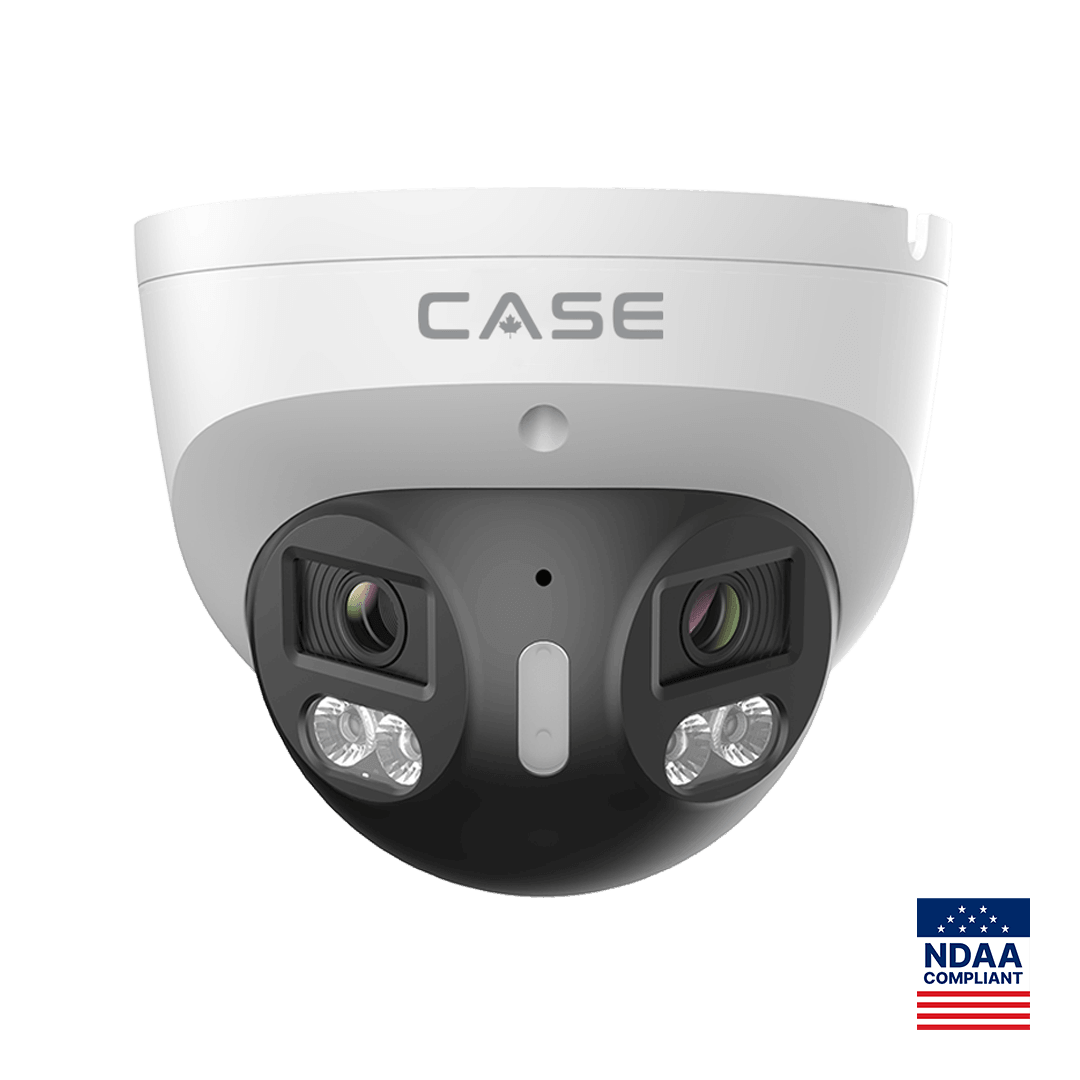
A surface lot or a garage level is the one place a stitched 180° camera pays for the mount. The CS-I86V I-180 prints an 8MP (4+4) stitched 4640×1728@25fps image from two 2.8 mm lenses, IR 98 ft (30 m), white light 98 ft (30 m), PhotonX low light at 0.0009 Lux, a built-in mic and loudspeaker, audio 1/1, alarm 1/1, IP67, Metal housing and −31 °F to 149 °F (−35 °C to 65 °C). One unit on each lot corner at 16 ft (4.9 m) covers the rows and the fence in one image. Low-light and full-color behavior is stated per SKU on the specification sheet and should be confirmed for the site. The gate lane gets a fixed camera at 12 ft (3.7 m) on the vehicle and the driver window; the CS-I8WS SD-2.8mm (8MP, IR 164 ft (50 m), white light 49 ft (15 m), IP67) keeps that in color. Plate recognition, where the manager asks for it, is a dedicated LPR camera confirmed per project; see HOA, Gates and Managed Communities.
Elevators are two cameras, not one. A dome in each elevator lobby at 8–9 ft (2.4–2.7 m) records who called the car on every floor and is wired like any other camera. A camera in the cab itself rides the elevator contractor’s traveling cable and is installed or coordinated by that contractor under state elevator rules (provincial elevator authority in Canada; verify the local code). Quote the cab camera as its own line with the contractor’s labor.
Privacy and resident notice: what does the property manager have to post and promise?
Cameras belong in common areas: entrances, corridors, mailroom, amenities, parking, elevator lobbies. They do not belong inside units, in washrooms or change rooms, or aimed so that an open unit door shows the interior. In the US, state laws and the lease govern notice; in Canada, PIPEDA or the provincial private-sector laws (Quebec, Alberta, British Columbia) require a stated purpose, notice and a retention limit, and Quebec Law 25 adds its own notice rules. Verify with counsel; Video Surveillance Privacy in Canada and Video Surveillance Signage have the wording.
- Signage at every entrance and in the parking area, stating that video is recorded and whom to contact.
- A written camera policy from the manager or board: purpose, positions, retention (30 days is a practical starting point; confirm with counsel and the insurer), who may view footage and how a resident or the police request a clip.
- Viewing accounts for management staff only; residents do not get live view. Set roles so the superintendent can play back but not delete.
- Audio recording off on every camera unless counsel approves it; the built-in microphone printed on the CS-I5KS SD-2.8mm stays disabled by default.
Working with the property manager: who signs, who views, who calls you?
The buyer is a property management company, a condominium board or an owner with a superintendent, and the stakeholders disagree about priorities. Walk the building with all three, agree the camera list against the complaint log, and write the policy before the quote. Hand over CASE Connect to the manager’s office account for live view and playback; app features and remote access options should be confirmed by model, software version, and project configuration. Service belongs in an agreement with the management company, and warranty and RMA run through you, never through a resident.
Sample schedule: a 60-unit, four-story building with surface parking
The sample is a 60-unit rental building: a main entrance with vestibule and leasing office, a side entrance, a mailroom with parcel lockers, a gym, a laundry room, a trash room with a service door, bike storage, one elevator with lobbies on four floors, and a 50-space surface lot with one gate.
| ID | Position | CASE SKU | Mount and height | Notes |
|---|---|---|---|---|
| M01 | Main vestibule | CS-I5KS SD-2.8mm | Ceiling, 9 ft (2.7 m), facing the door | WDR; 30 days |
| M02 | Lobby and leasing desk | CS-I5KS SD-2.8mm | Ceiling, 9 ft (2.7 m) | Desk and elevator call |
| M03 | Side entrance | CS-I5KS SD-2.8mm | Ceiling inside, 9 ft (2.7 m) | Propped-door view |
| M04 | Mailroom and parcel lockers | CS-I5KS SD-2.8mm | Ceiling corner, 9 ft (2.7 m) | Across locker doors; not into mailboxes |
| M05–M07 | Gym, laundry, trash room | CS-I5KS SD-2.8mm | Ceiling, 9 ft (2.7 m) | Entrance side of each room |
| M08 | Bike storage | CS-I5KS SD-2.8mm | Ceiling, 9 ft (2.7 m) | Cage door |
| M09–M12 | Elevator lobbies, floors 1–4 | CS-I5KS SD-2.8mm | Ceiling, 8–9 ft (2.4–2.7 m) | Along the corridor, not at a unit door |
| M13–M14 | Parking lot corners | CS-I86V I-180 | Building corner, 16 ft (4.9 m) | Stitched 180°; PhotonX |
| M15 | Parking gate lane | CS-I8WS SD-2.8mm | Post, 12 ft (3.7 m) | Vehicle and driver window; white light |
| M16 | Elevator cab | CS-I5KS SD-2.8mm | Cab ceiling corner | Via elevator contractor; verify the local code |
| IC | Main entrance intercom | CS-VIK 27 | Panel beside the door; monitor at the leasing desk | Relay to vestibule strike; as printed |
| NVR | Leasing office closet | CS-N220 P16H-AI | Lockable cabinet | 20CH, 16 PoE; four channels spare |
The CS-N220 P16H-AI prints 20 channels, 16 PoE ports, incoming bandwidth of 160Mbps (120Mbps with AI on), storage of up to 10 TB for each HDD and a 10/100/1000 Mbps network port; sixteen cameras fill its PoE ports and four channels stay spare. Size the drives for 30 days with the NVR Storage Calculator. Hard drives are supported through back-to-back manufacturer warranty.
What to tell your customer
“Every door gets a camera facing it from inside, so a propped door or a held door is tied to a face. The mailroom camera covers the lockers, the parking corners get 180° cameras, and each elevator lobby has its own dome. The intercom lets your staff see the caller before the door opens. Signage and a written camera policy go up before we switch on recording. CASE cameras and CASE NVRs carry a 6-year warranty, and support comes through us, not through residents.”
FAQ
How many cameras does a 60-unit apartment building need?
For a four-story building with a main and a side entrance, a mailroom, gym, laundry, trash room, bike storage, one elevator and a 50-space lot, plan on about 16: three at the entrances and lobby, one in the mailroom, four on amenities, four elevator lobbies, two 180° units on the lot, one at the gate and one in the elevator cab, plus the intercom kit.
Which intercom goes on a multifamily entrance?
The CS-VIK 27 kit prints an outdoor panel with a 2MP camera, 110° horizontal viewing angle, RFID, 2 relay outputs, IP65 / IK08 and −40 °F to 131 °F (−40 °C to +55 °C), with a 7″ indoor monitor on PoE. Monitor count, call routing and panel integration are confirmed per the spec sheet and project; warranty term confirmed by Anabon per the spec sheet.
Where can cameras not go in an apartment building?
Inside units, in washrooms, change rooms or showers, or aimed through their doors. Corridor cameras look along the hall rather than at one unit door, and mailroom cameras cover locker doors rather than open mailboxes. Common areas are covered with signage and a written policy under state laws in the US and PIPEDA or provincial laws in Canada; verify with counsel.
Do residents get access to the camera system?
No. Live view and playback belong to the property manager’s office through CASE Connect, with roles set so staff can play back but not delete; residents and the police request clips through the manager under the written policy. App features and remote access options should be confirmed by model, software version, and project configuration.