Quick answer: In Canada, video of an identifiable person is personal information. For private-sector sites, PIPEDA (the Personal Information Protection and Electronic Documents Act) applies across most of the country, while Quebec, British Columbia and Alberta apply their own substantially similar laws; public bodies fall under separate access-and-privacy statutes. None of them bans cameras. They require a documented purpose, cameras aimed only at that purpose, notice before people enter the monitored area, limited retention, controlled access to recordings and a way to answer access requests. The installer’s part is placement, settings and a handover file the customer can show a regulator. This is a technical summary, not legal advice (in the US: state laws govern instead; see our state-by-state checklist).
PIPEDA or a provincial law: which one applies to this site?
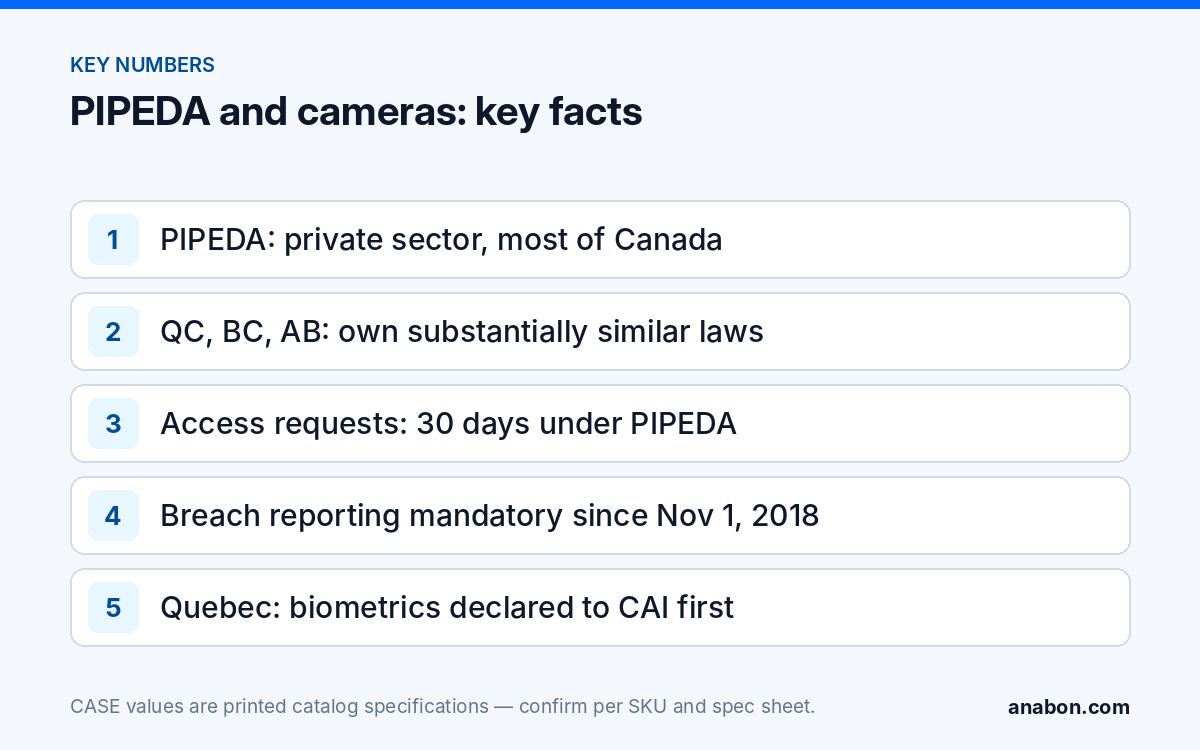
PIPEDA, fully in force since 2004, governs how private-sector organizations collect, use and disclose personal information in the course of commercial activity. Its Schedule 1 carries ten fair information principles (accountability, identifying purposes, consent, limiting collection, limiting use, disclosure and retention, accuracy, safeguards, openness, individual access and challenging compliance), and since November 1, 2018 it has required reporting of breaches that create a real risk of significant harm. The Office of the Privacy Commissioner of Canada (OPC) oversees it.
Three provinces have private-sector laws declared substantially similar: Quebec’s private-sector privacy act, modernized by Law 25 in stages between September 2022 and September 2024; British Columbia’s Personal Information Protection Act (PIPA); and Alberta’s PIPA. In those provinces the provincial law governs provincially regulated businesses, while PIPEDA still governs federally regulated ones (banks, telecommunications, airlines, interprovincial transport) and information that crosses a border. Public bodies (municipalities, school boards, hospitals, provincial agencies) are under provincial public-sector statutes, and federal institutions under the Privacy Act; public-sector guidance tends to prescribe signage and retention more precisely, so read it before you design.
| Jurisdiction | Private-sector law | Public-sector law | Regulator | Note for installers |
|---|---|---|---|---|
| Federal and most provinces | PIPEDA | Privacy Act (federal institutions); provincial access-and-privacy acts | OPC | Joint OPC / Alberta / BC guidelines on overt video surveillance (2008) are the working reference |
| Quebec | Private-sector privacy act as amended by Law 25 | Act respecting access to documents held by public bodies | Commission d’accès à l’information (CAI) | Biometric databases must be declared to the CAI before use; facial recognition is a project-review trigger |
| British Columbia | PIPA | FIPPA | OIPC British Columbia | Commissioner guidance on video surveillance exists for both sectors |
| Alberta | PIPA | FOIP legislation (replacement acts passed in 2024; verify the current act) | OIPC Alberta | Co-author of the 2008 joint guidelines |
| Ontario | PIPEDA (no general private-sector act) | FIPPA and MFIPPA | IPC Ontario | Employers with 25 or more employees need a written electronic monitoring policy (verify the current threshold with counsel) |
One dated note: a federal bill to replace PIPEDA was introduced in June 2026 and its outcome is unknown as of October 20, 2026. Design to the law in force, keep the handover file easy to update, and verify every date and threshold here with counsel.
Signage, purpose and notice: what must the customer be able to show?
The joint guidelines on overt video surveillance in the private sector, issued by the federal, Alberta and BC commissioners in 2008, set the pattern most regulators still follow: consider whether a less privacy-invasive measure would meet the need; write down the business purpose before installing; limit the field of view to that purpose; post notice before people enter the monitored area; restrict who can view recordings; set a retention period; respond to access requests; and name a person responsible. An installer cannot write the customer’s policy, but the design drawing, the signage positions and the NVR settings are the evidence that the policy was applied.
A sign does its job when it is readable before entry and tells people that cameras are in use, why, who is responsible and how to contact them. In Quebec, Law 25 adds explicit notice duties when technology that can identify a person is used; verify the current wording with counsel. Our guide to compliant surveillance signage has US and Canadian examples. On the design side:
- Aim each camera at the stated purpose (dock door, cash point, entrance) and not at a neighbor’s windows, a residential yard or more of the public sidewalk than the purpose needs.
- Use privacy masking for windows and adjacent property where the view cannot be avoided; masking is configured per camera and confirmed per model and firmware.
- Keep cameras out of washrooms, changing rooms and other places where people undress; no business purpose justifies them there.
- Record on the as-built drawing what each camera is for, so the purpose can be shown years later.
Retention and access requests: who exports what?
PIPEDA sets no fixed number of days. Footage is kept only as long as the stated purpose requires, and the guidelines favor a short default period with incident footage preserved separately. Practically, that means the overwrite or expiry setting on the recorder is a compliance setting: write the configured value into the handover file, state who may change it, and align it with the customer’s written policy (how to size storage for a chosen period is covered in retention policy by industry).
Any person recorded may ask for access to their personal information, which includes video of themselves. Under PIPEDA the organization answers within 30 days, with limited grounds for extension; the provincial laws set their own timelines (verify the current deadlines with counsel). Other people in the frame must be protected, which usually means still images or masked clips rather than a raw export. The customer decides what to release; the installer’s job is to make the export reproducible: one trained person at the site, a written clip procedure, and a log of what was exported, by whom and when. A lost recorder or an exposed login is a potential breach; since 2018 PIPEDA requires reporting where there is a real risk of significant harm, so the hardening checklist is part of privacy compliance, not separate from it.
Audio and biometrics: where does extra caution apply?
Audio is treated as a more intrusive collection than video. The Criminal Code’s interception rules apply to private conversations, and privacy regulators expect a documented justification for recording sound at all. The practical default is microphones off and audio recording disabled unless the customer has a written purpose and counsel has reviewed it. Several CASE cameras ship with microphones: the CS-I5PS S-2.8mm prints Built-In Microphone Yes with Audio I/O 1/1, and the CS-I8XQ II-2.8mm prints Built-In Mic/Speaker Yes / Yes. The handover file should state, per camera, whether audio is enabled and who approved it.
Biometrics is the second line. Quebec requires that a biometric database be declared to the CAI before it is put into service, and the OPC published guidance on biometrics in 2025; treat facial recognition anywhere in Canada, and especially in Quebec, as a project-review trigger rather than a feature to switch on. A printed AI list is not permission: the CS-N440 M-AI prints Face Detection and Face Recognition among its AI by NVR functions, but enabling them in a Canadian deployment needs the customer’s documented purpose, a privacy impact assessment where the law requires one (Quebec does) and legal review. Default to non-biometric analytics such as Human & Vehicle Classification, Tripwire and Perimeter, which the CS-I5PS S-2.8mm prints on its AI row, and read when not to promise facial recognition before a customer asks.
Installer handover checklist for Canadian sites
Copy this into your commissioning report. The customer owns the policy; you own the evidence that the system matches it.
| Item | Owner | Where it is recorded |
|---|---|---|
| Written purpose for each camera, with the applicable law named (PIPEDA, Quebec act, BC or Alberta PIPA, public-sector act) | Customer, with counsel | Customer policy; camera schedule |
| Fields of view limited to the purpose; privacy masks configured where needed | Installer | As-built drawing; screenshot per camera |
| Signage positions confirmed at every entry to a monitored area | Installer and customer | Site photos in the handover file |
| Retention (overwrite / expiry) setting and the person allowed to change it | Installer configures; customer approves | NVR configuration record |
| User roles: who can view live, who can play back, who can export | Installer configures; customer approves | User list in the handover file |
| Access-request export procedure and export log | Installer trains one named person | Procedure sheet |
| Audio recording disabled unless approved in writing | Customer approves; installer configures | Per-camera settings record |
| Biometric functions off; any request routed to project review | Customer and installer | NVR configuration record |
| Remote access through CASE Connect limited to named users with strong credentials | Installer | Handover cybersecurity page |
| Date of handover and the person responsible for privacy at the customer | Customer | Front page of the handover file |
What to tell your customer
“Canadian privacy law does not stop you from using cameras; it asks you to show why each one is there, to tell people before they are recorded, to keep footage only as long as you need it and to control who sees it. We will aim and configure the system to match your written policy and give you a handover file that documents it. Audio and facial recognition need a separate decision with your legal advisor before we enable anything.”
FAQ
Does PIPEDA require signs for security cameras?
PIPEDA requires that people be informed of the collection and its purpose, and the joint 2008 guidelines treat clear notice before entering a monitored area as the way to do it. No wording is prescribed federally. A sign that states cameras are in use, the purpose, who is responsible and how to contact them meets the guidance; Quebec adds explicit notice duties, so verify wording there with counsel.
How long may a Canadian business keep security footage?
PIPEDA sets no number of days; footage is kept only as long as the documented purpose needs, with incident footage preserved separately. Many organizations choose a short default period and write it into their policy. Sector rules can set minimums, for example federal cannabis regulations. Record the recorder’s retention setting in the handover file so the customer can show that practice matches policy.
Can a person demand a copy of footage showing them?
Yes. Video of an identifiable person is personal information, and individuals have a right of access under PIPEDA and the provincial laws. The organization must respond within the statutory time, 30 days under PIPEDA with limited extensions (verify the current rule), while protecting other people in the frame. The installer’s contribution is a reproducible export procedure, one trained person and an export log.
Is facial recognition legal in Quebec?
It is regulated, not banned. Quebec requires biometric databases to be declared to the Commission d’accès à l’information before they are put into service, and Law 25 requires a privacy impact assessment for information-system projects involving personal information. Treat any request for facial recognition in Quebec as a project-review item with legal input, and design on non-biometric analytics by default.
Does Quebec Law 25 change how I install cameras?
It changes what the customer must document and disclose: a named privacy officer, a privacy impact assessment for information-system projects involving personal information, explicit notice when identifying technology is used and advance declaration of biometric databases. For the installer it means tighter purpose documentation, notice at every entry, audio off by default and no biometric features without the customer’s written, reviewed decision.