Quick answer: Facial recognition should only be discussed after confirming the use case, model, software, region, and legal requirements. On a spec sheet, face capture means the camera detects a face and stores a snapshot; face recognition means a device compares that face against an enrolled database to identify a person, which is a biometric process regulated by statute in Quebec, Illinois, Texas, New York City and a growing list of jurisdictions. Treat any request for it as a project-review trigger, default the function to off, and sell the non-biometric analytics that solve most of the same problems. Practical guidance, not legal advice.
Face capture vs facial recognition: what the spec sheet actually says
Read the printed rows literally and repeat them literally.
| Term | What the device does | Where it is printed (CASE Catalog 2027 Q1) | Legal weight |
|---|---|---|---|
| Face detection | Finds a face in the frame and can trigger an event | CS-I5XQ II-2.8mm: “Face Detection / Capture: Up to 32 Faces / 16 Faces”; CS-N220 P16H-AI: “Face Detection” under AI by NVR | Generally treated as video analytics, but confirm whether a template is created |
| Face capture | Crops and stores a snapshot of the detected face as evidence | CS-I5XQ II-2.8mm and CS-I5PS S-2.8mm: “Face Capture” in the AI row | A photograph in most statutes; biometric if the device computes and stores a face template, so confirm per model and firmware |
| Face recognition | Compares a face against an enrolled database to identify or verify a person | CS-N220 P16H-AI and CS-N440 P16H-AI: “Face Recognition” under AI by NVR | Biometric processing: consent, notice, disclosure and retention duties apply where regulated |
| Face search | Filters recorded events by face attributes | CS-N220 P16H-AI: “Face Search (Search by face attributes)” under VCA Search | Depends on whether attributes are biometric templates; confirm before enabling |
Two consequences follow. A camera that prints face capture does not recognize anyone; on the CASE recorders and cameras cited here, recognition is printed as an AI by NVR function, so the recorder model, firmware and software version decide what exists. And a printed function says nothing about whether it may be switched on at a given address. For the three levels of analytics on CASE cameras, see Smart Alarm vs Human/Vehicle Classification vs full AI suite.
Why is facial recognition a project-review trigger?
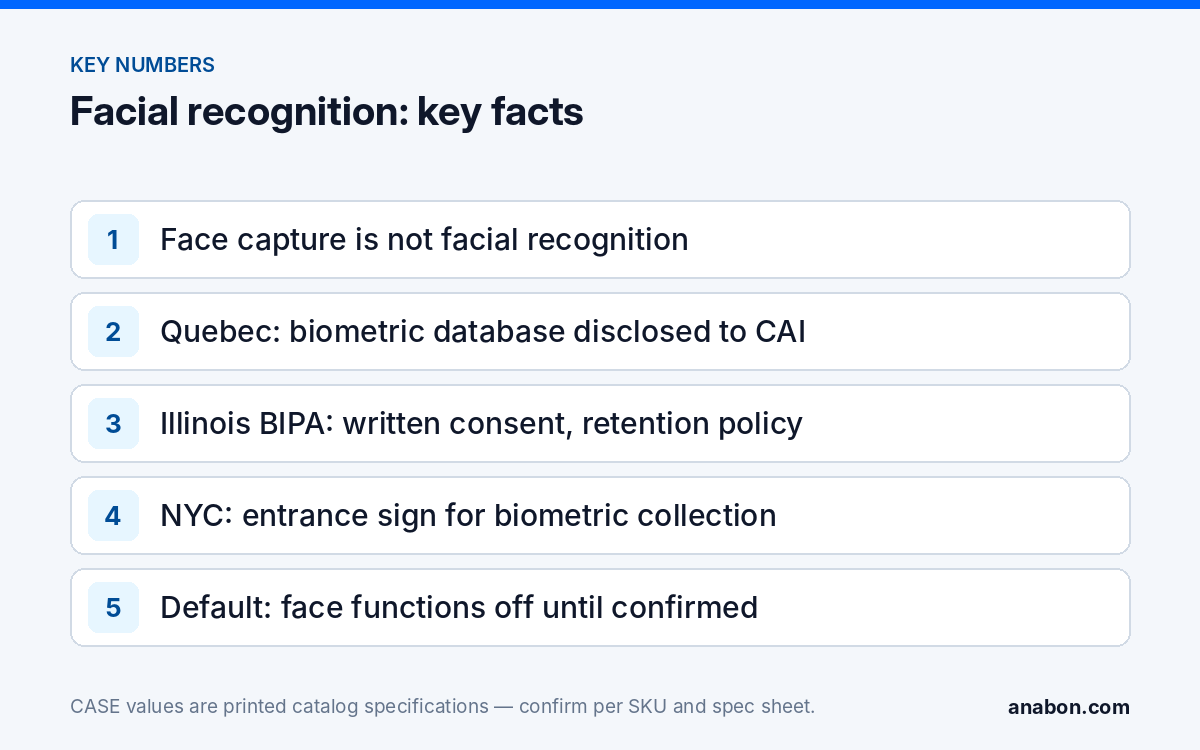
First, the statutes carry private rights of action or regulator orders, so a casual promise in a proposal becomes the customer’s liability and your callback. Second, the function depends on a chain of confirmations (use case, exact model, firmware, software version, region, legal requirements), and a change in any one changes the answer. Third, the function is rarely what the customer needs: most requests reduce to “tell me when someone is there who should not be” or “find the person fast afterwards”, and both are solved without biometrics. Anabon therefore treats every facial recognition request as a project review: bring the requirement in writing, and we confirm in writing what is supported today for that configuration, or propose the alternative. The process is described in Project review and design support.
Which laws must you check first?
The table below is not exhaustive and changes; verify each row against current rule text and involve counsel before the function is quoted.
| Jurisdiction | Rule to check | Effect on a camera project |
|---|---|---|
| Quebec | A biometric database must be disclosed to the Commission d’accès à l’information (CAI) before it is brought into service, with express consent for biometric identity verification; Law 25 adds privacy impact assessments and consent for sensitive information; a CAI decision of February 18, 2025 is the current reference point (verify) | The most restrictive jurisdiction in North America for this function: project review, counsel and CAI disclosure before any promise |
| Canada, federal and other provinces (PIPEDA; Alberta PIPA; BC PIPA) | Biometric information is treated as sensitive, requiring express consent and an appropriate purpose; a 2020 joint investigation by the federal, Alberta and BC commissioners found a mall operator’s use of facial recognition in directory kiosks unlawful | Expect a necessity test the customer cannot usually meet for routine security; document the alternative |
| Illinois (Biometric Information Privacy Act, 2008) | Informed written consent before collecting a scan of face geometry, a public written retention and destruction policy, no sale, and a private right of action (the August 2, 2024 amendment limits recovery to a single accrual per person per collection method) | Any face-template function in Illinois needs the customer’s written consent program first; default off |
| Texas (Capture or Use of Biometric Identifier Act; AI governance act in force January 1, 2026) | Notice and consent before capturing a biometric identifier for a commercial purpose, with attorney-general enforcement; newer AI rules add purpose-limitation and documentation duties even where security use is carved out | Purpose and documentation carry the burden; written confirmation per project |
| New York City (Biometric Identifier Information law, 2021) | Commercial establishments that collect biometric identifier information must post a clear sign at every customer entrance and may not sell the data | Signage is a condition of use, not an afterthought |
| Portland, Oregon | Private entities are barred from using facial recognition in places of public accommodation | Do not quote the function for retail, hospitality or similar sites in the city |
States with comprehensive privacy laws (California, Colorado, Connecticut, Virginia and others) also class biometric data as sensitive. Where the customer insists, the lawful path is a written program the customer owns, not a checkbox the installer enables.
Which alternatives avoid biometrics?
Match the customer’s real goal to a function that does not identify anyone. Every row below is printed on a current CASE SKU; availability is still confirmed per model, firmware and project configuration.
| Customer goal | Non-biometric function | Printed example |
|---|---|---|
| “Tell me when someone is inside the fence after hours” | Tripwire and Perimeter with Human and Vehicle Classification, so vehicles and animals do not alarm | CS-I4SV S-2.8mm: “Tripwire, Perimeter, Human & Vehicle Classification” |
| “Find the person fast after an incident” | VCA Search on the NVR by early-warning event and behavior, not by face | CS-N220 P16H-AI: “Early-warning Search, Behavior Search” under VCA Search |
| “Someone keeps hanging around the loading dock” | Loitering and Parking detection | CS-I5XQ II-2.8mm: “Loitering, Parking” in the AI row |
| “How many people came through the entrance” | People Counting and Heatmap, which count without identifying | CS-I5XQ II-2.8mm: “People Counting, Heatmap” |
| “Make them leave before anything happens” | EW light and audio deterrence (AEW on selected PTZ models); availability confirmed per SKU | CS-I5XQ II-2.8mm: white light 98 ft (30 m), red and blue light, built-in speaker |
| “Give the police a usable face image” | Camera placement and resolution at choke points | See camera mounting height and angle |
In Canada this table is the product strategy, not the fallback: sell non-biometric analytics and leave identity to the police.
What does a claim-safe specification line look like?
The proposal is a written document, so it must be exact: replace loose phrases with lines a reviewer can check against the spec sheet.
| Do not write | Write instead |
|---|---|
| “Facial recognition included” | “Face capture (snapshot of detected faces) is printed for CS-I5XQ II-2.8mm. Identity matching is not specified. Biometric functions are subject to legal review and written confirmation per model, firmware, software version and region; default configuration is off.” |
| “The cameras recognize staff and regulars” | “Human and Vehicle Classification alerts on persons and vehicles entering the defined zones; no identity is determined.” |
| “The AI NVR identifies suspects” | “VCA Search filters recorded events by behavior and early-warning triggers, as printed for CS-N220 P16H-AI. Face-based search functions remain disabled unless the customer’s counsel confirms lawful use for this site in writing.” |
How do you run the conversation before any promise?
- Use case. Ask what decision the match would drive; denying entry, alerting a guard and building a watch list are three different legal problems.
- Model. Identify which device would perform the function and what its spec sheet prints; on the CASE SKUs cited here recognition is printed as an AI by NVR row, not a camera row.
- Software. Confirm the firmware and software version, where the enrolled database would live and who administers it.
- Region. Name the state or province and the city; Quebec, Illinois, Texas, New York City and Portland each change the answer on their own.
- Legal requirements. Ask for the customer’s consent program, notice, retention and destruction policy and, in Quebec, the CAI disclosure; if they do not exist, the function is not ready to quote.
- Project review. Send the requirement to Anabon for written confirmation of what is supported today for that configuration. Nothing is promised about future firmware or features.
- Default. Commission with face-based functions off, keep the setting under administrator control (see user roles and permissions on CASE NVRs) and record the state at handover.
What to tell your customer
“Facial recognition is a biometric function, and whether it can be used at your site is a legal question before it is a technical one. We will confirm the use case, the exact model and software, and the rules for your province or state, and put the answer in writing. Meanwhile the system runs human and vehicle alerts, perimeter and loitering detection and fast event search, which solve most of what you described without identifying anyone.”
FAQ
Is face capture the same as facial recognition?
No. Face capture detects a face and stores a snapshot; the CS-I5XQ II-2.8mm prints “Face Capture” and “Up to 32 Faces / 16 Faces” for detection and capture. Facial recognition compares a face against an enrolled database to identify a person, which on the CASE SKUs cited here is printed as an AI by NVR function for specific recorders. Whether capture also builds a biometric template is confirmed per model and firmware.
Can I offer facial recognition in Quebec?
Treat it as a project-review trigger, not a feature. Quebec requires a biometric database to be disclosed to the Commission d’accès à l’information before use and express consent for biometric identity verification, and Law 25 adds impact assessments and consent for sensitive information. Involve counsel, and in most commercial cases propose Human and Vehicle Classification, perimeter and loitering detection instead. Verify the current requirements before quoting.
Does Illinois BIPA apply to a store’s security cameras?
It applies to any private entity that collects a scan of face geometry from a person in Illinois, which a recognition function does. The store would need informed written consent before collection, a public written retention and destruction policy, and no sale of the data, and it faces a private right of action. Plain video and non-biometric analytics do not create face templates; confirm per model.
Do CASE NVRs support facial recognition?
The CS-N220 P16H-AI and CS-N440 P16H-AI print “Face Recognition” under AI by NVR in the CASE Catalog 2027 Q1. Support is confirmed per model, firmware, software version and project configuration, and whether it may be enabled is a legal question for the site. Commission with the function off, request written confirmation through a project review, and never promise a future capability.
What should I offer instead of facial recognition?
Match the goal: Tripwire and Perimeter with Human and Vehicle Classification for after-hours intrusion, Loitering for people hanging around, People Counting and Heatmap for traffic, VCA Search by behavior and early-warning event to find footage fast, and EW or AEW deterrence to interrupt an incident. Each is printed on a current CASE SKU and none identifies an individual. Availability is confirmed per model and firmware.