Quick answer: Protect the important routes through a public works yard with tested fixed views, then add movable viewing where it helps an operator. Gates, fuel areas, loading points and equipment rows have different evidence tasks. Yard acreage and a long zoom specification do not establish coverage.
On this page
Start with the yard’s working day
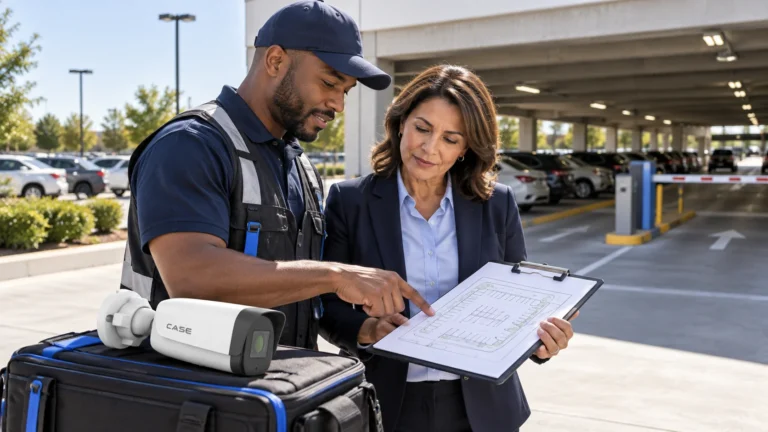
Walk with the yard supervisor while trucks and equipment are parked normally. Mark fuel, storage, workshop and pedestrian routes, and ask how vehicles move before dawn and where contractors wait. Agree which incidents each view must help review; a high overview may miss doorway detail. When sourcing public work, browse security camera bid opportunities, then bring the municipality’s issued tender, drawings and written clarifications to the survey. Those actual documents define the project requirements, not an opportunity listing or a sample acreage.
Keep the essential views fixed
Compare IP cameras for each scene’s distance, field of view, light and installation environment. A PTZ can help an operator investigate a current event, but its position changes. Do not make the only required gate view depend on it facing the right direction at the right moment.
| Zone | Primary view | Field test |
|---|---|---|
| Vehicle gate | A fixed view of entry and departure | Run the actual vehicle route in both directions. |
| Fuel island | The approved operating area and approach | Check parked plant, glare and the site’s hazard restrictions. |
| Equipment rows | Access routes and agreed storage positions | Repeat with the largest vehicles parked normally. |
| Workshop doors | People and equipment moving through the doorway | Test open doors, work lights and a moving load. |
Review gaps caused by snow piles, temporary containers, vegetation and future parking layouts. A drawing made on an empty lot can look convincing while missing the working yard. Decide which obstructions will be managed operationally and which need another camera position.
Equipment example: For a defined fixed view, CS-I4SV S-2.8mm lists 4MP, a fixed 2.8mm lens and Human & Vehicle Classification in the catalog (physical page 16). Review the actual distance and rule settings before selecting it. This example does not establish plate recognition, zero unwanted alerts or hazardous-area approval.
Prove the gate and night-time result
Record an authorized vehicle test after dark with normal headlights and yard lighting. Examine saved footage at the intended recording settings. If the customer requires plates, define the capture point, direction and expected movement separately from the overview. Do not label a general yard image as a validated LPR result. Where there is an actual plate-recognition requirement, have Anabon review the exact device, firmware, software, region and scene before quoting it. Put the acceptance method in writing. More megapixels on a distant overview do not replace a controlled plate-capture test.
At fuel or other potentially hazardous locations, obtain the site’s classification and installation requirements from its qualified project team. A weatherproof housing is not evidence of suitability for a hazardous area. Do not choose certified equipment by appearance or a broad product-series label.
Build the recording path back to the office
Survey distances, communications, power and installation conditions before choosing the path from each pole. Check PoE loads, uplinks, recorder channels, supported bandwidth, usable storage and the agreed expansion allowance. Use the recording storage calculation with the approved target and stream assumptions; yard acreage does not set retention. Have the municipal network owner approve the connection. Plan any link-loss test with an authorized continuity arrangement, documenting local recording, unavailable remote functions, fault notification and recovery responsibility.
Make the procurement and privacy file usable
Municipal projects can have their own purchasing, cybersecurity and records requirements. Build a line-by-line response to the actual bid: offered item, supporting document, version and any exception. Request exact-product documentation rather than transferring a badge from another model or promising blanket NDAA, TAA or integration compliance.
Have the municipality’s records contact establish the applicable privacy law, purpose, notices, access, retention and disclosure process. For Ontario projects, the IPC surveillance resource page currently flags FIPPA/MFIPPA changes and guidance under review. Check actual commencement dates and current requirements; an older checklist does not settle a new project. General industrial survey guidance can inform environmental questions while municipal purchasing and records obligations remain separate.
Demonstrate an incident route
With permission, test the gate-to-yard route, retrieve and export the sequence, then replay it with the customer. Record lighting, vehicle positions, labels, timestamps and accepted gaps. Leave the as-built plan, equipment/firmware schedule, approved roles, exact-model instructions and fault contacts. Keep the Ontario IPC surveillance resource page with the privacy review for an Ontario project. Agree who authorizes preserved copies and additional views, without giving every operator general administration. Recheck coverage when parked equipment or lighting changes.
FAQ
Can one PTZ cover the whole yard?
It can help inspect selected areas, but it does not record every direction at once. Preserve the required fixed evidence views and demonstrate any supplementary PTZ workflow.
Does every gate need automated plate recognition?
No. Ask whether the task is reviewing vehicle movement, reading a plate at a defined point, or matching plates automatically. Those are different requirements with different tests.
Request a project review
Send security camera technical support the approved site plan, gate distances, night-scene requirements, parking pattern and actual bid documents. Identify environmental, privacy or evidence requirements that still need separate confirmation before a customer commitment.
References
References reviewed October 30, 2026. Ontario IPC, Guidelines for the Use of Video Surveillance resource page (publication dated October 6, 2015), with its current FIPPA/MFIPPA review notice. The notice is not a full legal review of every municipality. Equipment example: current CASE catalog, physical page 16; exact-model documents and actual project approvals remain essential.