Quick answer: A CASE camera’s RTSP stream URL follows the standard form rtsp://user:password@camera-ip:554/stream-path; the path for the main, sub or third stream is set per model and firmware and comes from the spec sheet or Anabon technical support, not from a generic list. Use ONVIF for discovery, PTZ and events where the VMS supports it and RTSP for the raw video and audio; on-camera AI events and the NVR’s VCA Search stay on the CASE side. Third-party behavior is confirmed per platform and project.
RTSP or ONVIF: which one should the VMS use?
The two do different jobs. Real Time Streaming Protocol (RTSP) sets up a video or audio session and hands the media to RTP; it carries pixels and sound, nothing else. ONVIF is a set of profiles that standardize how a client discovers a camera, asks for its stream URLs, moves a PTZ and receives events. An ONVIF client pulls the video over RTSP anyway; it learned the URL by asking the camera instead of being told by you.
| Need | RTSP alone | ONVIF (profile-dependent) |
|---|---|---|
| Live video and audio into the VMS | Yes, one URL per stream | Yes, URL learned from the device |
| Discovery on the LAN | No, you type the address | Yes (Profile S) |
| PTZ control | No | Yes on PTZ models (Profile S) |
| Motion and analytics events to the VMS | No | Where supported (Profile T, Profile M); per SKU and platform |
| Playback from edge storage | No | Where supported (Profile G) |
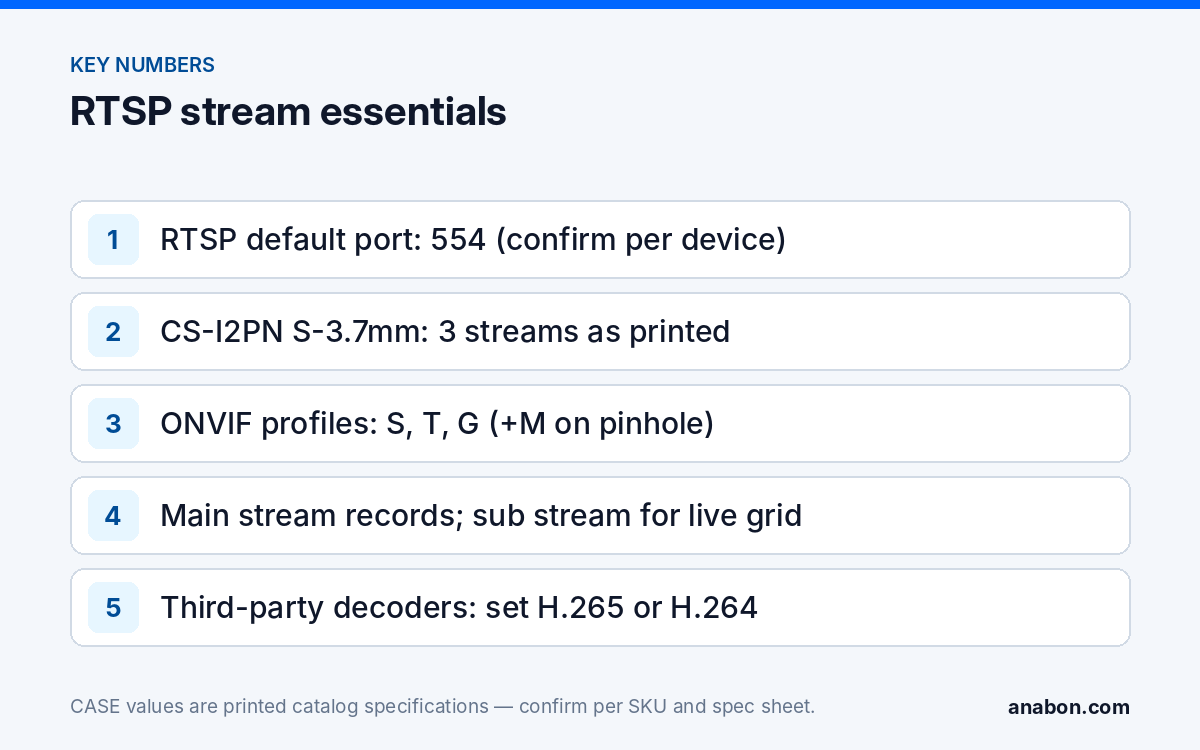
For CASE devices: ONVIF profiles supported are S, T, and G, with M on pinhole models. Third-party behavior is confirmed per platform and project. If the VMS speaks ONVIF, add the camera as an ONVIF device and let it select the streams; use a manual RTSP URL when the platform is RTSP-only, discovery is blocked across subnets, or you want to pin one stream. Profile detail is in ONVIF Profile S, T, G and M explained; credentials and time sync are in ONVIF camera not connecting to the NVR.
How is a CASE camera RTSP stream URL structured?
Every RTSP URL has five parts. Four are standard; the fifth, the path, differs between models and firmware versions, which is why no single “CASE RTSP URL” is printed here. Take the path for your exact SKU and firmware from the spec sheet or Anabon technical support.
| Part | Example | Notes |
|---|---|---|
| Scheme | rtsp:// | rtsps:// (TLS) only where firmware and platform both support it |
| Credentials | vmsuser:StrongPassphrase@ | A dedicated integration user, never admin; URL-encode special characters (@ becomes %40, : becomes %3A) |
| Host | 192.168.10.21 | Static address from the IP plan |
| Port | :554 | 554 is the registered RTSP default; confirm on the camera’s network page, it can be changed |
| Path | /stream-path | Selects main, sub or third stream; per model and firmware |
Main, sub and third stream: which one goes where?
A camera encodes the same sensor output several times at different resolutions and bitrates. The spec sheet states how many streams the model offers: CS-I2PN S-3.7mm prints “3 Streams” and “ONVIF (Profile S/T/G/M), SDK, CGI”, and is the one spec page that prints the profiles; for other models take the count from the SKU’s spec sheet rather than assuming three. CS-I8WS S-2.8mm, a common bullet in this kind of integration, prints a maximum of 3840×2160@20fps and compression of S+265/H.265/H.264B/H.264M/H.264H/Motion JPEG.
- Main stream: full resolution, for recording and single-camera full-screen view.
- Sub stream: reduced resolution for the live grid and remote sites on limited uplinks.
- Third stream, where the model prints one: a second low-bitrate feed for an analytics server or a lobby display.
Codec matters. S+265 is the CASE codec; a third-party decoder may not handle it correctly (a connected session with a black or frozen picture is the usual sign), so set the stream the VMS will pull to standard H.265 or H.264 on the camera’s encoding page first. Every client that opens an RTSP URL is a separate unicast session; a camera feeding a CASE NVR, a VMS and a laptop is sending three copies.
How do you test the stream with a media player before touching the VMS?
A media player on a laptop in the camera subnet isolates the camera from everything the VMS adds: if the player cannot open the stream, the VMS will not either. VLC media player is the usual choice because its codec information window reports codec, resolution and frame rate.
- Confirm the camera’s address and that port 554 (or the port you set) answers.
- Create the integration user on the camera and build the URL with it, encoding special characters.
- Open a network stream in the player and paste the sub stream URL first; it negotiates fastest.
- Read codec, resolution and frame rate from the player and compare them with the encoding page and the printed maximum.
- Repeat for the main stream and watch it for ten minutes.
The failure modes:
- 401 or “authentication failed”: wrong credentials, an un-encoded special character, or a user without stream rights.
- 404 or “stream not found”: the path is wrong for this model or firmware.
- Timeout: wrong address or port, a firewall between subnets, or the camera sits on an NVR PoE port, not the LAN.
- Green or gray blocks, tearing: packet loss on UDP; switch the client to RTSP over TCP.
- Black picture with a running clock: the player may not decode the codec; change S+265 to standard H.265 or H.264 on the camera and retest.
How do you add the stream to a third-party VMS?
The wizard differs by platform; the sequence does not.
- Camera side. Static IP from the plan, correct time and NTP, integration user with the lowest rights that still stream, a codec the platform decodes, main and sub stream resolutions set for recording and live view.
- Network side. A camera on an NVR PoE port lives on the NVR’s internal PoE network, not on the customer LAN; whether a VMS can reach it is per NVR model and firmware. Put a VMS-recorded camera on a LAN PoE switch and leave the NVR’s PoE ports for the channels the NVR records; on a CS-N220 P16H-AI the 16 PoE ports and the single Gigabit uplink are two different sides of the recorder (as printed).
- VMS side. Add the device as an ONVIF device where supported, otherwise as a generic RTSP source; enter main and sub stream URLs; set transport to TCP; assign the main stream to recording and the sub stream to live view.
- Proof. Record for 24 hours, play back across midnight, confirm timestamps match the camera and VMS clocks, and export one clip to an uninvolved laptop.
Plan bandwidth on the VMS server and its uplink as you would an NVR’s incoming limit; see the IP camera bandwidth calculator. If audio is pulled, state recording-consent statutes (in Canada: the Criminal Code consent rule, PIPEDA and provincial privacy laws) apply to the VMS recording as to an NVR; verify with counsel first.
What do you lose outside a CASE NVR?
Raw RTSP carries video and audio. Everything the camera or recorder computes about that video stays behind unless the platform retrieves it through a supported ONVIF profile, per platform. Set the expectation before the quote, not after the first missed alarm.
| Function | CASE NVR (CASE Station: confirmed per version) | Third-party VMS over RTSP | Third-party VMS over ONVIF |
|---|---|---|---|
| Recording and live view | Yes | Yes | Yes |
| On-camera AI such as Human & Vehicle Classification, Tripwire, Perimeter (printed for CS-I8WS S-2.8mm) | Rules on the camera, alarms used by the recorder | Rules still run; no event reaches the VMS | Events where the platform maps Profile T or M metadata; per platform |
| VCA Search (printed on CS-N220 P16H-AI and the other AI NVRs) | Yes, an NVR function | No | No; a recorder-side search |
| AI by NVR (face detection, tripwire, perimeter on the AI NVRs) | Yes, on channels the NVR records | No | No |
| S+265 compression | Yes | Only if the platform decodes it | Same |
| Configuration, firmware, deterrence rules on EW models | CASE tools and the camera web page | Camera web page only | Camera web page; partial ONVIF settings |
Two design consequences. If the customer wants deterrence or classification events acted on, keep those cameras on a CASE NVR and feed the VMS from there or in parallel. If the only reason for a third-party VMS is desktop viewing of several sites, the technical answer is CASE Station, the desktop VMS for CASE devices; the catalog prints “No Per-Camera Licensing” for it, and features are confirmed per version. The decision logic is in NVR vs VMS: when a project needs CASE Station or a management server.
What to tell your customer
“Your cameras can feed your existing video platform over a standard stream; we test recording and live view in the system your team already uses before we confirm it in writing. The camera’s own analytics and the recorder’s search functions stay on the CASE equipment; where your platform can receive events over ONVIF, we test that with your vendor before committing in writing.” For end users who land here: for warranty and service, please contact the installer or company that supplied your system.
FAQ
What port does an RTSP stream URL use?
The registered RTSP default is TCP port 554, which a URL without an explicit port assumes. Cameras allow the port to be changed, so read it from the camera’s network page and write it after the address. A timeout rather than an authentication error usually means the port is wrong or a firewall sits between the VMS and the camera.
Should I add a CASE camera to the VMS by RTSP or by ONVIF?
Use ONVIF where the platform supports it: the VMS discovers the camera, reads the stream URLs itself and can control PTZ and receive events on the profiles the SKU prints. ONVIF profiles supported are S, T, and G, with M on pinhole models. Use a manual RTSP URL when the platform is RTSP-only or you need to pin one stream. Third-party behavior is confirmed per platform and project.
The stream opens in a media player but not in the VMS. Why?
Check four things in order: the VMS uses the same encoded URL and integration user; transport is set to TCP; the codec is one the platform decodes, so S+265 is changed to H.265 or H.264 for third-party decoders; and the VMS server can reach the camera’s subnet. A laptop player in the camera subnet passes all four by default.
Can I pull RTSP from a camera plugged into an NVR PoE port?
A camera on an NVR PoE port sits on the NVR’s internal PoE network, not on the customer LAN, so a VMS on the LAN does not see it directly. Whether the NVR can expose that camera is per NVR model and firmware. The dependable design connects a VMS-recorded camera to a LAN PoE switch and keeps the NVR’s PoE ports for NVR channels.
Do I lose the camera’s AI features when a third-party VMS records it?
The rules keep running on the camera, but raw RTSP carries only video and audio, so no classification or tripwire event reaches the VMS. Over ONVIF, events arrive only where the platform maps Profile T or M metadata, confirmed per platform and project. VCA Search and AI by NVR are recorder functions and stay with the CASE NVR.