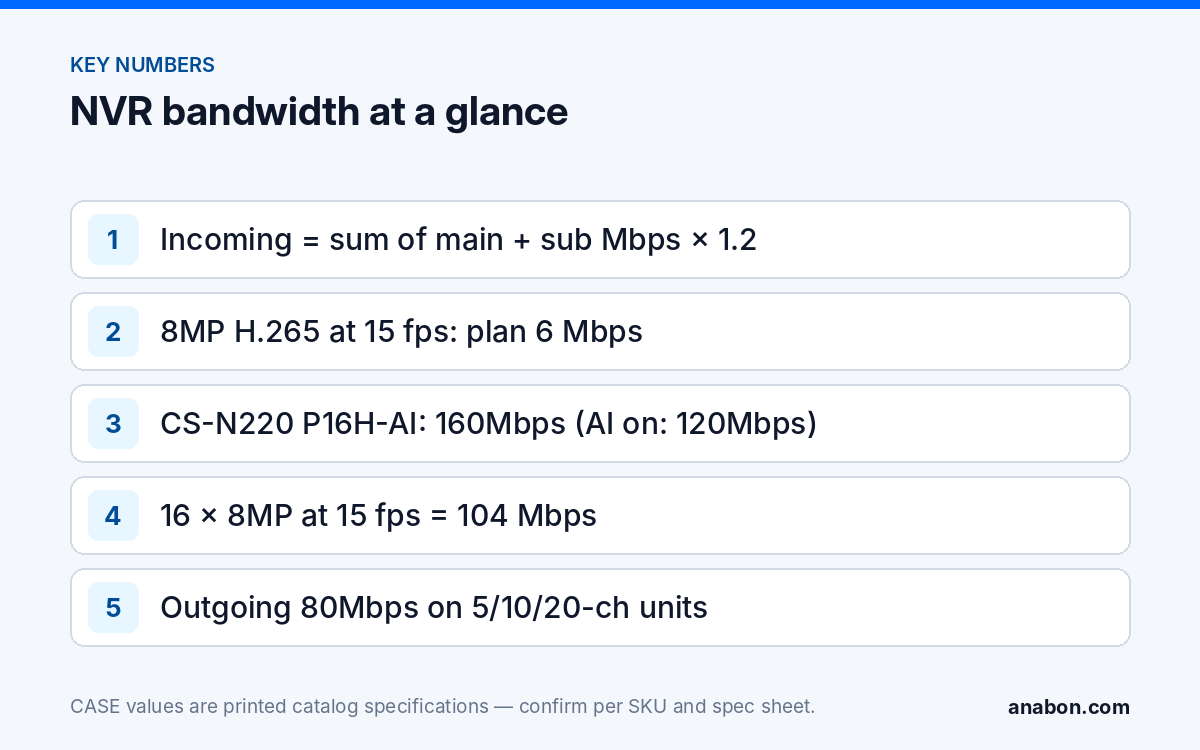
Quick answer: Incoming bandwidth = the sum of every camera’s main-stream and sub-stream bitrate in Mbps; it must stay under the incoming figure printed for the NVR, and under the lower AI-on figure if you use AI by NVR. Sixteen 8MP cameras at a 6 Mbps H.265 planning bitrate plus 0.5 Mbps sub-streams are 104 Mbps, which fits the 160Mbps (AI on: 120Mbps) printed for CS-N220 P16H-AI at 15 fps but not at 30 fps or on H.264. Outgoing bandwidth (80Mbps on the 5-, 10- and 20-channel units) feeds viewers; the site’s internet upload is usually the tighter limit.
What do the incoming and outgoing figures on an NVR actually limit?
Every CASE NVR page prints a Bandwidth I/O row with two numbers. The first is incoming bandwidth: the total video the recorder can accept from all cameras at once, main streams and sub-streams together. The second is outgoing bandwidth: the total it can send to live viewers, playback clients and CASE Connect sessions at the same time. They are independent limits: a recorder with plenty of incoming headroom still stalls when three managers open a 16-camera grid on their phones, and one with spare outgoing capacity still drops channels when the cameras feed it more than its incoming figure.
Channel count and PoE port count are different limits again; how many cameras an NVR supports walks through all three. Three consequences follow:
- Incoming bandwidth is consumed by bitrate, not by megapixels. An 8MP camera at 10 fps can use fewer bits than a 5MP camera at 30 fps.
- The catalog does not print whether sub-streams count toward the incoming figure. Plan as if they do.
- The physical LAN port is a third ceiling. CS-N105 P4 and CS-N110 P8 print 4+1 and 8+1 RJ45 at 10/100 Mbps, so the uplink that carries outgoing video also carries any camera added over the network; keep the two together under 100 Mbps. CS-N220 P16H-AI prints a Gigabit uplink; CS-N440 M-AI, CS-N880 N and CS-N880 H-AI print two.
How does switching AI by NVR on change the budget?
On the AI NVRs the catalog prints a second, lower incoming figure for AI on: 160Mbps (AI on: 120Mbps) on CS-N220 P16H-AI, 400Mbps (AI on: 200Mbps) on CS-N440 M-AI and CS-N440 P16H-AI, 400Mbps (AI on: 320Mbps) incoming on CS-N880 H-AI. The catalog prints the lower figure without giving a reason; treat it as the working limit whenever face detection, tripwire, perimeter or any other AI by NVR function runs on the recorder. CS-N105 P4H-AI and CS-N110 P8H-AI print a single 100Mbps figure with no AI-on reduction.
The rule: if the customer will use any AI by NVR function, size against the AI-on figure, even if only two channels run analytics today. A system commissioned at 140 Mbps on a CS-N220 P16H-AI runs until someone enables face detection; then it is 20 Mbps over its AI-on figure and channels drop with no obvious cause. Which functions run on the NVR versus on the camera is covered in AI NVR explained; AI functions are confirmed per model, firmware and project configuration.
Calculator: cameras × bitrate → Mbps → which CASE NVR
You need no tool for this, only the camera schedule. For each camera, write down the main-stream bitrate you will configure and a sub-stream bitrate, then:
Incoming (Mbps) = Σ (main-stream Mbps + sub-stream Mbps) for every camera × 1.2 headroom
Outgoing (Mbps) = Σ (streams each viewer pulls × that stream’s Mbps) for every simultaneous viewer
The planning bitrates below are for H.265 at 15 fps in a typical commercial scene and match the NVR storage calculator. They are starting points: the bitrate you set in the camera overrides them, and snow, rain and swaying trees can double them.
| Camera resolution | Main stream, H.265 at 15 fps | Main stream, H.265 at 30 fps | Main stream, H.264 at 15 fps | Sub-stream (D1 / VGA) |
|---|---|---|---|---|
| 2MP (1080p) | 2 Mbps | 3 Mbps | 4 Mbps | 0.5 Mbps |
| 4MP | 3 Mbps | 4.5 Mbps | 6 Mbps | 0.5 Mbps |
| 5MP | 4 Mbps | 6 Mbps | 8 Mbps | 0.5 Mbps |
| 8MP (4K) | 6 Mbps | 9 Mbps | 12 Mbps | 0.5 to 1 Mbps |
Worked example: a 16-camera store
Twelve 5MP turrets at 4 Mbps and four 8MP cameras on the entrances at 6 Mbps, all on H.265 at 15 fps, with 0.5 Mbps sub-streams. Main streams: 12 × 4 + 4 × 6 = 72 Mbps. Sub-streams: 16 × 0.5 = 8 Mbps. Total 80 Mbps, or 96 Mbps with 20% headroom. Against CS-N220 P16H-AI that is 60% of the 160Mbps figure and 80% of the 120Mbps AI-on figure, so the design fits with AI by NVR enabled. Cable length plays no part here; a 295 ft (90 m) run only has to stay inside the 328 ft (100 m) PoE channel.
- List every camera with resolution, codec and the frame rate the customer needs.
- Assign a main-stream and a sub-stream planning bitrate, or copy configured values from an existing system.
- Add them up and multiply by 1.2.
- Compare with the printed incoming figure of the NVR you intend to quote: the AI-on figure if any AI by NVR function will be used.
- Estimate simultaneous viewers and the streams each pulls; compare with the outgoing figure and the measured upload speed.
- If it does not fit, reduce frame rate first, then bitrate, then step up the recorder.
CASE NVR bandwidth table (as printed, 2027 Q1)
The last column shows a full house at 4 Mbps main plus 0.5 Mbps sub-stream per channel, before headroom, so you can see which units run out of bandwidth before channels.
| SKU | Channels / PoE ports | Bandwidth I/O as printed | Uplink as printed | Full house at 4.5 Mbps per channel |
|---|---|---|---|---|
| CS-N105 P4 | 5CH / 4 | 100Mbps / 80Mbps | 4+1 RJ45, 10/100 Mbps | 22.5 Mbps: fits |
| CS-N105 P4H-AI | 5CH / 4 | 100Mbps / 80Mbps | 4+1 RJ45, 10/100 Mbps | 22.5 Mbps: fits |
| CS-N110 P8 | 10CH / 8 | 100Mbps / 80Mbps | 8+1 RJ45, 10/100 Mbps | 45 Mbps: fits |
| CS-N110 P8H-AI | 10CH / 8 | 100Mbps / 80Mbps | 8+1 RJ45, 10/100 Mbps | 45 Mbps: fits |
| CS-N220 P16H-AI | 20CH / 16 | 160Mbps (AI on: 120Mbps) / 80Mbps | 1×RJ-45 10/100/1000 Mbps + 16×RJ45 10/100 Mbps PoE | 90 Mbps: fits, AI on or off |
| CS-N440 M-AI | 40CH / N/A | 400Mbps / 400Mbps (AI on: 200Mbps / 200Mbps) | 2×RJ-45 10/100/1000 Mbps | 180 Mbps: fits; 90% of AI-on figure |
| CS-N440 P16H-AI | 40CH / 16 | 400Mbps / 400Mbps (AI on: 200Mbps / 200Mbps) | 1×RJ45 10/100/1000 Mbps | 180 Mbps: fits; 90% of AI-on figure |
| CS-N880 N | 80CH / N/A | 640Mbps / 320Mbps | 2×RJ-45 10/100/1000 Mbps | 360 Mbps: fits |
| CS-N880 H-AI | 80CH / N/A | 400Mbps / 400Mbps (AI on: 320Mbps / 200Mbps) | 2×RJ-45 10/100/1000 Mbps | 360 Mbps: over the 320Mbps AI-on figure; average under 4 Mbps per channel |
Never carry a figure from one row to another: CS-N880 N prints 640Mbps incoming and no AI; CS-N880 H-AI prints 400Mbps with AI off and 320Mbps with AI on. CASE NVRs carry a 6-year warranty. The selection logic beyond bandwidth is in choosing the right CASE NVR.
Why 16 × 8MP cameras may not fit on a 16-port NVR
Sixteen PoE ports invite sixteen cameras, and the quote usually stops there. Run the three common configurations against CS-N220 P16H-AI:
| 16 × 8MP configuration | Main + sub-streams | With 20% headroom | Against 160Mbps / AI on 120Mbps |
|---|---|---|---|
| H.265, 15 fps (6 Mbps) | 96 + 8 = 104 Mbps | 125 Mbps | Fits AI off; at the AI-on figure with no headroom |
| H.265, 30 fps (9 Mbps) | 144 + 8 = 152 Mbps | 182 Mbps | Over the AI-on figure; over 160Mbps with headroom |
| H.264, 15 fps (12 Mbps) | 192 + 8 = 200 Mbps | 240 Mbps | Does not fit in either mode |
The ports were never the constraint. For 16 cameras at 4K and 30 fps with AI by NVR, the options are 15 fps on the overview channels, S+265 on the cameras to lower the configured bitrate (size on H.265 and treat the saving as margin), or a CS-N440 P16H-AI, which keeps 16 PoE ports and prints 400Mbps (AI on: 200Mbps).
Sub-stream strategy for remote viewing: the outgoing side
Outgoing bandwidth is spent by viewers. CASE Connect on a phone and the Plugin-Free web view pull a stream per displayed channel: multi-view grids typically pull sub-streams and a single enlarged channel pulls the main stream, confirmed per software version. Three people watching a 16-channel grid on 0.5 Mbps sub-streams use 24 Mbps; one of them opening a 4K entrance channel at 6 Mbps adds that on top. Against the 80Mbps outgoing figure of the 5-, 10- and 20-channel units, that is comfortable. Against a 20 Mbps business internet upload it is not.
- Configure sub-streams on every channel at D1 or VGA, 10 to 15 fps, 0.5 to 1 Mbps.
- Measure the site’s upload speed during the survey and write it on the handover sheet; it is the real outgoing ceiling off site.
- Limit simultaneous remote users in the customer’s user roles.
LTE sites are covered in sub-stream planning for remote viewing over 4G/LTE. App features and remote access options are confirmed by model, software version and project configuration.
What to tell your customer
“Your recorder accepts a fixed amount of video per second from all cameras combined, and it is a different number when the built-in analytics are on. We have sized the cameras so the total stays under that number with 20% to spare, at the frame rate on the quote. Remote viewing is limited by your internet upload, not by the recorder, so we have set the mobile streams to fit it.” Keep the bitrate and frame-rate assumptions on the quote so you can show which figure moves if the customer later wants 30 fps or more analytics.
FAQ
How much bandwidth does one IP camera use?
Plan on 2 Mbps for 2MP, 3 Mbps for 4MP, 4 Mbps for 5MP and 6 Mbps for 8MP on H.265 at 15 fps, plus about 0.5 Mbps for the sub-stream. H.264 needs roughly twice as many bits and 30 fps about 1.5 times the 15 fps figure. The bitrate configured in the camera, not the resolution, is what the NVR has to absorb.
Does the NVR incoming bandwidth include sub-streams?
The CASE catalog prints a single incoming figure and does not state whether sub-streams are included, so plan as if they are. Sub-streams are small, typically 0.5 to 1 Mbps per camera, and counting them costs little headroom; leaving them out can push a design that looked safe on paper over the printed figure once every channel is live.
Why does the CS-N220 P16H-AI print two incoming figures?
The Bandwidth I/O row prints 160Mbps (AI on: 120Mbps) / 80Mbps. The lower figure applies when AI by NVR functions such as face detection, tripwire or perimeter run on the recorder; the catalog prints it without further explanation. Size against 120Mbps whenever any AI by NVR function will be enabled, even on a few channels.
What limits remote viewing, the outgoing figure or the internet?
Usually the internet. The 80Mbps outgoing figure on the 5-, 10- and 20-channel units handles several viewers on sub-streams, but a typical business upload of 10 to 50 Mbps is reached first. Measure the upload during the site survey, set sub-streams to 0.5 to 1 Mbps, and agree the number of simultaneous remote users in writing.