Quick answer: HOA security cameras are sold to a committee, operated by a manager and watched by residents, so the design starts with who decides and who may see what. Cover the gate lanes with deterrence turrets and a face-height view at the call box, treat automated plate recognition as a per-project item, specify the CS-VIK 27 video intercom kit strictly by its printed rows, cover clubhouse, pool deck, mail room and guest parking with stitched 180° and EW turrets, and hand over an NVR with roles so the board sees live view, the manager exports, and only you hold admin. Post a privacy notice at every monitored area before the first camera records.
Who decides: the board, the manager or the residents?
A community project has three constituencies. The board approves purpose, coverage and spending and carries the liability. The property manager operates the system and answers the resident who asks for footage of a dented car. Residents want to feel safer and not watched. In the US the parties are the HOA board and its management company; in Canada the equivalent is the condominium corporation (Ontario), the strata council (British Columbia) or the syndicate of co-ownership (Quebec). The vocabulary differs, the decisions do not.
Walk into the board meeting with this checklist and leave with written answers:
- Purpose statement: what incidents the system is meant to document (gate tailgating, vehicle damage, dumping, pool after hours).
- Coverage list: common areas only, by name; a written rule that no camera views a private unit, window, patio or yard.
- Roles: who sees live video, who plays back, who exports, who holds admin (the installer, by default).
- Retention period and who approves a release to police or to a resident.
- Privacy notice text and sign locations, reviewed by the association’s counsel.
- Service agreement and a parked list for separate quotes: plate recognition, additional gates, access-control integration.
Gates: cameras, plates (per project) and the intercom
The gate is where most requests originate: who tailgated in behind a resident, which vehicle left at 2 a.m. Give each lane an overview camera and the call box a face-height camera.
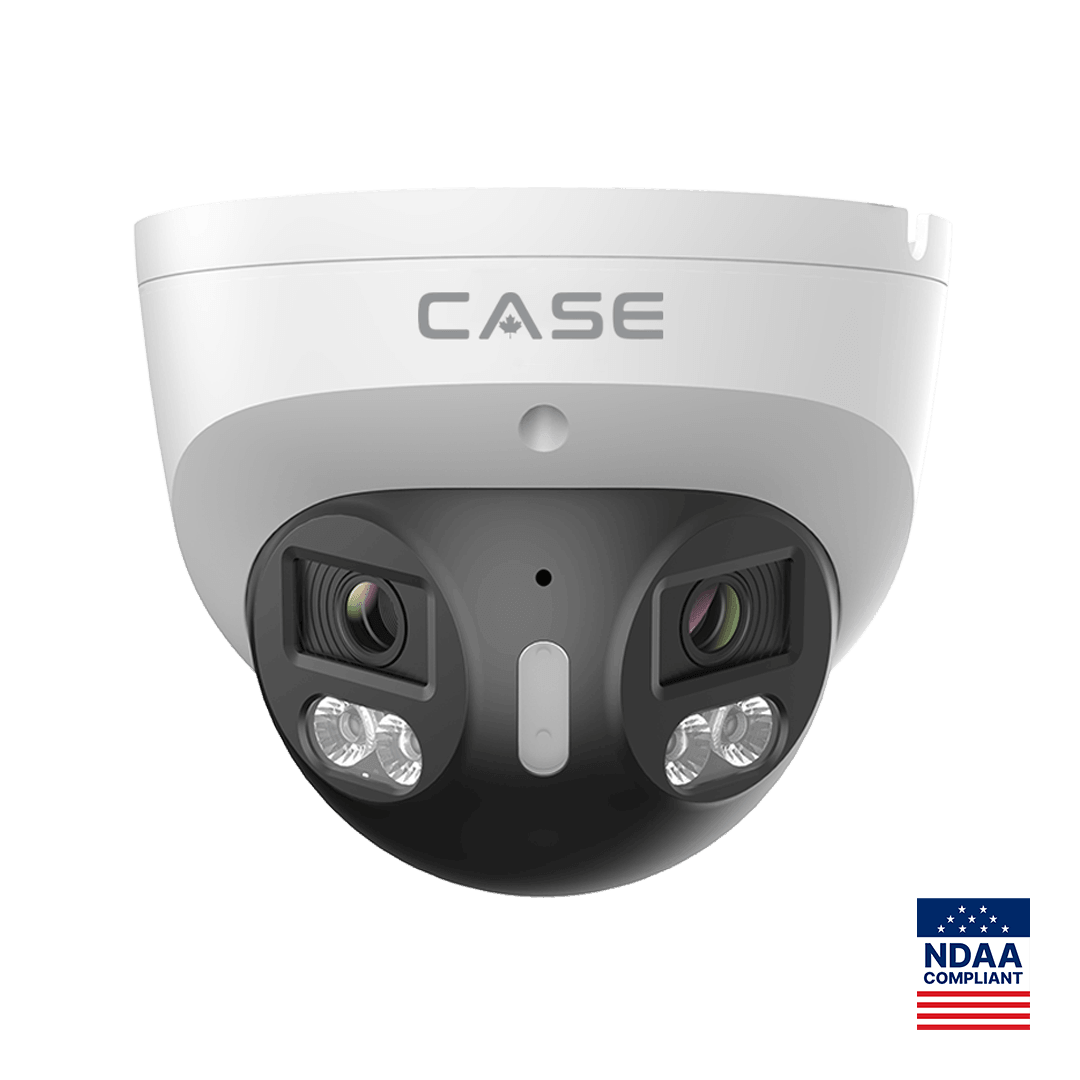
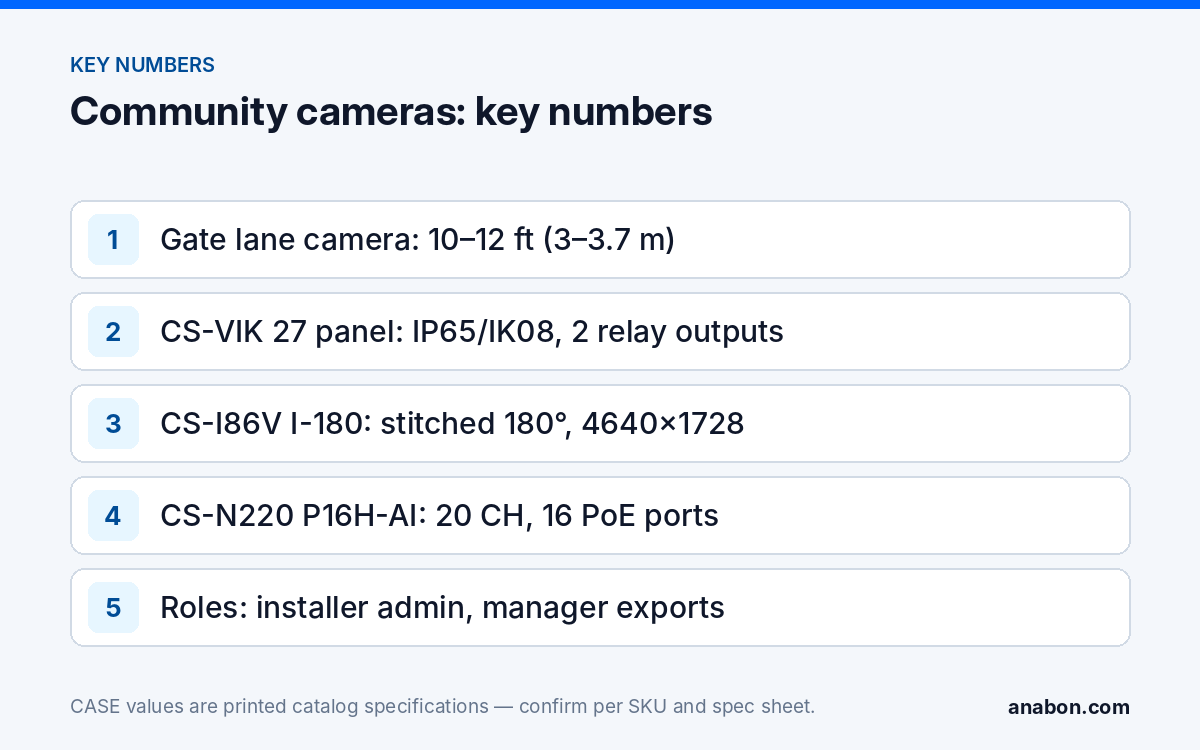
For the lanes, the CS-I8XQ II-2.8mm at 10–12 ft (3–3.7 m) on the gate column or a short post, looking along the lane: 8MP, IR to 164 ft (50 m), white light to 98 ft (30 m), red and blue light, built-in mic and speaker, 120dB True WDR for headlights, IP66, metal housing, with Human / Vehicle / Non-motor Vehicle / Pet Classification printed in its AI row. At a community gate, set light on and the voice warning only on the schedule the board approves, because neighbors live within earshot. EW and AEW are deterrence features. Availability is confirmed per SKU.
A readable plate for a person comes from a low camera at 4–6 ft (1.2–1.8 m) looking at the rear of exiting vehicles. Automated plate recognition is a separate project: one camera per lane, a small angle to the plate, predictable speed and lighting on the plate. The CASE LPR camera, CSP-I4LQ I-LPR-8-32mm (4MP, 8–32 mm as titled on its spec sheet), is a Project Series item: availability, lead time, certificates and the warranty term are confirmed in writing per project before you promise any of them, and plate performance is stated only after the spec sheet is checked against the lane. The method is laid out in Parking Lot Security Cameras. Treat plate data as personal information, under the same retention and access rules as video, and verify the local rule with counsel.
CS-VIK 27 video intercom kit: what is printed, and what is not
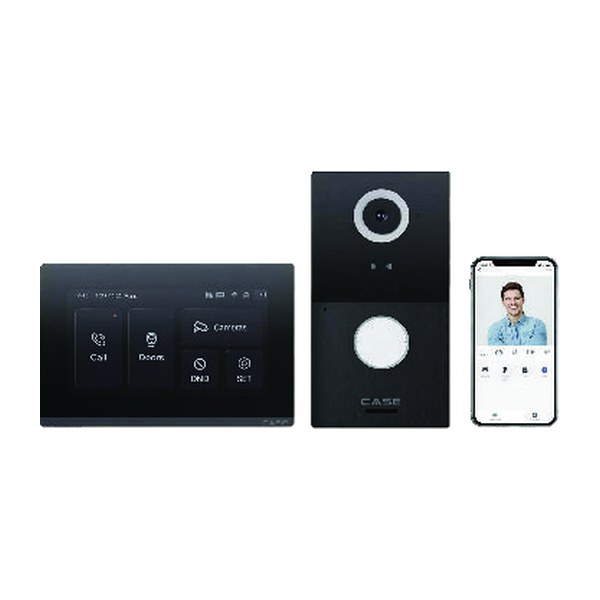
New in the 2027 Q1 catalog, the CS-VIK 27 is a door-entry kit with an outdoor panel and a 7-inch indoor monitor. It suits a staffed gatehouse, a clubhouse door or a manager’s office where the monitor sits with the person who answers; a multi-unit entrance is designed per project. Quote it from the printed rows only.
| As printed | Outdoor panel | Indoor monitor |
|---|---|---|
| Camera / display | 2MP camera, 110° horizontal / 127° diagonal viewing angle | 7″ TFT, 1024 × 600 |
| Credentials and outputs | RFID 13.56 MHz / 125 kHz; 2 relay outputs; Wiegand + RS485 interface | 8 alarm zones; MicroSD support |
| Network and power | — | Wi-Fi + Ethernet; PoE: Yes |
| Protection | IP65 / IK08 | Not printed (indoor unit) |
| Operating temperature | −40 to 131 °F (−40 to +55 °C) | 14 to 131 °F (−10 to +55 °C) |
| Languages | — | 14+ |
Two relay outputs mean the panel can switch a vehicle gate operator input and a pedestrian gate strike, within the relay rating on the spec sheet; Wiegand and RS485 are the interfaces to an existing access-control panel, and third-party behavior is confirmed per platform and project. Three things are not printed and therefore not promised: any mobile app name or function for the kit (the catalog photo shows a phone screen, but no app is named), the number of monitors per panel, and a warranty term, which is confirmed by Anabon per the spec sheet. The product page is CS-VIK 27: Video Intercom Kit for Gates.
Common areas and parking: where do the cameras go, and where do they not?
Common-area coverage is where resident trust is won or lost. Cameras view shared space, never private space; where a shared view cannot avoid a window or patio, a privacy mask is configured and documented.
| Area | Job of the image | Example CASE SKU (as printed) | Placement note |
|---|---|---|---|
| Clubhouse entrance and lobby | Face of everyone entering; fob misuse | CS-I8KS SD-2.8mm: 8MP, IR 98 ft (30 m), white light 33 ft (10 m), IP67/IK10 | 7–8 ft (2.1–2.4 m), facing the inbound door |
| Pool deck | After-hours entry, incident record | CS-I86V I-180: 8MP (4+4) stitched 180°, 4640×1728, PhotonX 0.0009 Lux, IR and white light 98 ft (30 m), IP67 | One corner mount covers the deck; never the changing rooms or washrooms |
| Mail and parcel room | Parcel theft, who entered when | CS-I8KS SD-2.8mm | Ceiling corner, 9 ft (2.7 m) |
| Guest parking and dumpster enclosure | Vehicle damage, dumping, loitering | CS-I8XQ II-2.8mm with EW on the board’s schedule | Light pole or wall, 12–14 ft (3.7–4.3 m) |
The stitched 180° unit covers a pool deck or a lot from one mount with no seam to explain to a board member, and its PhotonX row gives color at night where deck lighting is dim; low-light and full-color behavior is stated per SKU on the specification sheet and should be confirmed for the site. Operating ranges are printed as −31 to 149 °F (−35 to 65 °C) for the CS-I86V I-180 and the CS-I8KS SD-2.8mm; none is printed for the CS-I8XQ II-2.8mm, so check its spec sheet for a northern site.
User permissions and remote viewing: who sees what?
A community recorder with one shared admin login is a dispute waiting to happen. Build the role scheme before handover and write it into the as-built.
- Installer: admin. Firmware, network, user management, retention settings.
- Property manager: operator. Live view, playback, export, with the export log reviewed at each service visit.
- Board members and the gate guard: live view only, on the cameras relevant to their role.
- Residents: no NVR access by default. The intercom monitor shows the panel camera to the person who answers; anything beyond that is a board decision and a separate quote.
The CS-N220 P16H-AI fits a mid-size community: 20 channels, 16 PoE ports, 160 Mbps incoming (120 Mbps with AI on) and 80 Mbps outgoing, HDMI and VGA simultaneous, up to 10 TB per drive, with VCA Search including Smart Motion Detection for the manager’s “which car hit the gate arm on Saturday” question. Remote viewing runs through CASE Connect; the catalog prints device sharing, live view and playback and alarm information among its functions, and app features and remote access options are confirmed by model, software version and project configuration before they go into the proposal. Role setup is covered in User Roles and Permissions on CASE NVRs.
Privacy notice for residents: what does it say, and where does it go?
A community records people who live there, so notice is not a formality. In the US, state laws govern video and especially audio recording and vary widely; in Canada, PIPEDA or the provincial private-sector law (Quebec Law 25, Alberta PIPA, BC PIPA) applies depending on the province and the organization. The table below is a working draft for the association’s counsel to approve, not legal advice.
| Notice element | Draft wording |
|---|---|
| Headline | Video surveillance in operation in common areas |
| Purpose | Recording is used for the safety of residents and guests and the protection of community property. |
| Scope | Cameras cover gates, parking, the clubhouse, the pool deck and the mail room. No cameras view private units. Audio is not recorded. |
| Retention and access | Recordings are kept for [N] days and reviewed only by the property manager or on written request as set out in the association’s policy. |
| Contact | Questions: [management company name, phone, email]. |
Post the sign at every vehicle and pedestrian entrance and at the door of each monitored building, at eye level, lit at night. Keep audio recording off unless counsel has reviewed the consent rules; a printed microphone is a hardware fact, not a permission. Jurisdiction detail is in Video Surveillance Privacy in Canada and Security Camera Laws by State.
What to tell your customer
“The system covers the gates and the common areas you listed, and nothing else; no camera views a private unit, and a privacy notice goes up before recording starts. Your manager can view and export, board members can view live, and only we hold the administrator login. Plate recognition and any mobile function for the intercom are quoted separately once confirmed for your site. CASE cameras and CASE NVRs carry a 6-year warranty, and support comes through us.”
FAQ
Can residents watch the gate cameras on their phones?
Not by default. Resident access is a board decision with privacy consequences, so the standard handover gives the manager operator rights and the board live view. CASE Connect prints device sharing among its functions; whether and how that is used for residents is confirmed by model, software version and project configuration and written into the association’s policy first.
Does the gate camera read license plates automatically?
The lane overview camera records a plate a person can read if it is mounted low and aimed at the rear of exiting vehicles. Automated recognition is a per-project item with a dedicated camera per lane, such as the CSP-I4LQ I-LPR-8-32mm, whose availability, certificates, lead time and warranty term are confirmed in writing before it is promised.
Will the CS-VIK 27 connect to our existing access-control panel?
The outdoor panel prints a Wiegand + RS485 interface, RFID at 13.56 MHz and 125 kHz, and two relay outputs, which are the usual connections to a gate operator and an access-control controller. Third-party behavior is confirmed per platform and project, so the integration is tested with the panel on the bench before it goes in the proposal.
What warranty applies to the community system?
CASE cameras and CASE NVRs carry a 6-year warranty. CASE PTZ cameras carry a 3-year warranty. CASE accessories carry unlimited warranty. Hard drives are supported through back-to-back manufacturer warranty. The warranty term for the CS-VIK 27 kit is confirmed by Anabon per the spec sheet, and a CSP- LPR camera carries no stated term until confirmed in writing. Warranty runs through you, the installer.