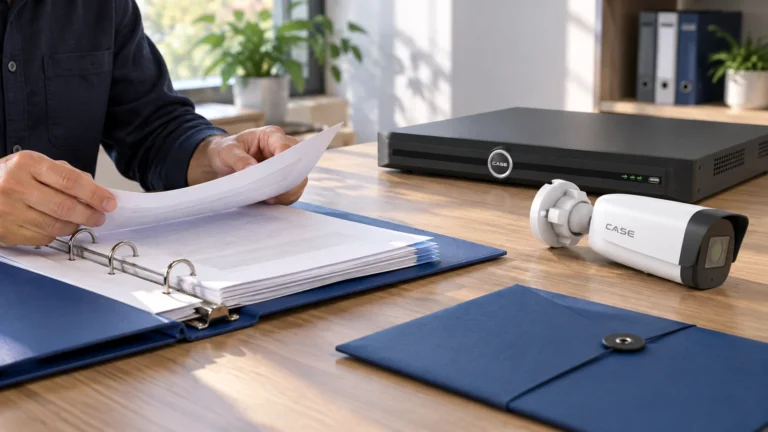



Quick answer: Build a requirement-to-evidence index for the actual bid. For every proposed full SKU/revision, link the current sheet, required compliance records, written warranty terms and verified software/integration scope. Cross-check drawings, quantities, qualifications and closeout commitments. Mark missing evidence and deviations early. A complete-looking package helps review; it does not guarantee acceptance.
On this page
What goes into a submittal package for a camera bid?
Start with the actual submittal instructions, specification, addenda and named review authority. A project may organize these under Division 01 and Division 28, but do not assume every bid uses the same headings or process. Check that full model numbers match the schedule, every required document is indexed and each claim can be verified. How to Read a Video Surveillance RFP helps identify the questions before you assemble the package.
| Item | What it contains | Source | Why packages bounce |
|---|---|---|---|
| Product data (spec sheets) | One sheet per full SKU, revision date, relevant rows marked | Current CASE spec sheet per SKU, from Anabon | Partial SKU; stale revision |
| Compliance documentation | Per-SKU documents the spec names (NDAA Section 889, FCC Covered List, TAA, listings) | Anabon, per SKU and per project | Brand-level letter instead of per-SKU documents |
| Warranty statement | Term by product category, how claims flow | Written terms for the actual SKU/revision/order | “6-year on everything”; wrong PTZ term; a term stated for a CSP- item |
| Software statement | What is supported today for app, desktop and remote access | CASE Connect wording below; capability confirmed per model and firmware | Future features; integration promised without a test |
| ONVIF statement | Profiles per SKU, third-party behavior per platform | Exact model sheet plus official conformance/firmware verification and actual integration test where required | “ONVIF compatible” with no profile named |
| Drawings and schedule | Camera schedule, shop drawings, riser, network and power plan | Your design, cross-checked with Anabon’s project review | Count differs from drawings |
| Qualifications and closeout | Licenses, references, training plan, O&M and as-built commitments | Your company file | Training hours not stated |
How do you prepare the spec sheets per SKU?
Write the full SKU, every time
Write the complete model, suffix, lens and revision throughout the schedule, BOM and evidence index. Do not offer owner-confirmed retired equipment as active supply. If existing installed equipment or an old specification uses a legacy identifier, record that identity and status, then compare a current candidate with its differences and required approval.
Mark the rows the spec asks for
Match each numbered requirement to the exact documented row and page. For CS-I8XQ II-2.8mm, first resolve the catalog page 18 I/II column-label ambiguity with current revision-specific documentation; do not silently assign the more favorable column. Record the required lens, frame rate, lighting, WDR type, protection, audio and storage evidence separately. Obtain missing operating or compression values rather than borrowing them from a similar model. Or Equal Substitution Security Camera Guide explains verified matches, deviations and pending checks. A document conflict needs written clarification, not an automatic choice of the largest number.
Check the revision date and the accessory sheets
Put the actual revision/date on the cover sheet and include mount, junction-box and power-source sheets. Catalog physical page 63 lists CS-POE33024PF with 24 gigabit PoE ports, IEEE 802.3af/at, 30W maximum per port and two gigabit SFP uplinks. It also prints 400W / 600W total budgets and alternative dimensions/weights. Confirm the supplied variant and its documented usable budget before calculating loads; 30W per port does not mean all 24 ports can supply 30W together. Do not invent a variant code or assume support for an unlisted power standard.
What warranty evidence belongs in the package?
Compare the required term, start milestone, exclusions and service duties with written terms for every supplied SKU/revision/order. A catalog badge does not prove that the whole clause is satisfied. Disclose unresolved gaps and obtain the buyer’s required decision; an unauthorized contractor extension cannot silently repair a manufacturer gap.
Flag Project Series, intercom, powered-accessory and other model-specific exceptions separately. Confirm their actual term, exclusions and claim process in writing for the supplied item; do not invent an unlimited accessory policy. Hard drives follow the applicable drive-manufacturer terms. Category guidance is a starting point, not the exact order’s warranty.
| Category on the schedule | Term to write | Note for the reviewer |
|---|---|---|
| CASE cameras (fixed, panoramic, special) | Confirm full SKU/revision and written term; do not apply one term to every camera | Check all clause conditions and model exceptions; a year count alone does not prove acceptance |
| CASE NVRs | Confirm the actual recorder/order terms; the badge alone is not the full warranty | Recorder line items |
| CASE PTZ cameras / speed domes | Current catalog PTZ examples show 3-year badges; confirm written terms for the supplied model | Disclose a gap and obtain required approval; any contractor extension needs a separately authorized commitment |
| Passive accessories and powered PoE devices — separate terms | Confirm the applicable written term for the exact item | Do not apply a passive-accessory policy to powered devices; current named PoE pages show model-specific badges |
| Hard drives | Back-to-back manufacturer warranty | Not a CASE term; the drive vendor’s term applies |
| CASE Project Series (CSP- prefix) | No term stated | Confirmed in writing per project, with availability, certificates and lead time |
Add one sentence on process: warranty support goes through the installer, dealer or approved business account that supplied the system, with Anabon supporting that partner; the owner contacts you, not Anabon. If an end user reads your package: for warranty and service, please contact the installer or company that supplied your system. Details in CASE Warranty by Category.
What does the software statement say?
Describe CASE Connect only by the functions confirmed for the actual device and software version. Android is available; iOS is forthcoming. A web version exists, but do not publish an unverified access URL or assume feature parity. CASE Station desktop and CASE Cloud remote NVR configuration are separate products; neither name establishes cloud recording. List each required function against the exact device/version and a test or confirmed supporting document. Keep future availability separate from current acceptance criteria; face-data workflows require the appropriate site-specific review before use.
The ONVIF line
For a required ONVIF conformance claim, verify the full model and firmware in the official ONVIF database. Then test the required streams, recording, playback and events with the actual client/version. A profile list or brand name is not a complete integration statement.
How do you document compliance per SKU?
Start with each exact procurement or technical clause and identify the evidence and responsible reviewer. Section 889 representations, FCC restrictions, origin/TAA, electrical safety and emissions are separate checks; one mark or letter does not prove the others. Request records tied to the full SKU, revision and relevant configuration. A missing catalog row is an open question, not proof either of certification or non-compliance. Get the required document and buyer decision before claiming acceptance. The existing NDAA documentation guide explains the evidence request.
Which drawings and closeout documents belong in the package?
- Camera schedule: tag, location, full SKU, lens, mount, box, PoE class, cable route, NVR channel; the same table later becomes the as-built. Format in Writing a Camera Schedule and Bill of Materials.
- Shop drawings: device locations on the floor plans, mounting heights in ft (m), fields of view where the spec asks, head-end rack elevation.
- Riser and network plan: switch ports, PoE budget per switch, uplinks, VLAN or separate network, NVR incoming bandwidth with analytics on.
- Power plan: circuits, required UPS runtime, actual device loads and the documented compatible switch, injector or power supply. Confirm the full power path and limits for each device rather than inferring support from the port count.
- Closeout commitments: as-built format, O&M manuals, credential handover method, training hours and attendees, spare parts list.
The checklist (copy it into your job folder)
Use the camera schedule template as the equipment index and this checklist as the requirement-to-evidence index. Copy the checklist into your project spreadsheet, repeating per-SKU items for every full model/revision. Cross-check drawings, quantities and attachments; a completed checkbox cannot substitute for the actual document or the buyer’s review.
| # | Item | Scope | Source | Done |
|---|---|---|---|---|
| 1 | Spec sheet, current revision, rows marked | Per SKU | Anabon | |
| 2 | Accessory sheets: mount, box, switch, injector | Per SKU | Anabon | |
| 3 | Compliance documents named in the spec | Per SKU, per project | Anabon | |
| 4 | Written warranty terms and model-specific exceptions | Per package | This article | |
| 5 | Software statement, supported today, per model and version | Per package | This article; Anabon confirms | |
| 6 | ONVIF profile statement | Per SKU | Exact model sheet plus official conformance/firmware verification and actual integration test where required | |
| 7 | Camera schedule and bill of materials, full SKUs | Per project | Your design | |
| 8 | Shop drawings, riser, network and power plan | Per project | Your design, reviewed with Anabon | |
| 9 | Project Series items: written confirmation of availability, certificates, lead time | Per CSP- item | Anabon, in writing | |
| 10 | Qualifications: licenses, references, insurance, training certificates | Per package | Your file | |
| 11 | Closeout commitments: as-built, O&M, training, credentials, spares | Per package | Your proposal | |
| 12 | Cover sheet: project, section, addenda, revision dates, contact | Per package | Your file |
What to tell your customer
After verifying the attachments, your cover note can say: “The index identifies every offered full SKU/revision and the supporting records supplied. It distinguishes documented matches, disclosed differences and pending evidence. Warranty and software scope are tied to the offered items, and the drawings have been cross-checked against the schedule. The package remains subject to your required review and written decision.” Do not state that records are attached when they are still being requested.
FAQ
What is a product data submittal for security cameras?
It is the project-required product data and supporting evidence submitted under the actual review procedure. Tie each full SKU/revision to the numbered requirement and disclosed deviation, with current drawings, quantities and test/closeout commitments. The buyer determines the review outcome; the package and a catalog statement alone do not prove compliance or authorize procurement.
Can I attach one compliance letter for the whole brand?
Follow the actual clause and its required evidence. A brand-level letter may provide background, but it does not replace a required exact-model record, firmware scope, listing or procurement representation. Keep NDAA, FCC, origin/TAA and technical approvals separate. Use the NDAA documentation guide to prepare the request, mark unavailable evidence pending and obtain the authorized reviewer’s decision. Do not promise that every requested record exists or that a document alone guarantees acceptance.
What warranty wording do I put in a security camera bid?
Use the written terms applicable to the full SKU, revision and order: term, start date, exclusions, service route and responsibilities. Identify powered-accessory and special-model exceptions. Confirm CSP- Project Series terms in writing for the project. Compare these records with the actual bid clause and disclose any unresolved gap; do not copy a universal six-year or unlimited-accessory promise.
Where do I get the spec sheets and documents?
Request current revision-specific sheets and accessory records through your approved business account or Anabon contact, with the project name, full schedule and actual specification section. Find the IP camera user manual for setup and integration details; it does not replace missing specification, certification or origin evidence. Anabon supports the installer behind the scenes while the submission and its approval process remain the bidder’s responsibility.
References
- Anabon current documents and manuals
- Discuss the project and required documents
- ONVIF Conformant Products database
- Anabon current warranty/RMA process