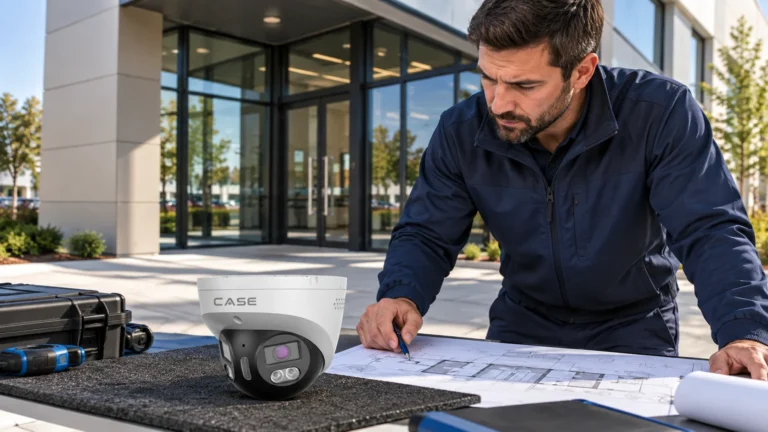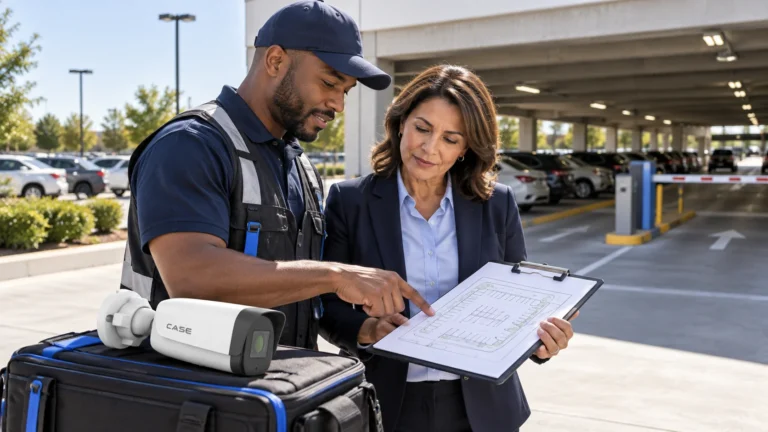



Quick answer: The CS-I86V I-180 turret and CS-I82V I-180 bullet are cataloged as 8MP (4+4) stitched cameras with a nominal 180° view and a 4640×1728 maximum format. Verify the actual stream, frame-rate mode, decoding and channel use on the intended NVR. The turret’s catalog lists 30 m IR and white light. For the bullet, the catalog lists 15 m white light while the linked Spec:V5 sheet lists 10 m: confirm the supplied revision before promising coverage. A panoramic overview does not automatically replace dedicated detail views.
On this page
Turret or bullet: which 180° version fits the job?
The catalog’s complete model names are CS-I86V I-180 and CS-I82V I-180, on physical pages 19 and 27. Both comparison pages list 8MP (4+4) stitched imaging, a fixed 2.8 mm lens, IP67, 512 GB card support and I/O. Keep the printed differences in housing, illumination, temperature and analytics. The bullet’s white-light figure conflicts with its linked Spec:V5 sheet; the table marks both sources rather than treating them as an interchangeable revision.
| Published references (see revision note) | CS-I86V I-180 (turret) | CS-I82V I-180 (bullet) |
|---|---|---|
| Max. IR distance | 98 ft (30 m) | N/A |
| White light distance | 98 ft (30 m) | Catalog: 15 m (49 ft); linked Spec:V5 sheet: 10 m (33 ft). Confirm supplied revision. |
| Min. illumination | 0.0009 Lux | 0.0001 Lux |
| Housing | Metal | Metal + Plastic |
| Operating conditions | −31 °F to 149 °F (−35 °C to 65 °C), 0–95% RH | −40 °F to 149 °F (−40 °C to 65 °C), 0–95% RH |
| AI | Human & Vehicle Classification, Tripwire, Perimeter, Video Abnormal, Audio Abnormal | Tripwire, Perimeter, Human & Vehicle Classification |
| Built-in mic / speaker | 1×Built-in Mic / 1×Built-in Loudspeaker | Yes / Yes |
- Evaluate the CS-I86V I-180 where the proposed scene needs the turret form and its published IR/white-light options. Test the actual required detail and lighting throughout the zone; 30 m illumination is not a face-identification distance, and an Audio/Video Abnormal entry does not establish every tamper scenario.
- Evaluate the CS-I82V I-180 against its published −40°C to 65°C operating range and the actual mounting conditions. Resolve the 15 m versus 10 m white-light discrepancy for the supplied revision and test the moving subject after dark. A lower minimum-Lux number alone does not prove a usable color image, exposure or identification result at the site.
- For both, plan the night image around the printed white-light distance and the existing site lighting. Low-light and full-color behavior is stated per SKU on the specification sheet and should be confirmed for the site.
What does a stitched image mean for the NVR channel?
The stitched catalog row describes a combined panoramic image from two sensors. Confirm the output format, frame-rate mode, channel consumption and decoding/display behavior on the actual NVR and firmware; neither the housing nor pixel count proves universal one-channel handling. The separate-view comparison guide explains the different non-stitched workflow. Both linked panoramic sheets list PAL 25fps and NTSC 24fps at 4640×1728, so check the actual configured mode before scheduling recorder capacity.
Points to check before you quote:
- Recorder support: confirm 4640×1728 at the required frame rate and codec, simultaneous decoding/layouts and recording/export. A generic 16MP maximum row alone does not prove support for this wide format.
- Bandwidth and storage: the camera page prints no bitrate. Read the real bitrate from the stream settings at 25fps and the chosen codec, then size retention. The printed codec list is S+265/H.265/H.264B/H.264M/H.264H/Motion JPEG; use S+265 where camera and NVR firmware both support it.
- Display: a 4640×1728 tile is very wide. On a multi-camera grid it shows small; give it a full-width or 1+N layout on the guard monitor.
- A printed ONVIF profile is not a blanket compatibility promise. Where conformance is required, check the exact model and firmware in the official ONVIF database, then test the required live view, recording, playback and event functions with the actual client/version.
The panorama spreads its captured detail over a wide scene. Do not turn a simple pixels-per-degree average into a calibrated pixels-per-metre result or a promise to identify faces across a lot. Check recorded faces or plates at the required positions, including the stitch area and edges, in day and night conditions. Keep a dedicated detail view where the overview cannot demonstrate the agreed task, and use the field of view and lens calculator when planning that separate camera.
How do EW and PhotonX work on a panoramic camera?
The catalog presents PhotonX low-light and EW warning features for these models; the linked sheets also describe EW and sound/white-light linkage. Plan a supported person/vehicle rule around the actual protected area, then confirm the available arming, warning and recording behavior on the supplied firmware and client. An icon or built-in speaker does not prove that every warning workflow is available on every platform.
PhotonX at night
The catalog lists 0.0001 Lux for the bullet and 0.0009 Lux for the turret. These are published sensitivity figures, not a promise of usable moving-subject detail at every shutter speed or corner of the scene. Test both edges and the stitch area after dark with the intended lighting and recording settings. Retain only the commissioning clips needed for the approved handover, with appropriate access and retention.
EW on a wide scene
Use the active deterrence guide to define the warning task, operator response and acceptance checks. Availability and the light/audio modes depend on the exact camera, firmware and client. A warning can support the agreed response, but it does not guarantee prevention or make public roads, neighboring property or unrelated people an appropriate trigger zone. Two points matter on a panoramic view:
- Draw tripwire or perimeter zones on the part of the view that should be empty after hours, not across the full 180°, or a public sidewalk at the edge will trigger warnings all night.
- The white-light distance is printed; the spread of the light across the full width is not. Check at night that the light reaches the zones where EW is armed before promising deterrence there.
Test a speaker warning, live talk-down, listening and recorded audio as separate functions on the actual system. Obtain the required site-specific privacy/legal approval and document the permitted settings before enabling them; a microphone or speaker specification is not consent or proof of client support. Keep unapproved audio recording disabled, and do not infer a current CASE Connect workflow from legacy client labels in a linked sheet.
Where does a 180° camera pay off?
| Site | Mounting position | Overview task to test; dedicated detail views may still be needed |
|---|---|---|
| Parking lot beside a building | Middle of the building wall, facing the lot | Review the required coverage, obstructions, night detail and blind areas before removing any existing camera |
| Warehouse yard or dock apron | Above the dock doors, facing the yard | Review the required coverage, obstructions, night detail and blind areas before removing any existing camera |
| Courtyard or school yard | On a wall at the long side of the space | Review the required coverage, obstructions, night detail and blind areas before removing any existing camera |
| Gate approach along a fence line | On a pole set back from the gate | Review the required coverage, obstructions, night detail and blind areas before removing any existing camera |
For layouts, lighting and where a dedicated plate camera belongs, see the parking lot cameras guide.
How should you mount a stitched 180° camera?
- Mounting surface: check the actual wall or corner orientation for building edges, obstructions and the complete protected area. Select a suitable mount and verify the recorded view; neither a flat wall nor a corner automatically guarantees an unobstructed 180° scene.
- Level it: a tilted panoramic bends the horizon and makes the stitched image harder to read. Use a level on the bracket before the final tighten.
- Height: choose a position from the required detail distance, vehicle/people obstructions, tamper risk and safe servicing access. Verify the recorded face or plate task at that height; a general mounting-height range is not a performance guarantee for a stitched view.
- Mind the stitch line: objects very close to the camera, where the two sensor views meet, can show stitching artifacts. Keep doors and pathways that need detail away from that part of the view at short range.
- Weather and cable entry: both units print IP67; form a drip loop, seal the cable entry and confirm the matching junction box or bracket on the spec sheet.
- Power: the catalog comparison omits consumption. The linked turret sheet, physical page 4, lists DC12V±25%, max. 12 W DC and max. 14.5 W PoE with IEEE 802.3at. The bullet sheet, physical page 3, lists DC12V±25%, MAX 12 W and PoE 802.3at without a separately labeled PoE maximum. Confirm the supplied revision, source, port/total budget and startup conditions; do not transfer one model’s power figure or electrical output rating to the other.
Spec table: CS-I86V I-180 and CS-I82V I-180 as printed
| Row | CS-I86V I-180 | CS-I82V I-180 |
|---|---|---|
| Image sensor | 8MP (4+4) Stitched | 8MP (4+4) Stitched |
| Lens | 2.8mm Fixed | 2.8mm Fixed |
| Max. resolution and frame rate | Catalog max. 4640×1728@25fps; linked sheet: PAL 25fps / NTSC 24fps | Catalog max. 4640×1728@25fps; linked sheet: PAL 25fps / NTSC 24fps |
| Max. IR distance | 98 ft (30 m) | N/A |
| White light distance | 98 ft (30 m) | Catalog: 15 m (49 ft); linked Spec:V5 sheet: 10 m (33 ft). Confirm supplied revision. |
| Min. illumination | 0.0009 Lux | 0.0001 Lux |
| Wide dynamic range | 120dB | 120dB |
| Audio I/O / alarm I/O | 1/1 / 1/1 | 1/1 / 1/1 |
| Memory slot | 512 GB | 512 GB |
| Protection | IP67 | IP67 |
| Housing | Metal | Metal + Plastic |
| Warranty reference | 6-year catalog badge; confirm written SKU/revision and order terms | 6-year catalog badge; confirm written SKU/revision and order terms |
What to tell your customer
Suggested proposal wording, subject to the agreed scope: We will confirm the supplied revision and test the overview, stitch area, edges and night detail from this mounting point. Dedicated views remain where faces or plates need usable detail. The agreed recording, warning and client functions will be checked on the actual system, with the results recorded. No single camera guarantees a gap-free scene; the proposal will identify the complete SKU and written service terms.
FAQ
Does a stitched 180° camera use one NVR channel or two?
The catalog describes a stitched image, not a universal channel-allocation rule. Use the ip camera user manual for the supplied revision to identify its stream configuration, then test supported wide-format decoding, recording, playback, export and actual channel use on the target NVR/client and firmware. Check the required PAL/NTSC frame-rate mode. Do not remove recorder capacity from the schedule until that workflow is verified.
Why does the CS-I82V I-180 print no IR distance?
For the CS-I82V I-180, the current catalog prints IR as N/A and white light as 15 m. The linked exact-model Spec:V5 sheet, physical page 2, also prints IR N/A but white light 10 m. Confirm which written specification applies to the supplied revision, then test the actual night image and moving-subject detail. Do not treat N/A as proof of a particular hardware design or either light distance as identification range.
Can a 180° camera identify faces or license plates across a lot?
Do not promise identification across the lot from the nominal 180° label or maximum pixel count alone. The required result depends on subject size, angle, distance, lighting, motion, compression and the actual stitched image. Test the recorded face or plate task at the agreed positions and retain a dedicated narrow view where the overview does not demonstrate the required detail.
Which version is better for very cold sites?
The current catalog lists −40°C to 65°C for the bullet and −35°C to 65°C for the turret. Compare the actual mounting environment and local design conditions with the supplied revision’s complete written limits, including humidity, condensation, power and any startup restrictions. Those temperature rows do not guarantee suitability for every northern location or prove a heater or de-icing function is included.
What warranty applies to these cameras?
The catalog pages show a six-year camera warranty badge. Use the warranty-by-category guide for context, then confirm the exact SKU/revision, written order terms, exclusions and service route before promising coverage. An end user should contact the supplying installer or dealer. Camera warranty handling and any separately agreed onsite service are distinct commitments; a category badge does not define every customer’s coverage.
References
- Current CASE catalog and revision-specific manuals
- Confirm a model, configuration or integration
- ONVIF Conformant Products database