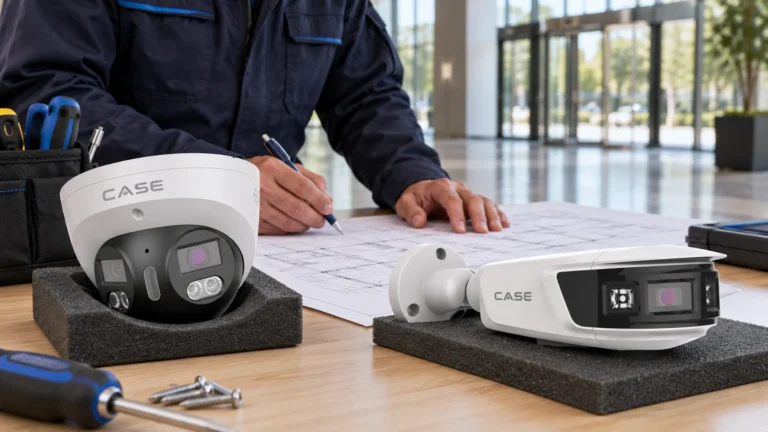



Quick answer: A stitched panoramic model blends sensor views into a wide image; a non-stitched model exposes separate views. Neither the housing nor that label proves how many NVR channels, licenses or events the actual client uses. Confirm the exact device/firmware and required recording/export modes on the bench, then test the whole frontage at the needed distances. One wide view is not an automatic replacement for two task-specific cameras.
On this page
Stitched vs non-stitched: what does the NVR see?
The named fixed stitched models list 4640×1728@25fps, while the named non-stitched pages list 2560×1440@20fps with an 8MP (4+4) sensor description. Confirm actual output streams and how the proposed recorder, client and export handle them. Do not infer lens orientation or a 180° combined view for CS-I8RN S-2.8mm from its dual-lens row alone.
Compare the operator’s actual live view, recording, playback, events and export. A single blended image may simplify one workflow, but channel and rule behavior still need verification. Stitching can show parallax or alignment artifacts near the join; there is no universal distance beyond which they cease to matter. Walk the required target through the join at the actual distances and lighting. Use the IP camera user manual for the exact revision when checking the available output modes.
| Question | Stitched (one image) | Non-stitched (separate views) |
|---|---|---|
| What the operator sees | One wide frame, no tile boundary | Two tiles side by side |
| NVR channels to plan | Verify required modes and actual recorder/client channel/license use | Reserve capacity for both views; verify actual channel/license use |
| AI rules | Confirm available coordinates, rules and event path | Confirm independent settings and event path for each exposed view |
How do channels and bandwidth change?
Size the actual required streams against recorder channel, format, input-bandwidth, decoding and AI-on limits. A housing does not establish stream or channel consumption. If the tested integration uses one channel on a 20-channel recorder, nineteen remain; if it uses two, eighteen remain. That is conditional arithmetic, not a verified result for every stitched or non-stitched camera.
Calculate bandwidth from the configured streams and measured representative bitrates, with headroom for the complete workload. The printed frame dimensions do not make two cameras’ compressed bitrates equal, even at similar frame rates. Compression, quality, scene motion and settings all matter. The IP camera bandwidth calculator covers the budget and the recorder’s separate limits.
A wide recorded frame distributes its pixels over the scene. Local detail depends on the actual projection, distortion, FOV, recorded output and target distance; dividing pixels evenly around a semicircle is an illustration, not a model-specific recognition test. Use the actual view and representative clips rather than assigning an identity result from a simplified arc calculation.
| Check on the actual frontage | Result to record |
|---|---|
| Near, middle and far required target positions | Accepted recorded detail at each position, including movement and low light |
| Stitch/join and both ends of the view | Visible artifacts, gaps, occlusions and any task the view cannot meet |
| Recorder/client workflow | Actual stream/channel/license use, playback, events and export |
| Required task and standard edition | Agreed acceptance criteria; older DORI labels are not a universal current guarantee |
A panoramic view may provide useful context. Place additional dedicated views wherever the actual evidence task is not met; neither a wide camera nor a door camera guarantees identity by category alone.
Where does one 180° camera beat two cameras?
A suitable wide model can reduce physical mounting and cabling where its verified view meets the task. It does not automatically save an NVR channel, rule set or license, and stitching does not guarantee no gaps or artifacts. Compare the full installed design rather than promising a one-for-two substitution. The CS-I86V I-180 and CS-I82V I-180 guide compares the fixed stitched pair.
Separate cameras can suit different directions, target distances or lens needs. Where the owner requires detail across the frontage, test each required position and add or reposition task views if needed. Do not use a universal 6m identification cutoff or assume the wide view will meet the whole job.
- Stitched 180° first: continuous frontage, one wall, context and tracking, few mounting points or cable paths.
- Two cameras first: different distances or lens needs, two walls from a corner, identification needed on both sides.
- Non-stitched dual-lens: choose where separate views meet the task; verify actual recorder channel/license and event use before final sizing.
- Panorama plus PTZ (CS-P66V 25XA-180): a candidate for a large yard. Verify documented panorama/PTZ linking, supported rules, target acquisition, occlusion and recording; do not assume automatic handover from the model name.
Mounting: corners, heights and parking rows
Choose a supported mount, position, height and angle from the actual FOV, required targets, obstructions, property boundaries and installation instructions. A central wall position is a candidate, not a universal rule. Test faces and movement at the intended positions rather than prescribing one height or tilt for every site.
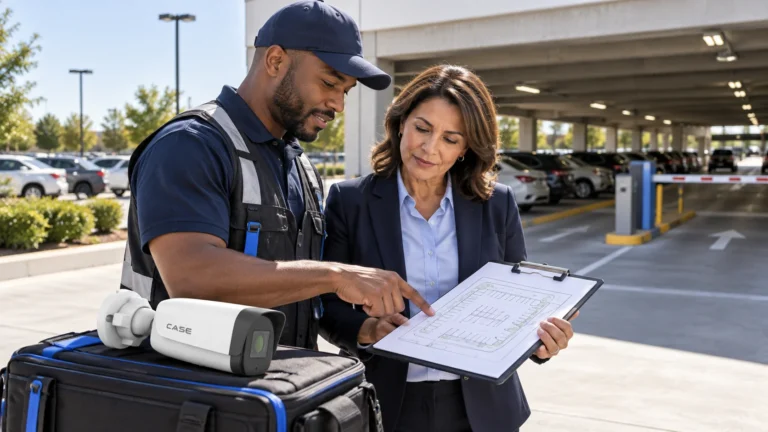
At a building corner, draw both required approaches and check wall occlusion before choosing a diagonal position or separate cameras. One housing cannot see through a wall or guarantee both long approaches. For parking rows, compare candidate positions against the measured view and add dedicated entrance or plate views where required. The parking lot security cameras guide covers the wider layout checks.
- Check the documented horizontal/vertical FOV, aim and occlusions from the proposed position. Mark required targets on the actual plan and confirm them in the recorded view.
- Test the actual join line with targets at the required distances. Record any artifact or lost detail and adjust the design; a fixed clear distance is not proof of a usable join.
- Confirm the near-field light: CS-I86V I-180 prints white light and IR at 98 ft (30 m); CS-I82V I-180 prints white light 49 ft (15 m), no IR, and PhotonX at 0.0001 Lux for ambient color.
- Record a representative night walk across the required scene and verify the actual recorder/client and export path. Use CASE Connect only for supported tested functions; live view alone does not prove recorded evidence.
CASE panoramic line-up as printed in Catalog 2027 Q1
| SKU | Type | Resolution (as printed) | IR | White light | Min. illumination | Audio / alarm I/O | Protection · Housing |
|---|---|---|---|---|---|---|---|
| CS-I86V I-180 | Stitched 180° turret, Intelligent | 4640×1728@25fps | 98 ft (30 m) | 98 ft (30 m) | 0.0009 Lux (PhotonX) | 1/1 · 1/1, mic and loudspeaker | IP67 · Metal |
| CS-I82V I-180 | Stitched 180° bullet, Intelligent | 4640×1728@25fps | N/A | 49 ft (15 m) | 0.0001 Lux (PhotonX) | 1/1 · 1/1, mic and speaker | IP67 · Metal + Plastic |
| CS-I85N L-180 | Non-stitched 180° bullet, Value | 2560×1440@20fps | 164 ft (50 m) | 98 ft (30 m) | 0.02 Lux | N/A · N/A, mic only | IP67 · Plastic |
| CS-I8RN S-2.8mm | Dual-lens non-stitched, Sharp | 2560×1440@20fps | 164 ft (50 m) | 98 ft (30 m) | 0.02 Lux | N/A · N/A, mic only | IP67 · Plastic |
| CS-P66V 25XA-180 | 180° panorama + 25X PTZ, Intelligent | Panorama 3840×1568@30fps | 492 ft (150 m) | Not printed | Panorama 0.0001 Lux, PTZ 0.001 Lux | 1/1 · 2/1, speaker | IP66 · not printed |
Compare the complete model rows and the actual power/stream workflow. The fixed stitched and non-stitched models have different light, storage, I/O and temperature rows; the short table does not establish every function. CS-I8RN S-2.8mm needs explicit orientation confirmation. CS-P66V 25XA-180 has separate panorama/PTZ tasks and specified power inputs. Confirm the written warranty and exclusions for the exact supplied model, revision and accessories. The CS-I86V I-180 and CS-I82V I-180 guide covers the fixed pair. Ask whether the exact proposed product is eligible for an approved demo; do not assume an available unit or general return right.
What to tell your customer
We will test this model’s wide view, join and recorded detail across the actual frontage. The proposal will count its confirmed streams/channels and identify positions needing a dedicated view. We will keep representative night clips and verify playback and export before acceptance; one housing does not promise complete coverage or identity.
FAQ
What is the difference between a stitched and a non-stitched 180 degree security camera?
A stitched model blends sensor views into a wide frame; a non-stitched model supplies separate views. Confirm the actual output and the recorder/client’s channel, license, rule and export behavior. The model’s sensor count or blended image alone does not prove any of those integration results.
How many NVR channels does a dual lens security camera use?
Reserve capacity for all required views, then verify the actual device, firmware and recorder/client modes. One housing may consume different channel/license resources depending on the integration. Count configured streams and measured bitrate separately from physical PoE ports. The NVR channel-capacity guide separates these resource limits.
Can one 180 degree camera replace two cameras on a parking lot?
Possibly, if its tested coverage, target detail, recording and integration meet the requirements. Do not promise one-for-two replacement from the 180° label, pixel count or mount count. Walk the required positions and keep additional views where the actual evidence task fails.
How high should a 180 degree security camera be mounted?
Use the actual model’s supported mounting instructions, FOV and site constraints. Measure the required target view, height, angle, obstructions and property limits, then test the join and both ends by day and night. No generic 3–4m height or near-join distance guarantees the result. The mounting-height guide explains the related target and access planning.
References
- Anabon current model manuals and documents
- IEC 62676-4:2025 — current application-guideline edition
- ONVIF: exact model and firmware conformance verification