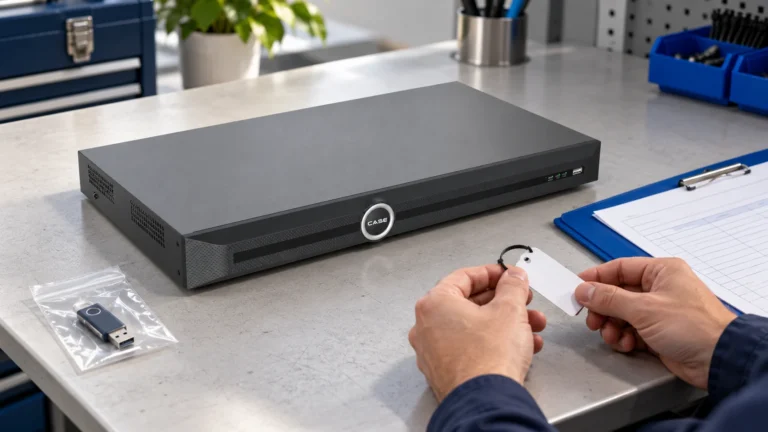



Quick answer: Preconfigure cameras and the NVR on an isolated test network before site day. Record exact SKUs and firmware, replace default credentials, apply the approved addressing and recording plan, and play back a test recording. Confirm supported client functions without leaving a device bound to a temporary account. Keep a separate site acceptance list: customer networking, final coverage, night recordings, access and handover still need testing there.
On this page
What can a bench test settle before site day?
A bench gives you stable power, convenient access and time to resolve a wrong SKU, unsupported drive or configuration mismatch before dispatch. It can reduce avoidable site work, but there is no fixed half-day-to-one-day saving. Record what passed, what remains conditional and what needs an on-site test. Firmware recovery depends on the exact hardware and approved procedure, not simply on where the update happens.
The bench also produces the documentation: firmware versions, MAC addresses, the IP plan and the channel list, recorded while the devices are in front of you. That record is the first half of the handover file in CCTV installation documentation: a labeling standard.
What belongs on the bench, and what has to wait for site?
Device-only checks can often start on the bench; the actual building and customer workflow still need acceptance on site. CS-N110 P8H-AI lists 10 IP channels, 8 PoE ports, 100 Mbps incoming/80 Mbps outgoing bandwidth, up to 10 TB for each HDD and simultaneous HDMI/VGA outputs. Those rows do not establish every supported drive, channel mapping, AI workload or app function. Check the actual model documentation and configuration.
| Item | Bench record | Site acceptance |
|---|---|---|
| Firmware | Exact revision, approved package, configuration backup and documented recovery route | Confirm unchanged versions and required functions on the final network |
| Credentials and roles | Unique credentials; approved temporary service and owner/operator roles | Secure owner transfer, permissions test and removal/revocation of unauthorized service access |
| Drives | Supported drive and health/capacity check; initialize only new or explicitly authorized empty media | Confirm recording, usable capacity, retention policy and playback under the final load |
| Addressing and channels | Approved isolated test plan; record actual port, IP, MAC and logical-channel mapping | Verify customer LAN, VLAN/firewall, gateway, DNS and every physical camera position |
| Recording and time | Representative recording/export; schedule and time-source configuration | Final rates, events, retention estimate and actual clock synchronization |
| CASE Connect or other approved client | Only documented functions and authorized binding/unbinding procedure | Actual customer ownership, users, supported remote path and outside-network playback |
| View and night performance | Basic image/control checks with the final cover fitted as instructed | Actual mounting, motion, lighting, coverage, focus and recorded day/night evidence |
Firmware and passwords: prepare them before dispatch
Firmware
Record firmware, exact SKU, hardware revision and current settings before making changes. Obtain the approved package and sequence for that combination from Anabon; check release notes, compatibility, backup and recovery instructions. An old firmware file does not prove downgrade support, and two units with the same sales SKU may need different packages. Use stable power and the supported update method, verify the result and test required recording/client functions. The NVR firmware update guide covers planning; do not force every unit to one version without approval. CS-I8XQ II-2.8mm functions still depend on its actual firmware and integration.
Passwords
Replace default credentials and use unique device credentials stored in the approved password manager. Agree the owner, operator and service roles the actual system supports; give only needed permissions. Installer access must be authorized, limited and revocable, not retained by default. Transfer owner access through the agreed secure channel, verify recovery arrangements and remove temporary access. Keep passwords out of camera schedules and ordinary handover documents. Disable unused services only after checking dependencies and the approved support workflow.
Channel names and the IP plan: make the bench match the site
Use the camera schedule to assign logical names such as CAM-01 Front Door. Test and record the actual port-to-channel, MAC and IP mapping; port 1 is not universally channel 1. Some NVR PoE interfaces use a separate camera network or supported automatic setup, but behavior depends on the model and configuration. Preserve the tested mapping and avoid overlapping test, camera and customer subnets. Apply approved static addresses or DHCP reservations to external-switch cameras and recheck them on the final network.
Use only the approved configuration-tool version and functions supported by the actual devices. Confirm discovery scope, address changes and any calculator rather than assuming every version offers batch configuration or storage planning. Label devices and leads without covering vents, seals, connectors or original identification. Record the full SKU: CS-I8XQ II-2.8mm lists 50m maximum IR, 30m white light, IP66 and a 1 TB slot; CS-I4SV S-2.8mm lists no IR, 10m white light and IP67. These are distinct printed rows, not guaranteed site performance or automatic card-recording behavior.
Recording, retention, time and the CASE Connect check
Set the approved recording modes, schedules and retention/overwrite policy for each channel. Do not enable overwrite automatically where the owner requires another process. Size supported codecs, configured streams and measured representative bitrates against every recorder limit, including the 100 Mbps incoming row on CS-N110 P8H-AI. A short recording proves playback, not weeks of retention. Estimate from usable storage and actual rates, state the assumptions and review the final workload. Obtain site-specific privacy/retention approval where required rather than treating one national rule as universal.
Configure the agreed time zone, daylight-saving behavior and authorized time source; verify actual synchronization once connected to the final network. Set a suitable sub-stream and test supported live view, playback and export separately. If CASE Connect is proposed, verify the exact model/software functions and the approved ownership/binding workflow before using a test account. Removing an app or phone entry may not unbind the recorder or revoke access. Complete the customer account, access revocation and real remote-network test on site; successful shop LAN viewing does not prove remote access. Use the CASE Connect handover guide to plan the supported client and owner-access checks.
Packing list and bench-test checklist
Pack from the camera schedule, not from memory; copy both lists into your job folder.
| Pack | Check |
|---|---|
| Cameras, each labeled with its CAM ID on body and pigtail | Count matches the schedule; SKUs match with series letter |
| Recorder with supported drives; original footage protected | Initialization only for new/authorized empty media; test recording and health recorded |
| Switch, injector or extender if the design uses them | Port descriptions set; PoE budget checked |
| Junction box or mount per camera | Compatibility confirmed per camera specification sheet |
| Patch cords, RJ45 ends and boots, outdoor-rated cable, label printer, cable and PoE testers | Lengths from the site survey plus spare; batteries charged |
| Laptop with approved documents/tools; monitor and a supported client device | Record approved tool versions and keep credentials outside ordinary job files |
| Approved anchors, mounts and weatherproofing parts for the actual surfaces | Follow structural and model instructions; do not add desiccant or modify a housing without approval |
| Agreed secure owner-access transfer and recovery process | Confirm owner control; revoke temporary access and keep secrets out of ordinary handover files |
- Record each complete SKU, hardware revision, firmware and approved update/recovery plan.
- Replace default credentials; test authorized roles and the secure owner handover process.
- Protect existing footage; initialize only new or explicitly authorized empty storage.
- Record tested IP, MAC, port and channel mapping; label without obstructing the device.
- Play back and export representative recordings; document retention assumptions and pending final-load checks.
- Check time settings and record the final-network synchronization test still required.
- Verify supported client functions and actual account unbinding/revocation; do not assume deleting the app is enough.
- Pack from the approved schedule and retain a clear on-site acceptance list.
Confirm written warranty and claim terms for the exact supplied models/revisions; hard-drive claims follow the applicable drive-manufacturer terms. Bench checks are commissioning records, not a change to coverage or proof of a future failure-free installation. The Anabon warranty and RMA guide explains the authorization and evidence route.
What to tell your customer
We will record the checks completed before dispatch and show you the items still requiring site acceptance. We will verify the final network, recorded day/night views, supported remote access and owner permissions, then transfer access securely. A bench pass does not replace those site tests or guarantee a particular time saving. Warranty and service follow the supplied equipment’s written terms.
FAQ
Can I configure cameras on the bench if they will plug into the NVR’s PoE ports on site?
Yes, where the actual NVR/camera setup supports it. Use an isolated test network, verify the real PoE-interface behavior and record port, logical channel, IP and MAC mapping. Do not assume the port determines the channel or makes IP planning unnecessary. Confirm the mapping and the physical view again after installation.
Should firmware be updated on the bench or on site?
Prefer the controlled bench environment when an approved update is needed. Confirm the exact model/revision package, compatibility, stable-power procedure and documented recovery route first. Retaining an old file does not establish rollback support. Verify recording, client access and required functions after the change; do not force one version across different hardware revisions. Use the NVR firmware download route to obtain the approved package for that exact revision.
How do I test CASE Connect before the customer’s network exists?
Test only supported functions using an authorized account and documented binding/unbinding workflow. Keep a record of any temporary access and confirm its revocation. Deleting the phone app or its device entry alone may not transfer ownership. Complete the customer-side network, account and genuine remote live/playback tests on site.
What cannot be finished on the bench?
Final coverage and moving-target night recordings, actual cable/PoE load, customer LAN/VLAN/firewall behavior, clock synchronization, retention assumptions, ownership and outside-network access all need site verification. A forced night setting is a useful preliminary check where supported, not a substitute for the real after-dark scene. Close every pending acceptance item before describing the installation as commissioned. Keep the pending items in the site commissioning checklist until they are verified.
References
- Anabon: exact-model manuals, firmware and installation documents