Quick answer: Point the NVR at one reliable time source, set the correct time zone and daylight saving rule, and let the cameras take their time from the recorder. Keep the NVR’s logs on, review and export them at handover and on every service visit, and use HTTPS on the web interface where the model and firmware support it. These settings are what let a customer, an insurer or an investigator trust a clip you export.
How should NVR NTP settings be configured?
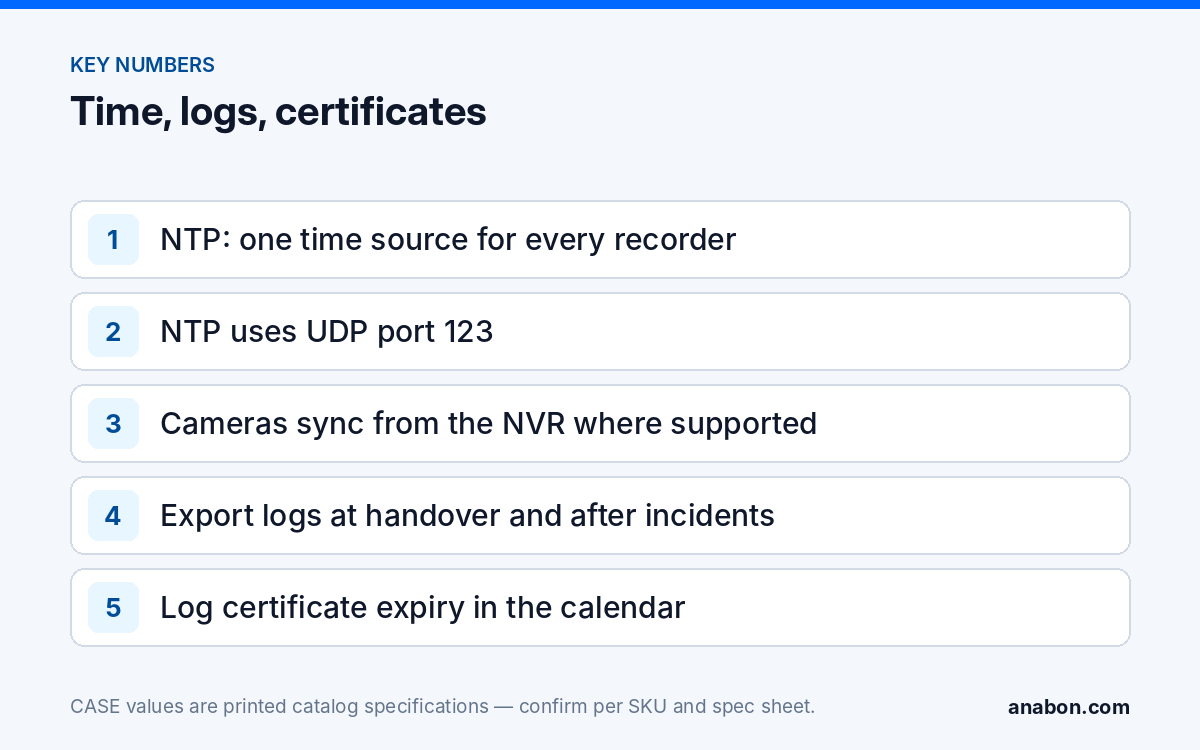
Network Time Protocol (NTP) lets the recorder set its clock from a time server over the network. Without it, an NVR clock drifts, and after a few months the timestamp on the video no longer matches the real event. The full troubleshooting path for a wrong clock is in NVR time and date wrong: NTP, time zones and why it breaks evidence; the short version for a new install follows.
Step 1: Choose one time source
Use the source the customer’s IT names: an internal NTP server, a domain controller or the firewall. If there is no IT department and the recorder has internet access, a public NTP pool address is the usual choice. On a camera VLAN without internet, the gateway or an internal server must provide time, or the NVR has nothing to sync to.
Step 2: Set the time zone and daylight saving time
Set the zone for the site, not for your office. Check the daylight saving rule: Arizona and most of Saskatchewan do not observe daylight saving time, and Newfoundland runs a half-hour offset. Multi-site customers across zones need each recorder set to its own location.
Step 3: Sync the cameras from the recorder
Where the NVR offers camera time synchronization, enable it so every channel follows the recorder. Cameras on the NVR’s PoE ports usually have no other time source. Confirm the option name and behavior per model and firmware.
Step 4: Verify and record
Compare the NVR clock with a known reference on your phone, power-cycle the recorder and check again, and write the time source, zone and sync interval in the job record.
What if the site has no internet or the clock keeps drifting?
A recorder that cannot reach its time server keeps running on its own clock and drifts. Common causes and fixes:
| Symptom | Likely cause | Fix |
|---|---|---|
| Clock off by minutes after weeks | NTP server unreachable; firewall blocks NTP (UDP port 123) | Ask IT to allow NTP from the NVR address, or name an internal server |
| Clock off by exactly one hour | Wrong daylight saving rule or wrong zone | Set the zone for the site and confirm the DST setting |
| Some channels show a different time on their overlay | Camera sync from the NVR not enabled | Enable camera time sync on the recorder; check each overlay |
| Time wrong only after power outages | Recorder boots before the network or time source is up | Check the NVR resyncs on its interval; add UPS power to the recorder and switch |
| Two recorders on one site disagree | Different time sources | Point both at the same internal source |
On temporary sites running over cellular, confirm the router passes NTP. Over the public internet, NTP usually keeps time within tens of milliseconds, far tighter than any video investigation needs; the risk is a recorder that is not syncing at all.
What do the NVR logs record, and how do you use them?
Most NVRs keep a log of operations, alarms and exceptions: who logged in and from where, which settings changed, when a camera went offline, when a disk reported an error, and when footage was played back or exported. The log types available, how long they are kept and whether they can be exported are confirmed per model and firmware. Treat the log as part of the system, not a diagnostic you open only when something breaks:
- At handover, export the log after commissioning so there is a clean baseline showing the final configuration date.
- On each service visit, review failed logins, unknown source addresses, configuration changes you did not make, video loss and disk events since the last visit.
- After any incident, export the log for the period around the event before anyone changes settings, and keep it with the exported clip.
- For named accounts, give each person their own user so the log shows who did what; a shared admin login makes the log useless. User roles are covered in user roles and permissions on CASE NVRs.
Where the customer’s IT runs a central log server and the NVR model supports sending logs to one (for example over syslog), agree the server address with IT. Logs stored only on the recorder are lost if the recorder is stolen or its disk fails, which is one more reason to protect the recorder physically.
Should the NVR web interface use HTTPS?
Over plain HTTP, the login name and password a user types into the NVR’s web interface cross the network unencrypted. Anyone with access to that network segment can capture them. HTTPS encrypts the session using TLS and a certificate. HTTPS availability, certificate options and supported TLS versions are confirmed per model and firmware; where the recorder offers it:
- Enable HTTPS and, where the model allows, disable plain HTTP access to the web interface.
- Expect a browser warning if the recorder uses a self-signed certificate. Explain this to the customer at handover so the warning is not taken as an attack, and show them how to check they are on the right address.
- If the customer’s IT runs its own certificate authority and the model supports importing a certificate, let IT issue one for the recorder’s address so browsers on the office network trust it.
- Record the certificate’s expiry date in the maintenance calendar. An expired certificate brings the warnings back and teaches users to click through them.
- Re-check the HTTPS setting after every firmware update.
HTTPS protects the session; it does not replace strong passwords, named accounts or keeping the recorder off the public internet. The wider hardening list is in hardening a CASE NVR.
Why do these settings matter for evidence and insurance?
When footage is used after an incident, the first questions are rarely about resolution. They are about whether the recording is what it claims to be:
- When did it happen? A timestamp that is off makes it harder to line the clip up with a point-of-sale transaction, an access control event, an alarm signal or a 911 call.
- Who had access? The log shows who logged in, who played back the period and who exported the clip. That supports the chain of custody.
- Was anything changed? A log showing no configuration changes around the event answers the claim that recording was switched off or the clock was moved.
- Were credentials protected? If an account was misused, HTTPS and named users narrow down how.
Courts, insurers and police each set their own requirements for video evidence, and those requirements differ between federal and state rules of evidence in the US and the Canada Evidence Act and provincial evidence laws in Canada. Verify with counsel what a customer needs for a specific case; your job is to make sure the system records accurate time, keeps its logs and exports clips with that information intact.
Service-visit checklist for time, logs and certificates
Copy this table into your service report or job spreadsheet and fill it in on every visit:
| Setting | What to check | Record |
|---|---|---|
| NTP source | Recorder reaches the named server; last sync succeeded | Server address, sync interval |
| Clock accuracy | NVR time vs a known reference | Difference in seconds |
| Time zone and DST | Correct for the site location | Zone as set |
| Camera time | Every channel overlay matches the NVR | Channels corrected, if any |
| Logs | Failed logins, config changes, video loss, disk events | Findings; log export file name |
| User accounts | Only current, named users | Accounts added or removed |
| HTTPS | Enabled where supported; HTTP off where possible | Certificate expiry date |
| Firmware | Version, and settings re-checked after any update | Version before and after |
What to tell your customer
“Your recorder takes its time from a time server and passes it to every camera, so the timestamp on your footage matches real time. The system keeps a log of logins, changes and exports, and we review it on every service visit. Each person has their own login, so if footage is ever needed for police or an insurer, we can show when it was recorded and who accessed it.”
FAQ
Which NTP server should an NVR use?
Use the source the customer’s IT names, usually an internal server, domain controller or firewall. If there is no IT department and the recorder has internet access, a public NTP pool is the common choice. Point every recorder on the site at the same source, allow NTP through the firewall, and record the server address in the job file.
How accurate does the NVR clock need to be?
Within a second or two is plenty for most investigations; the aim is that a clip lines up with transaction records, door events and alarm signals. NTP easily achieves that when it works. The real failure is a recorder that has not synced for months and has drifted by minutes, or one set to the wrong zone or daylight saving rule.
How long does an NVR keep its logs?
It depends on the model, the firmware and the log volume, and some recorders overwrite the oldest entries when the log fills. Do not rely on the recorder to hold years of history. Export the log at handover, on each service visit and immediately after any incident, and keep those exports in the job folder with the service report.
Why does the browser warn me when I open the NVR over HTTPS?
Many recorders ship with a self-signed certificate, which the browser cannot verify against a trusted authority, so it shows a warning even though the session is encrypted. Where the model supports importing a certificate, the customer’s IT can issue a trusted one. Otherwise explain the warning at handover and confirm the address before users accept it.
Do cameras need their own NTP settings?
Usually not. Where the recorder supports camera time synchronization, the cameras follow the NVR, which keeps every channel consistent and avoids opening NTP from the camera VLAN. Cameras on the NVR’s PoE ports often have no other route to a time server. Check each channel’s overlay against the recorder after setup and on every service visit.