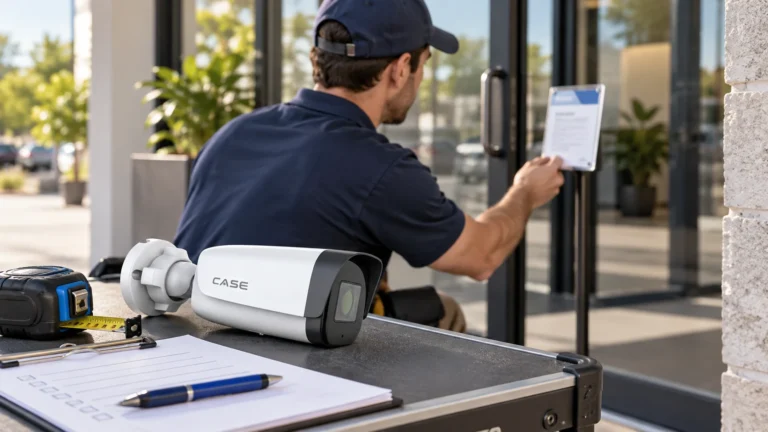



Quick answer: Build a school camera plan with the district’s approved security and privacy boundaries. Map entrances, circulation and outdoor routes, test the required recorded views and give authorized staff clear roles. Student count alone is not a camera schedule, and an ordinary security camera does not create an emergency-response guarantee.
On this page
Start with the district’s decision makers
Meet facilities, IT, school leadership and the responsible privacy or records contact before selecting equipment. Identify the buildings and routes in scope, the person approving views and the team responsible for system operation. Separate an addition to an existing district platform from a stand-alone project. Ask what staff need to review: an entrance event, movement through a corridor, damage after hours or a vehicle at a service gate. Document those tasks without turning a general request for coverage into unrestricted observation of students and staff. Keep emergency procedures and surveillance operation distinct.
Mark excluded spaces before mounting
Exclude bathrooms, changing rooms and private spaces from this plan. Classroom or specialist-area proposals need separate district legal and policy review; a staff preference is not approval. Check sightlines through doors, windows and reflections. Establish the actual notices, access, retention, audio and request process. For relevant US projects, use the Department of Education FERPA video guidance; it does not replace district review or establish Canadian rules. Keep microphones off while a separate lawful audio purpose and configuration remain unresolved.
Plan entrances, circulation and the outdoor route
Compare IP cameras for the actual scene and mounting constraints. An entrance overview explains movement while a tighter view can support review of a person approaching. Test both during a busy arrival period, with a responsible staff member arranging a safe and appropriate walkthrough.
| Zone | Purpose | Acceptance check |
|---|---|---|
| Public entrance | Approach and direction of travel | Bright exterior, open door and normal arrival route. |
| Corridor junction | Movement between approved routes | Corners, lockers, cross-traffic and changing displays. |
| Service entrance | Authorized delivery sequence | A vehicle in its usual unloading position. |
| Outdoor path or parking approach | Agreed access route | Normal night lighting and seasonal obstructions. |
Do not use a fixed camera-per-student formula. A six-hundred-student illustration can start a discussion, but multiple wings, portable classrooms, courtyards and changing access arrangements alter the actual design. Mark any accepted gaps and the reason for each proposed view.
Equipment example: For a district-approved entrance-framing exercise, CS-I4KS L-2.8-12mm lists 4MP and a motorized 2.8–12mm lens (catalog physical page 6). Confirm the actual revision and use a staged authorized test to evaluate the view. A lens range is not permission to observe excluded spaces or a promise of identification.
Test the saved image in real conditions
Check daylight, reduced evening lighting and the actual door positions. Review saved clips at the proposed settings, not only a live-view grid. Look for backlighting, movement blur, reflections, overhanging structures and an obstruction introduced by normal furniture. Agree how the camera’s view will be maintained when a noticeboard, shelving unit or landscaping changes. Avoid promising reliable recognition at an untested distance. If a separate plate-capture or specialist requirement exists, specify and test it separately rather than attaching it to a general parking view.
Fit the approved network and retention plan
Have district IT approve the camera-network path, time service, administration and remote access. Check per-device and total PoE power, uplinks, recorder channels, supported bandwidth, usable storage and agreed growth. Calculate capacity from the approved target and stream assumptions. A long closure is a planning input, not an automatic legal retention period. Keep normal overwrite separate from approved preservation, and avoid undocumented connections into teaching, administration or guest networks.
Make access and export decisions traceable
Use named accounts and demonstrate the approved roles, such as a selected live view without export or administration. Identify the records contact who handles requests, preservation, disclosure and redaction. For US projects under FERPA, the guidance asks whether a video directly relates to a student and is kept by the school or on its behalf, with specific exclusions. Rights to inspect and review are distinct from supplying a copy. The district’s records contact handles the actual request under its framework. Use the customer handover checklist to document technical roles, contacts and escalation; it does not decide a records request.
Demonstrate a routine staff workflow
Create a harmless test event, retrieve it by time, export it with the authorized operator and replay it on the agreed workstation. Verify camera labels and time configuration. Leave the as-built plan, firmware schedule, approved roles and fault-response process, with exact-model instructions from the Anabon Download Center.
FAQ
Does every parent have access to every camera?
No access is implied by this design guide. The district must apply its actual privacy and records process to a specific request.
Can one school plan be reused throughout a district?
Use approved common standards, then survey each building, operating pattern and network. The camera schedule template helps record each view’s purpose and acceptance check; recheck the actual scene rather than copying a camera count.
Review the campus schedule
Send security camera technical support the district-approved plan, excluded areas, network requirements and recording target. Use approved layouts and staged test images; student records are not needed for this initial design discussion.
References
References reviewed October 30, 2026. U.S. Department of Education, FAQs on Photos and Videos under FERPA; district-specific rules and approvals remain essential. Current CASE catalog, physical page 6, supports the existing 4MP/motorized-lens example. No student request, disclosure or actual school recording was handled for this article review.