Quick answer: Treat a suspected camera-system breach as a report to investigate, not a confirmed cause. Contact the customer’s IT or incident lead. If unauthorized activity is continuing, limit the access path promptly and record what you change. Otherwise capture the available logs and evidence before avoidable changes. Do not reset, update or erase the recorder before agreeing how evidence and recovery will be handled.
On this page
Is it really a breach? Reading the symptoms
Customers use the word hacked for many things. Some are real intrusions; many are a forgotten password, an old phone still logged in, or an employee who shared a login. Your first job is to find out which, without destroying the evidence in the process. Ask what they saw, when, on which device, and who else has access. Then compare their account with what the recorder shows.
| What the customer reports | Possible explanations | First check |
|---|---|---|
| Cannot log in with the usual password | Password changed by someone else, account locked after failed attempts, or a typing problem | Lockout status and failed-login entries in the recorder log |
| A user account nobody recognizes | Intruder-created account, or one created by a former technician or staff member | User list with creation details, if the firmware shows them; ask your own team first |
| Cameras moving, settings changing, a voice on a speaker | Someone with live access, or a schedule or preset nobody remembers | Operation log for the time it happened; PTZ presets and schedules |
| Footage missing for a period | Deletion, drive failure, recording schedule change or overwrite | Drive status, recording schedule, log entries for that period |
| Customer saw their camera images online | Exposed stream or web page, or a screenshot someone shared | Router port-forward table, UPnP status, RTSP settings |
Keep the report open until the facts have been reviewed. A clean log does not prove that nothing happened: logs may be incomplete, disabled, overwritten or unavailable on that model. Record what you can establish and what remains uncertain.
Is harmful activity still happening?
- Yes: coordinate containment with IT now; capture the essential facts if safe.
- No immediate activity: preserve available logs and footage before avoidable changes.
- Both paths: keep a timeline, protect evidence and agree recovery with the incident lead.
What do you do in the first 30 minutes?
Follow the customer’s incident plan and involve its IT or security lead. Active misuse may require containment before a complete evidence collection. If there is no immediate activity or safety risk, preserve the available state first. Record why you chose that sequence. The first 30 minutes are a prioritization window, not a deadline that makes a case safe or complete.
- Write down the facts. Who noticed what, at what time, on which device. Note the recorder’s clock against real time, because log timestamps are only as good as the clock; see time sync, logs and certificates.
- Avoid a factory reset. It can remove useful configuration, account details or logs. Agree evidence collection and recovery with the incident lead before using a reset as a troubleshooting step.
- Photograph the screens that show the problem: the user list, the network settings, the message the customer saw.
- Export the recorder log and save it to a USB stick or your laptop before you change settings.
- Limit the access path with IT. Block unauthorized remote access and review port forwarding, UPnP and remote services. If isolation is necessary, identify the right connection first. Disconnecting a link may also interrupt cameras, recording or alert delivery; verify the topology. Avoid powering off the recorder unless safety or the agreed response requires it.
- Change the admin password from a device you trust, not the customer’s possibly compromised PC.
- Disable unknown accounts and remove CASE Connect access for anyone who should not have it; how app access is managed is confirmed per model, firmware and software version.
- Change the camera passwords as well; a new recorder password with default-password cameras leaves the door open.
Record every step with the time you did it. Your own actions become part of the timeline.
Which evidence and logs should you preserve?
Evidence is anything that shows what happened and when. Keep it in a dated folder in your job file, with a short note of who collected each item and how. Which logs and fields are available is confirmed per model and firmware.
- The exported recorder log, covering at least the days before the report.
- Screenshots of the user list, roles and remote-access settings as you found them.
- The router’s port-forward table and UPnP status, photographed before you changed them.
- Firmware versions of the recorder and each camera, written exactly as the devices show them.
- Video clips covering the period in question, exported with the recorder’s own export function, plus any clip of the equipment room if the recorder is covered by a camera.
- Your timeline: what the customer reported, what you found, what you changed and when.
- A chain-of-custody note if the customer may involve police or insurers: who handled each file, when, and where it is stored.
Do not edit the exported files. If you need to annotate, do it in a separate document. Store copies in two places, and do not send credentials or full logs over unencrypted email.
How do you recover and harden the system afterward?
Once the evidence is safe, bring the system back to a state you can defend. Work from a checklist rather than memory:
- Approve the recovery steps first. Preserve the required evidence before an update, reset or rebuild. Obtain the exact model and revision firmware through the Anabon Download Center or support, and use an agreed maintenance window.
- Rebuild user accounts by hand, one per person, with the lowest role that does the job. Do not restore a configuration file that may already contain the intruder’s changes.
- Reassess remote access. Use an IT-approved method and confirm its controls for the exact model and software. Do not assume that CASE Connect uses a particular P2P viewing path because CASE Cloud has a documented remote-configuration role. Review the remote-access options before restoring access.
- Turn off every service the site does not use and apply the rest of the NVR hardening checklist.
- Check the customer’s other devices that used the old passwords; a password reused elsewhere is still exposed.
- Schedule a follow-up check of the logs one week later for repeat attempts.
How do you work with Anabon technical support?
Anabon supports installers, integrators, dealers and approved business accounts, so the call or ticket comes from you, not from your customer. Prepare the case before you contact technical support; our guide before you call support lists the general items. For a suspected breach, add these:
| Item | Why support needs it |
|---|---|
| Full SKU and serial of the recorder and affected cameras | Identifies the exact hardware and firmware family |
| Firmware versions as found | Shows whether a known issue applies |
| Exported logs and screenshots | The factual basis for any analysis |
| Network description | Port forwards, UPnP, VLANs, remote-access method used |
| Your timeline | Separates the event from your own changes |
Never send passwords in a ticket or email; support will tell you how access is handled if it is needed. If the customer’s end user contacts Anabon directly, the answer is: For warranty and service, please contact the installer or company that supplied your system. Anabon supports warranty and technical service through our installer, dealer, and business-account network.
What should you not say, and where does legal advice come in?
What you say in the first conversation can be repeated to an insurer, a lawyer or a regulator. Stick to facts you have verified, and avoid these:
- No data was accessed, unless the evidence shows it.
- Any guess about who did it or why.
- Blame on a product, a vendor or another contractor before the facts are in.
- Promises that it can never happen again.
- Advice on whether to notify anyone. That is the customer’s decision, with their counsel.
Give the customer’s incident lead a factual record of the event and any suspected exposure of video or personal information. The organization and its legal or privacy advisers determine reporting, notification and record-retention obligations for the locations and facts involved. Do not give a blanket “no need to report” answer or promise a legal deadline from this checklist.
What to tell your customer
Suggested customer update: “Here is what we observed, what we preserved and what we changed, with times. These points are confirmed; these questions remain open. Your incident lead will decide the next recovery and reporting steps. We will provide the technical records they request through the agreed secure channel.”
FAQ
What should I do first if a customer says their security camera was hacked?
Confirm the symptoms, time and whether unauthorized activity is continuing. Involve the customer’s IT or incident lead. Contain harmful activity promptly when needed; otherwise preserve available evidence before avoidable changes. Avoid a reset, keep a timeline and record the effect of any isolation on recording and alerts.
Should I factory reset a hacked NVR?
Do not use a factory reset as the first response. It can destroy useful state and evidence. Let the incident lead agree what must be preserved and approve recovery. If a reset is then appropriate, rebuild from trusted settings, verify the approved firmware and confirm recording and access before handover.
Which logs matter after a security camera breach?
The recorder’s log covering the days before the report, the user list and roles as found, remote-access settings, the router’s port-forward table and UPnP status, firmware versions of every device, and exported video of the period in question. Note the recorder’s clock against real time, because log timestamps are only as reliable as the time setting.
Does the customer have to report a camera system breach?
That decision belongs to the organization and its legal or privacy advisers. Requirements depend on the facts, the information involved and the relevant jurisdictions. Your role is to preserve accurate technical records and escalate promptly through the agreed incident process.
What does Anabon technical support need for a suspected breach?
The full SKU and serial of the recorder and affected cameras, firmware versions as found, exported logs and screenshots, a description of the network and remote-access method, and your timeline of the event and of your own changes. Never send passwords in a ticket or email; support explains how access is handled if it is needed.
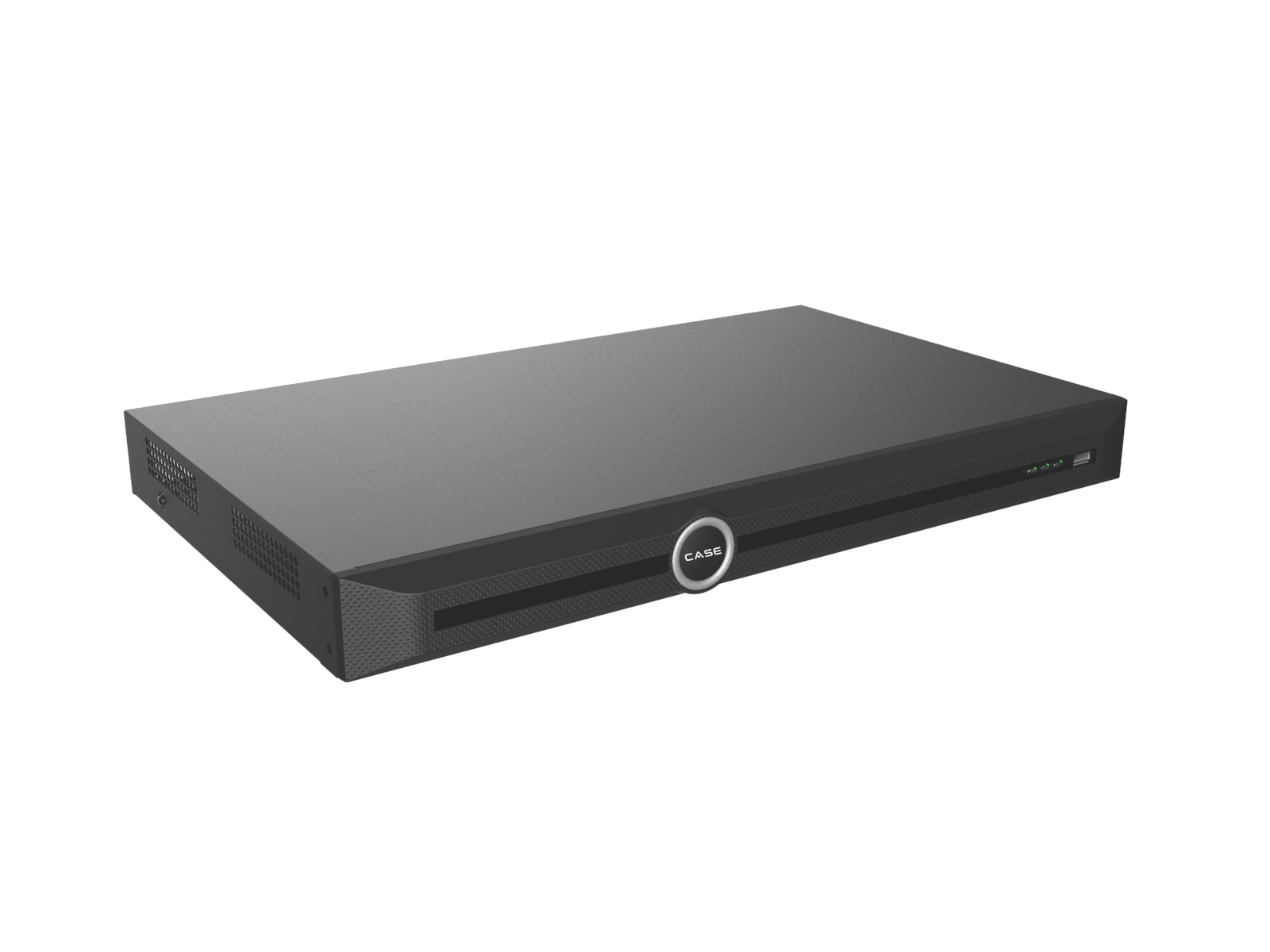
If the agreed recovery requires replacement equipment, confirm the exact model before selecting from the network video recorder range. Use your approved business account for private pricing after the technical requirements have been reviewed.