Quick answer: H.265 (HEVC) delivers the same picture as H.264 (AVC) at 25 to 50 percent less bitrate (planned at half), so it roughly halves both the drives and the NVR incoming bandwidth a camera consumes; the trade is a heavier decoding load on whatever displays the stream. S+265 is the CASE smart codec printed in the Video Compression row of CASE cameras (S+265/H.265/H.264); it spends fewer bits on static background and the catalog headline figure is 90% storage savings, which you treat as margin, not as a sizing input. Size every system on plain H.265, switch to S+265 on quiet scenes, and keep H.264 only where a third-party platform or decoder needs it.
How does H.265 save bits without losing the picture?
Both codecs work the same way at the top level: a full reference frame (I-frame) every second or two, then a run of predicted frames (P-frames) that describe only what moved. The saving comes from how well a codec describes the change. H.264 divides the frame into fixed 16 × 16 pixel macroblocks; H.265 uses coding tree units up to 64 × 64 pixels that split themselves finer only where there is detail. A flat parking-lot surface or a blank warehouse wall is one large block in H.265 and dozens of small blocks in H.264, each carrying its own overhead. H.265 also predicts motion in more directions and filters block edges better, which is why it holds quality at a lower bitrate instead of smearing it.
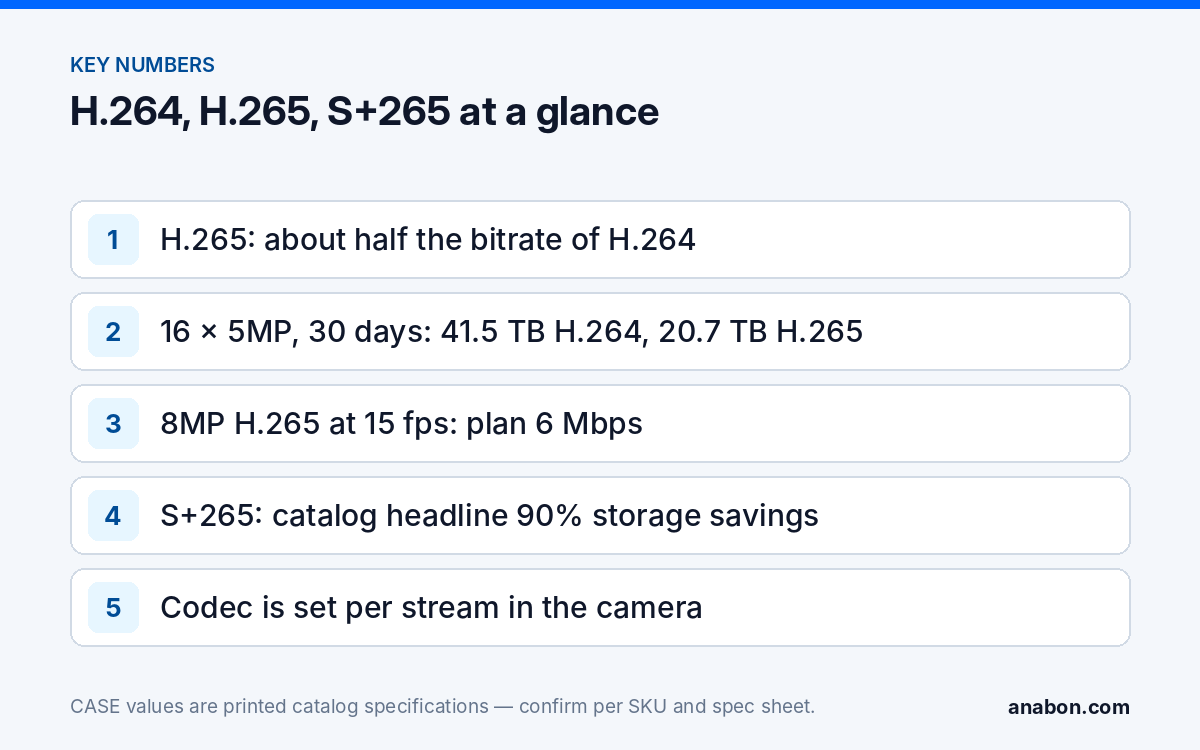
The published efficiency gain is 25 to 50 percent fewer bits for the same visual quality, scene-dependent. For planning, installers use half: a 5MP camera that needs 8 Mbps in H.264 at 15 fps is planned at 4 Mbps in H.265. Three consequences for the recorder:
- Storage halves for the same retention, or retention doubles for the same drives.
- Incoming bandwidth on the NVR halves, which is what lets sixteen 8MP cameras fit on a CS-N220 P16H-AI at 15 fps.
- Decoding work is heavier per stream, which lands on the NVR’s local display and on remote viewers.
Comparison table: H.264, H.265 and S+265
| Property | H.264 / AVC | H.265 / HEVC | S+265 (CASE smart codec) |
|---|---|---|---|
| Standard | ITU-T H.264 / MPEG-4 Part 10 (2003) | ITU-T H.265 / MPEG-H Part 2 (2013) | H.265-based, with CASE scene-adaptive encoding; printed as S+265 |
| Block structure | 16 × 16 macroblocks | Coding tree units up to 64 × 64 | As H.265 |
| Bitrate for the same picture (planning) | 1× (baseline) | About 0.5× | Below H.265 on static scenes; scene-dependent |
| Storage for the same retention | 1× | About 0.5× | Catalog headline figure: 90% storage savings; size on H.265 and treat the rest as margin |
| Decoding load on NVR display and viewers | Lowest | Higher | As H.265 |
| Third-party VMS and browser support | Widest support | Common on current platforms; confirmed per platform and project | Confirm per platform; fall back to H.265 or H.264 where the receiver does not decode it |
| ONVIF profile that covers streaming | Profile S and T | Profile T | Third-party handling of S+265 confirmed per platform and project |
| Where it is set | Camera stream settings, per stream | Camera stream settings, per stream | Camera stream settings, per stream; the NVR records what the camera sends |
The last row matters on site: the codec is a camera setting, chosen separately for the main stream and the sub-stream. The recorder stores the stream as encoded; there is no transcoding step to fix a wrong choice later. Set the codec during the bench test, not at handover.
What does a codec change do to storage and bandwidth? (numbers)
Use the planning bitrates from the NVR storage calculator: H.265 at 15 fps, 2 Mbps for 2MP, 3 Mbps for 4MP, 4 Mbps for 5MP, 6 Mbps for 8MP; double them for H.264. One Mbps of continuous recording writes 10.8 GB a day.
| 16-camera site, 30 days continuous | H.264 planning bitrate | H.265 planning bitrate | Storage H.264 | Storage H.265 | NVR incoming H.264 / H.265 |
|---|---|---|---|---|---|
| 16 × 5MP at 15 fps | 8 Mbps | 4 Mbps | 41.5 TB | 20.7 TB | 128 / 64 Mbps |
| 16 × 8MP at 15 fps | 12 Mbps | 6 Mbps | 62.2 TB | 31.1 TB | 192 / 96 Mbps |
| 16 × 8MP at 30 fps | 18 Mbps | 9 Mbps | 93.3 TB | 46.7 TB | 288 / 144 Mbps |
Read the last column against the printed figures: CS-N220 P16H-AI prints 160Mbps (AI on: 120Mbps) incoming, so sixteen 8MP cameras fit at 15 fps in H.265 (with AI by NVR on, only without the 20% headroom used in the bandwidth calculator) and in no configuration in H.264. The storage column says the same thing in drives: the H.264 site needs twice the bays, or half the retention. Sub-streams add 0.5 to 1 Mbps per camera in either codec; the full method is in the IP camera bandwidth calculator.
Decoding load: the NVR’s local display and the remote viewer
Encoding happens in the camera and costs nothing on the recorder. Decoding happens wherever the picture is shown: the NVR’s HDMI/VGA output, CASE Connect on a phone, the Plugin-Free web view, or a third-party client. H.265 makes that work heavier per stream, so three things change on site:
- The NVR’s local display shows a limited number of channels at full resolution before it falls back to sub-streams in the grid. The decoding capability is a spec-sheet figure, not a catalog row, so request it before promising a 16-channel 4K live wall on the local monitor.
- Phones and tablets decode H.265 in hardware on most current models; older devices stutter on 4K main streams and are fine on sub-streams. Keep sub-streams at D1 or VGA so mobile viewing never depends on the device.
- Browsers vary in H.265 playback support. Where a customer insists on browser viewing of main streams, test the actual browser during commissioning; app and web features are confirmed by model, software version and project configuration.
Recording is unaffected: the NVR writes the encoded stream to disk without decoding it, which is why a recorder can store 80 channels it could never display at once. CASE cameras and CASE NVRs carry a 6-year warranty.
S+265 on CASE cameras: what it is and the one figure to quote
S+265 is printed first in the Video Compression row of CASE cameras: CS-I8KS SD-2.8mm prints S+265/H.265/H.264B/H.264M/H.264H/Motion JPEG, CS-I4KS L-2.8mm prints S+265/H.265/H.264. It is a smart codec: on top of H.265 it lowers the bitrate spent on parts of the frame that do not change and spends the bits on moving subjects. In an empty corridor at night the bitrate falls well below the configured maximum; on a loading dock with trucks and swaying tarps it stays close to plain H.265.
The catalog headline figure for S+265 is 90% storage savings. Quote that figure with its source and no other, and never as a sizing input, because the saving is a property of the scene, not of the camera. The working rule:
- Size drives and NVR bandwidth on plain H.265 planning bitrates.
- Enable S+265 on the main stream of static scenes (corridors, stairwells, server rooms, after-hours lots) and leave the recording schedule continuous.
- Keep the configured maximum bitrate where it was; S+265 lowers the average, and the NVR still has to absorb the peak when the scene fills with movement.
- Check retention on the playback timeline after two weeks. Extra days are margin you delivered; a shortfall means a busier scene than planned, not a codec fault.
How an S+265 stream is presented to a third-party platform, and whether a given VMS decodes it, is confirmed per platform and project. Pulling a stream into another platform is covered in RTSP stream URL.
When should you stay on H.264?
Use H.265 as the default for every new CASE system recording to a CASE NVR. H.264 still has four legitimate jobs:
- A third-party VMS or decoder that does not handle H.265. Older management servers, hardware decoders feeding monitor walls and some access-control video integrations only accept H.264. Set that camera, or only the stream they consume, to H.264 and size its storage at the doubled bitrate. ONVIF profiles supported are S, T, and G, with M on pinhole models; third-party behavior is confirmed per platform and project.
- Browser-only viewing of main streams where the customer’s browsers cannot play H.265. Test first; often the sub-stream in H.264 and the main stream in H.265 solves it.
- Evidence exports for a receiving party that specifies H.264. Export from a channel recorded in H.264, or confirm the export options for that firmware before promising a format.
- Low-resolution sub-streams, where the saving in absolute Mbps is small and compatibility with every client is worth more.
The profile suffixes printed on many CASE cameras (H.264B, H.264M, H.264H, for example on CS-I8KS SD-2.8mm) are the H.264 options to match against what the receiving platform documents; start with the one the platform’s own guide names and confirm during the bench test.
What to tell your customer
“Your cameras are set to the newer H.265 format, which stores the same picture in about half the space, so your retention and your recorder’s capacity are planned on that basis. Where one of your other systems needs the older H.264 format, we have set that camera separately and sized for it. The smart codec on static views may give you more recording days than quoted; we size on the conservative figure so the promise holds on your busiest day.”
FAQ
Is H.265 better than H.264 for security cameras?
For recording to a current NVR, yes: H.265 delivers the same picture at roughly half the bitrate, which halves drive count and NVR incoming bandwidth for the same retention. The cost is a heavier decoding load on displays and clients, and some older third-party platforms accept only H.264. Default to H.265 and switch individual streams to H.264 only where a receiver requires it.
How much storage does H.265 save compared with H.264?
Plan on half. Sixteen 5MP cameras recording continuously for 30 days need about 41.5 TB at an 8 Mbps H.264 planning bitrate and about 20.7 TB at 4 Mbps in H.265. The published range for the same visual quality is 25 to 50 percent fewer bits, so busy scenes save less than the planning figure and static scenes save more.
What is S+265 on CASE cameras?
S+265 is the CASE smart codec printed first in the Video Compression row of CASE cameras. It builds on H.265 and lowers the bitrate spent on static parts of the scene while keeping detail on moving subjects. The catalog headline figure is 90% storage savings; the actual saving depends on the scene, so size drives on plain H.265 and treat S+265 savings as extra retention.
Does H.265 reduce video quality?
Not at an equivalent setting. H.265 reaches the same visual quality as H.264 with fewer bits because it describes the frame more efficiently, not because it discards more detail. Quality falls only if the configured bitrate is set too low for the scene in either codec. Keep the maximum bitrate at the planning figure and let variable bitrate drop below it on quiet scenes.
Can a third-party VMS record H.265 from a CASE camera?
Many current platforms do, through ONVIF Profile T or an RTSP main stream, but it is confirmed per platform and project, not assumed. ONVIF profiles supported are S, T, and G, with M on pinhole models. If the platform decodes only H.264, set that camera’s streams to H.264 and size its storage at the doubled bitrate.