Quick answer: Installers commonly separate camera traffic with an NVR’s built-in PoE segment, a camera VLAN, or dedicated switches and cabling. Choose the design with the customer’s IT contact, then verify the actual access boundaries. A different subnet, VLAN label or spare recorder port does not by itself prove isolation.
On this page
What should camera network segmentation achieve?
Start with the paths the system needs: cameras send video to the recorder, approved users view it and authorized technicians manage it. Other access should follow the customer’s policy rather than being allowed simply because a device is plugged into the same site.
Segmentation can help contain unwanted access and make responsibility clearer. It does not automatically reserve bandwidth or prevent every business-network change from affecting the cameras. Shared switches, uplinks, power and routing remain shared dependencies.
If the terms are unfamiliar, read camera network basics: VLANs, subnets and addressing first. The important question on site is concrete: which devices can reach which interfaces, and who approves that access?
| Design | Useful when | Boundary to confirm |
|---|---|---|
| NVR built-in PoE segment | Nearby cameras home-run to a suitable PoE recorder. | Internal camera interface, LAN access, routing and any camera-access/proxy features. |
| Camera VLAN on managed switches | Customer IT operates suitable managed switches across the site. | Access/trunk ports, inter-VLAN rules, management access and shared-link capacity. |
| Dedicated camera switches and cabling | The project needs separate switching infrastructure or the customer will not host cameras on business switches. | How the recorder and approved viewers reach that network without an unintended bridge. |
Pattern 1: When is the NVR’s built-in PoE segment suitable?
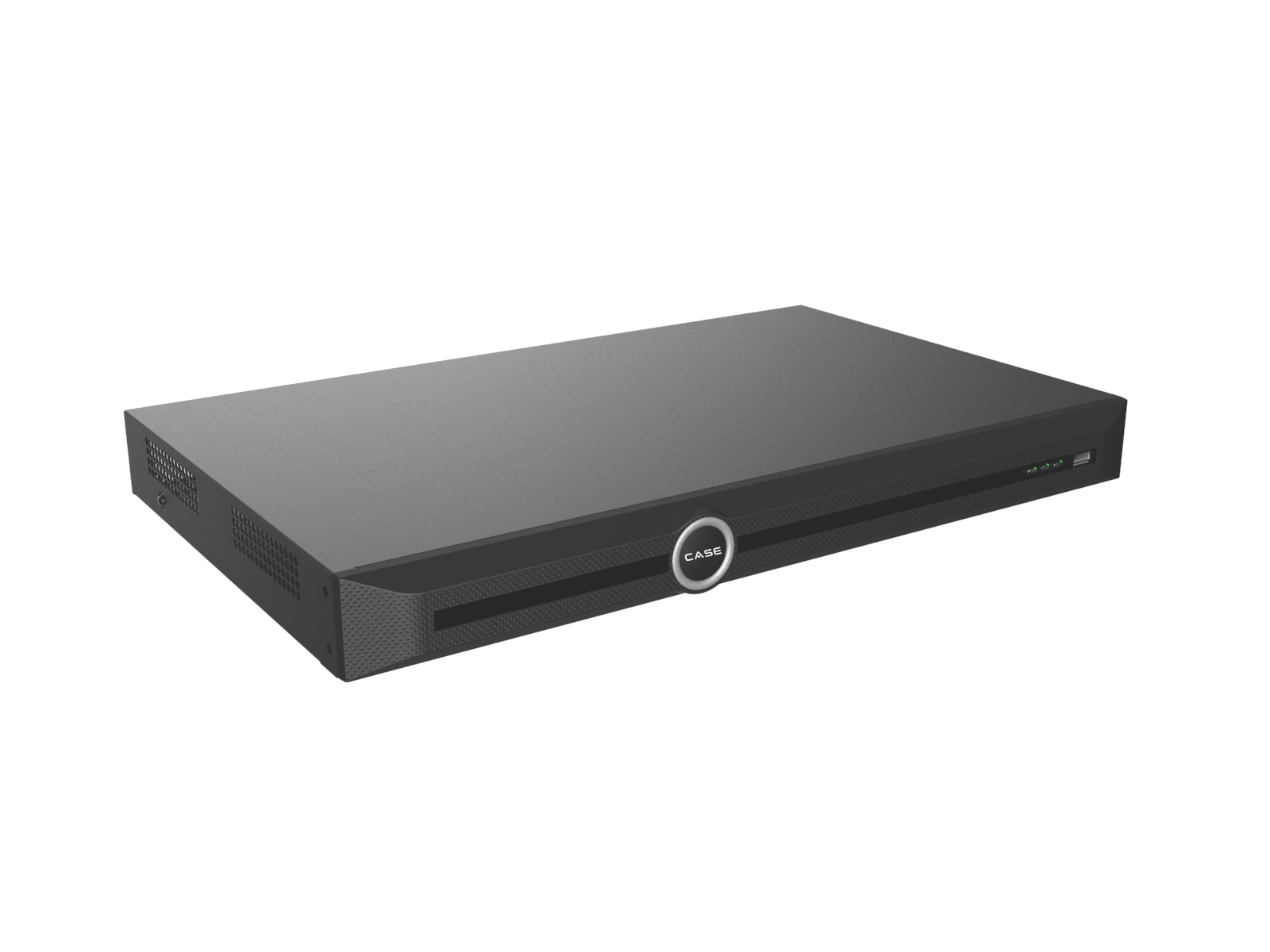
A PoE recorder can simplify a small installation by connecting nearby cameras to its built-in ports. On many designs those ports use a separate camera interface, while a LAN connection serves the rest of the system. Confirm the exact behavior on the selected recorder and firmware; port labels alone are not evidence of a security boundary.
The current catalog lists CS-N220 P16H-AI with 20 IP channels, 16 PoE ports and one 10/100/1000 Mbps LAN port. Its printed bandwidth is 160 Mbps incoming, reduced to 120 Mbps with AI on, and 80 Mbps outgoing. These figures describe this model; they do not prove a particular internal routing or isolation mode.
- Confirm the camera-side subnet and avoid overlap with the customer’s routed networks.
- Check whether the recorder offers camera web access, proxy access, routing or another path that changes reachability.
- Plan cable runs and power against the actual devices and installation requirements. Use the camera cable-length guide for the wider cabling plan.
- Plan additional cameras against channel count, incoming bandwidth, PoE capacity and the approved external network design. Extra channel capacity is not extra built-in PoE ports.
Useful fit: one equipment location with nearby camera runs and a recorder whose supported network behavior meets the project. Still agree the LAN connection and management access with whoever owns the customer’s network.
Pattern 2: When does a camera VLAN make sense?
A camera VLAN can use the customer’s managed switching infrastructure while keeping camera traffic in its own logical segment. IT configures the relevant access ports, trunks, addressing and routing. Firewall or access-control rules then decide which traffic may cross between camera, management, office and guest networks.
A VLAN without the required restrictions may leave camera interfaces reachable from the business network. Confirm the complete path, including any routing performed by a layer-3 switch. Do not assume the firewall controls a connection that is routed somewhere else.
- Use switches with the required, documented VLAN and management features. A PoE budget or SFP port specification does not establish managed-switch capability.
- Agree which approved workstations or management network may reach the recorder and individual cameras.
- Size shared uplinks for video plus the other expected traffic. VLANs share physical capacity unless the design provides additional controls and capacity.
- Agree ownership of switch configuration, firmware and future changes. Save the approved port map and rules.
Useful fit: buildings with managed switches and an IT team prepared to own the design. Include the IT contact early rather than asking for a VLAN after the cameras have arrived.
Pattern 3: How do dedicated camera switches connect safely?
Dedicated camera switches and cabling separate the switching infrastructure from office devices. That can make ownership and capacity planning easier. The design still needs a deliberate connection for recording, viewing and management; once you connect the networks, the boundary must be controlled.
A recorder with one LAN interface cannot be treated as if it has independent camera-LAN and business-LAN ports. If cameras and a one-port recorder share a dedicated switch, provide an approved firewall/router path for authorized access or use a separately confirmed recorder network design. Do not create a second path by plugging an extra cable into an office switch.
Where a recorder has multiple LAN ports, confirm the supported modes, addressing and routing behavior before assigning one to each network. Two physical ports do not automatically mean two isolated networks.
Choose PoE switches for the required power, link capacity, environment and installation method. If the design needs VLANs, confirm that capability for the exact switch. For example, the catalog’s CS-POE33024PF page lists 24 Gigabit PoE ports and 400 W / 600 W budget variants, but does not establish VLAN management support. Confirm the ordered variant and do not treat port count multiplied by maximum per-port power as the available total budget.
Useful fit: a site that needs dedicated camera switching, a larger cable layout or a customer who will not put cameras on business switches. Separate hardware still needs an approved access design and change owner.
Which traffic should be allowed between the networks?
Write a small traffic matrix before configuring rules. Start from the functions the project actually uses and permit the required sources, destinations and protocols. The examples below are decisions to resolve with IT, not a universal port list.
| Source | Destination | Decision to document |
|---|---|---|
| Cameras | Recorder | Allow only the recording, event and management traffic required by the actual devices. |
| Approved administrator or management network | Recorder and, where needed, cameras | Permit only the named management paths; restrict access from ordinary office and guest networks. |
| Cameras and recorder | Time/DNS or other required services | Allow only documented destinations and protocols where required. No general internet permission by default. |
| Remote users | Approved remote-access service or VPN, then authorized system | Confirm authentication, permissions, allowed destinations, revocation and logging for the selected method. |
| Guest or unrelated office devices | Camera management interfaces | Block where the approved design requires it, then test the block from those networks. |
Keep the recorder’s management interface and camera streaming ports off direct public exposure. Do not enable UPnP or inbound mappings as a shortcut to make an app work. Resolve the access requirement with IT and support.
How does remote viewing fit the design?
Choose the access method before finalizing firewall rules. A customer-managed VPN may be appropriate where policy requires it. Other supported methods need their own review of authentication, destinations, permissions and revocation. The remote access guide: VPN, P2P and port forwarding lists the questions to discuss.
CASE Connect is the primary CASE software experience. Confirm the remote functions, transport and supported devices for the actual software version and deployment. Do not assume that the app name establishes a P2P path, that every connection is outbound-only, or that no firewall changes are required.
Measure the site’s available upload capacity and test the approved remote view while normal recording continues. Recorder outgoing bandwidth, stream settings, WAN capacity and concurrent use can all constrain the result. Use sub-stream planning for remote viewing to size the viewing requirement rather than treating a recorder’s maximum figure as a promised internet speed.
How do you test segmentation before handover?
- Test the intended access: required recording, approved live view, playback, export and management work through the documented paths.
- Test the intended restrictions: from an office or guest test device authorized for the check, confirm that prohibited recorder and camera interfaces cannot be reached.
- Check the recorder’s other paths: inspect camera-access features, secondary interfaces and approved remote services for unintended reachability.
- Check shared dependencies: test expected traffic and record uplink, PoE and power limitations. Do not interrupt business services without an agreed window.
- Document the result: keep the port map, subnets, approved rules, device versions, access method, test date and change owner in the protected project file.
Use the NVR hardening checklist with the customer cybersecurity handover checklist. A network drawing and a working picture are useful; neither replaces a tested access boundary.
“Here is the camera network and the access we agreed with your IT team. These users and services can reach it through these paths. We tested the required views and restrictions. Please involve us before changes to the switches, firewall or remote-access method.”
FAQ
Does a camera VLAN automatically block office computers?
No. The result depends on routing and access rules, including any layer-3 switch configuration. Test the intended restrictions from the relevant networks and document the approved exceptions.
Does a VLAN give cameras their own bandwidth?
It separates traffic logically, but devices can still share switches and uplinks. Plan capacity for the expected video and business traffic; do not promise a performance benefit without checking those shared links.
Can I use an unmanaged PoE switch?
It may suit a dedicated camera segment when its power and link capacity are appropriate and the surrounding network design provides the required boundaries. It cannot supply managed VLAN features that are not supported by that model. Label connections so a later patch does not join networks unintentionally.
Can a recorder with two LAN ports isolate the two networks?
Possibly, but only if the supported operating modes and configuration meet the design. Confirm the behavior for the exact recorder and firmware. Port count alone is not proof of independent network isolation.
Will segmentation prevent CASE Connect from working?
It depends on the confirmed access method and required traffic. Agree that method with IT, allow only the required paths and test it on the actual device/software combination before handover.
Selecting a recorder? Review the NVR range and send the planned network, complete SKUs and access requirements to Anabon technical support for model-specific questions.