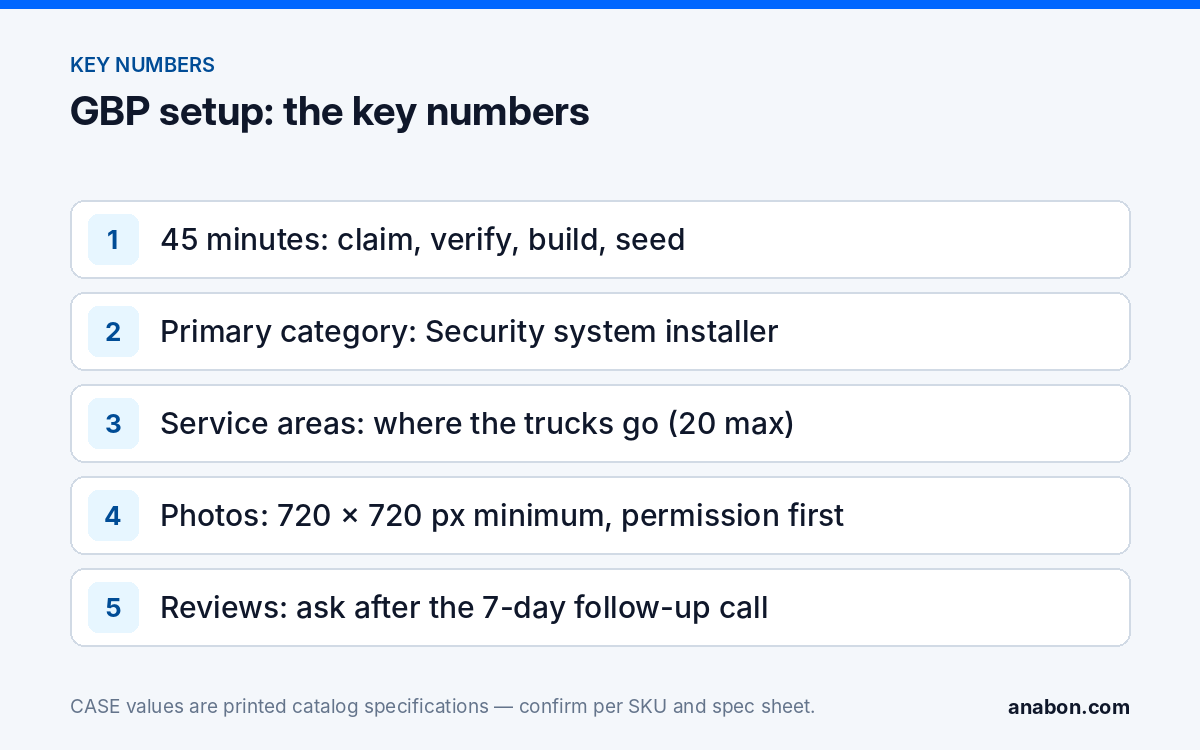
Quick answer: A security installation company can claim, verify and fully build a Google Business Profile in about 45 minutes if the inputs are ready: the primary category Security system installer, a service area that matches where your trucks go across the state (province), a commercial-only services list, ten permission-cleared job photos, three seeded Q&A pairs and a review link saved into your follow-up routine. A complete profile guarantees no search position; it makes your company findable and credible when a facility manager looks for an installer.
What should be on the desk before the 45 minutes start?
Most profiles stall because the owner opens the dashboard and then goes hunting for a logo file. Gather everything first:
- Legal business name exactly as on your license and invoices — no keywords added — plus a phone number a person answers and the address of your commercial services page.
- License numbers: the state low-voltage or alarm license (in Canada: the provincial security-business or electrical license — it varies by province, so verify the local requirement).
- Square logo, one cover image, ten job photos with written permission from the site owner.
- The cities, counties (regional municipalities) and ZIP codes (postal codes) you serve.
- A Google account owned by the company, not by a technician who may leave.
| Minutes | Task | Output |
|---|---|---|
| 0–5 | Claim or create the profile, check for duplicates | One profile, no duplicates |
| 5–10 | Start verification | Verification requested (method chosen by Google) |
| 10–15 | Categories and service area | Category set; address hidden if you have no walk-in counter |
| 15–25 | Description, services, hours | Commercial services list live |
| 25–35 | Logo, cover, ten job photos | Photos uploaded, consent filed |
| 35–40 | Seed three Q&A pairs, publish the first post | Q&A and Posts are no longer empty |
| 40–45 | Copy the review link into your CRM follow-up step | Review request is part of the job close-out |
How do you claim and verify the profile?
Search your company name in Google Maps first. If a listing already exists (Google often creates one from public records), claim it instead of building a second one; duplicates split your reviews and can be suspended. Otherwise create the profile while signed in to the company account.
Verification is where the clock is out of your hands. Google decides the method: for service-area businesses, a short video showing vehicle lettering, equipment and a document with the business address is common; phone, email or postcard appear in some cases. Request it inside the 45 minutes; approval may take days, and everything below can be edited meanwhile.
If customers do not walk into your office to buy, Google’s guidelines expect you to hide the street address and show a service area: a security installer with a warehouse and two trucks is a service-area business. If you run a counter where approved business customers pick up equipment, keep the address visible and add the service area as well.
Which categories and service areas should a security installer choose?
The primary category carries the most weight in how Google interprets your business, so choose it for the work you want more of. Category names change over time; pick from what the dashboard shows.
| Category | Use it as | Notes |
|---|---|---|
| Security system installer | Primary | Default for video surveillance, intrusion and access control installers |
| Security system supplier | Secondary | If you also sell equipment to approved business customers |
| Electrician | Secondary, only if licensed | Never add a licensed trade you do not hold |
| Telecommunications contractor | Secondary | If structured cabling is a real part of your business |
| Security service | Avoid | Draws guard and monitoring inquiries you cannot serve |
For the service area, add the places your technicians will drive to for a site survey without a travel charge. In the US that is usually the metro’s cities and counties within about a 60-mile (about 100 km) radius; in Canada, the equivalent cities and regional municipalities inside your province. Google limits the list (20 areas as of this writing) and expects the area to be reasonable for a service business, so do not enter a whole state (province).
How do you write services and descriptions in B2B wording?
The services list is where many installer profiles attract the wrong calls. Write it for facility managers, property managers, general contractors, HOA boards and IT managers. Each service gets a name and a short description (about 300 characters), so lead with the outcome and the equipment class.
- Commercial video surveillance installation — “IP camera systems for offices, retail, warehouses and parking areas. PoE cabling, NVR configuration, remote viewing setup and handover training.”
- NVR installation and configuration — “Recorder setup, storage sizing, user accounts and firmware updates. We install and support CASE NVRs, which carry a 6-year warranty serviced through us.”
- Service agreements — “Scheduled inspections, firmware and storage checks, priority response for business customers.”
In the 750-character business description, state what you install, who you serve, your license numbers and your service area. Do not put a price, a teaser figure or a promotional offer anywhere on the profile. CASE pricing is never published online; it reaches your customer only in your quote, so say that you quote per project. Add your website link with tracking parameters so profile traffic shows separately in your analytics, for example ?utm_source=google&utm_medium=organic&utm_campaign=gbp_listing.
Which photos convert, and how do you get permission?
Facility managers scroll photos before they read a word. Upload at least ten at Google’s stated minimum of 720 × 720 px, well lit and in focus:
- A finished rack with labeled patch panel, PoE switch and NVR, cable management visible.
- A camera on a parking-lot pole or loading-dock corner, shot so the mounting hardware and conduit look clean.
- A monitor with a multi-camera live view showing no identifiable people or plates.
Permission is not optional. Never photograph a customer’s premises for marketing without written consent from the site owner or property manager — a one-line email is enough — and never post an image that reveals the camera layout, the address or interior views. Avoid identifiable people; in the US follow state law and the site owner’s rules, and in Canada PIPEDA and the provincial private-sector privacy laws (Quebec, British Columbia, Alberta) also apply. File the consent email with each photo set.
When should you ask for reviews?
Ask once, at the right moment, in writing. The right moment is after the 7-day follow-up call, when the customer has used the system for a week, the CASE Connect login works and the first small snag has been fixed. Asking on handover day gets a polite “sure” and no review; asking after you solved their first question gets a sentence about your responsiveness.
- Copy the review link from the dashboard into your CRM so every project manager uses the same one.
- At the end of the 7-day call: “If the system is doing what you expected, would you leave us a short review? I’ll email the link.”
- Send one email with the link within the hour. One reminder at most.
- Reply to every review, including critical ones, within a week — briefly, naming no site details.
Do not pay for reviews, offer anything of value for them, steer unhappy customers away from the link, or let staff review the company. Google’s policy forbids it, and deceptive-marketing rules in the US (FTC) and Canada (Competition Bureau) apply to fake or incentivized reviews.
What goes into Posts and Q&A?
Posts are short updates on your profile. Publish one per month: a completed project type (“Twelve-camera upgrade for a distribution center — shared with permission”), a capability (“Full-color night cameras for dark parking lots”) or a seasonal note (“Cold-weather camera checks before the first freeze”). No prices, no offers, no urgency language.
Q&A is public and anyone can answer, including strangers. Seed it yourself from the company account:
- “Do you work with commercial properties only?” — “Yes. We design and install video surveillance and access control for businesses, property managers, contractors and HOAs across [service area].”
- “What warranty comes with the equipment?” — “It depends on the category. CASE cameras and CASE NVRs carry a 6-year warranty. CASE PTZ cameras carry a 3-year warranty. CASE accessories carry unlimited warranty. Hard drives are supported through back-to-back manufacturer warranty. Warranty service goes through us.”
What is the monthly 15-minute routine?
A profile that goes quiet for six months looks closed. Book a recurring 15-minute block each month:
- Confirm hours, phone and website; set holiday hours for the coming month.
- Reply to reviews and answer new Q&A before a stranger does.
- Publish one post and add two or three permission-cleared photos.
- Check suggested edits and reject wrong ones.
- Log the month’s calls and website clicks in the same workbook that holds your lead log, as described in A Simple CRM for a Security Installer.
If you install CASE products, an approved business account with Anabon gives you private pricing, spec sheets and the warranty process you will be describing to customers. Anabon is a North American B2B distributor of CASE and other professional security brands and never sells to your customer directly.
What to tell your customer
“We’d like to photograph the finished rack and one exterior camera for our company profile. No address, no camera positions and no identifiable people will appear, and we’ll send you the photos for approval first. If the system is performing as expected after the first week, we’ll send one link where you can leave a short review — no obligation. Warranty and service for everything we installed go through us.”
FAQ
Should a security installer show the office address or a service area?
If customers do not come to your location to buy, hide the address and set a service area; Google’s guidelines treat you as a service-area business. If you run a counter where approved business customers pick up equipment, keep the address visible and add the service area too. Verification still needs a real address on file.
Can we list CASE camera pricing or a promotion on our profile?
No. CASE pricing is not published anywhere online; it reaches your customer only through your quote, so your profile should say that you quote per project. Posts and service descriptions describe outcomes and equipment classes, not numbers. That protects your margin and keeps the relationship with you.
How many service areas should we add?
List the cities, counties (regional municipalities) and ZIP codes (postal codes) your technicians will drive to for a site survey without a travel charge — typically a 60-mile (about 100 km) radius around your base. Google caps the list (20 areas as of this writing), so do not enter a whole state (province).
Do we need permission to post photos of installations?
Yes, every time. Get written consent from the site owner or property manager, file it with the photos, and never show the address, camera layout or identifiable people. In the US follow state law and the site’s rules; in Canada PIPEDA and the provincial private-sector privacy laws in Quebec, British Columbia and Alberta also apply.
Does a complete profile improve our ranking in local results?
Nobody can promise a position, and anyone who does is selling something. A complete, accurate and active profile makes you eligible to appear, gives the searcher a reason to call, and gives you call and click data to track monthly. Treat it as a storefront you maintain, not a ranking tactic.