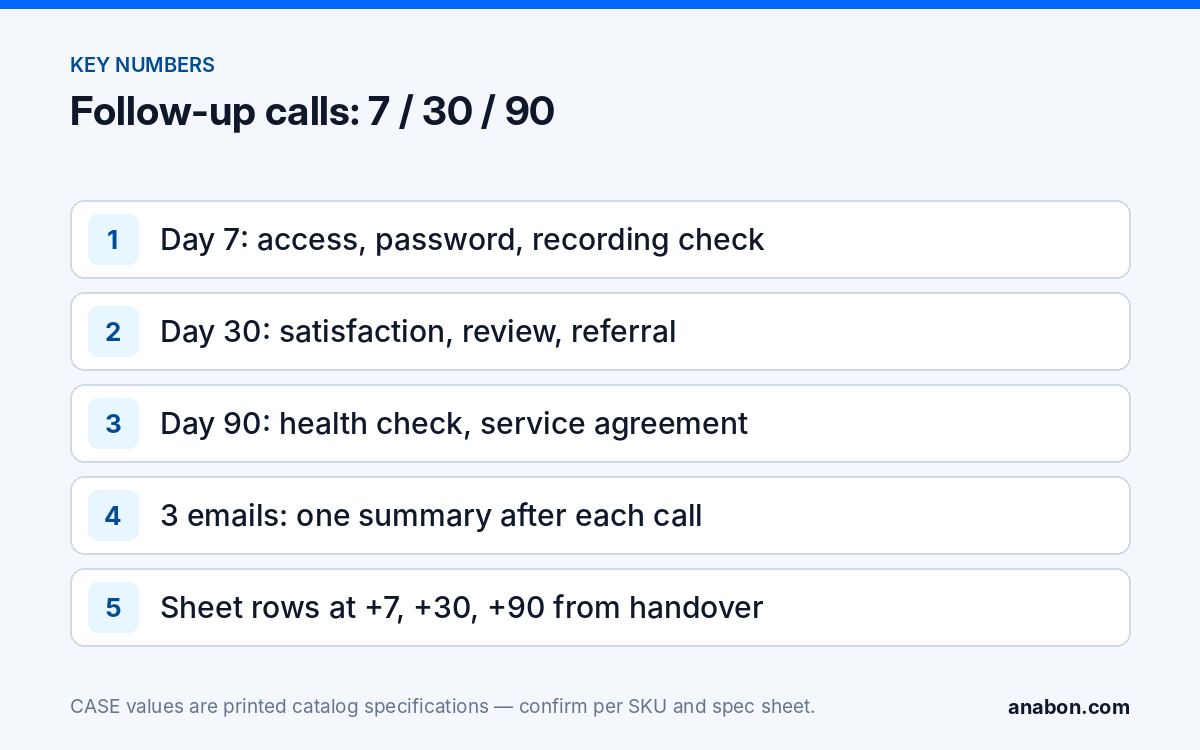
Quick answer: Post-installation follow-up calls work as a set of three, each with one job. Day 7 confirms the system works for the people who use it: CASE Connect access, passwords, notifications, recording. Day 30 confirms satisfaction and asks for the review and the referral. Day 90 runs a health check and proposes a service agreement. Each call has a script, a follow-up email and a logged outcome.
Why three calls, and not one?
One call cannot do three jobs. Day 7 is a fault check, and asking for a referral during a fault check sounds like you are not listening. Day 30 is the satisfaction moment, which the customer cannot judge while the system is new. Day 90 is a service conversation, which only makes sense after a season of weather, a staff change and a few alarm notifications. Spread out, the three calls catch support issues before the customer calls you, create the referral moment, and open the recurring-revenue conversation once the customer trusts you.
| Call | Goal | What you ask | What you check | Outcome to log |
|---|---|---|---|---|
| Day 7 | It works for them | Does CASE Connect open for everyone who needs it? Any camera not showing? Who holds the admin password? | All channels recording, retention as designed, time correct, firmware recorded | OK or issue opened; training gap noted |
| Day 30 | Satisfaction, review, referral | Is anything not the way you expected? Which notifications are useful? | Recorded days versus design; false-alarm pattern; spare channels and PoE ports | Review requested; referral asked; tuning done |
| Day 90 | Health check and agreement | Who has joined or left the team? Has anything changed on site? | Drive status, firmware, time sync, lenses, export test, credentials | Health check done; agreement proposed, signed or declined |
Day 7: does it work for them?
The first week is when the customer discovers what you forgot to show them. Call the daily user, not the signer, and work through four questions:
- Access. Does CASE Connect open and show live view for every user who needs it? App features and remote access options should be confirmed by model, software version, and project configuration, so check your handover notes before promising a missing one. The handover steps are in the CASE Connect handover guide.
- Credentials. Was the admin password changed from the handover one, and who holds it? A customer who cannot name the holder will call you in eleven months with a lockout; the roles that avoid this are in user roles and permissions on CASE NVRs.
- Notifications. Are alerts arriving, and are there too many? A camera that pushes every headlight at 2 a.m. is muted by day 10. Note which cameras need tuning for day 30.
- Image. Is the night image what they expected on every camera? IR glare on a dome is a day-7 finding, not a day-90 one.
With authorized remote access, run the technical half before you call: every channel recording on schedule, retention as designed, time and NTP correct, firmware version written into the Jobs row, drive status normal. Fix what you find, then open the call with “we checked and everything is recording”.
Day 30: satisfaction, review and referral
By day 30 the system is a habit. Open with “is anything not working the way you expected?” and wait. If the answer is no, make the two asks you have earned: a Google Business Profile review that names the type of site, and an introduction to another business with the same problem, using the scripts in the referral program guide. If yes, close the issue first; the asks move to the next call.
Three technical items belong in the call:
- Retention achieved. Compare the oldest recording date with the retention you designed. If a 30-day design gives 19 days, bitrates or motion settings changed; fix it, or size another drive with the NVR storage calculator.
- Alarm tuning. Where the camera supports Human/Vehicle Classification (confirmed per model and firmware), switch noisy channels from plain motion to classified events and re-check the schedule.
- Capacity. Ask what they cannot see. A CS-N220 P16H-AI with 20 channels and 16 PoE ports as printed, running 12 cameras, has room for the four they are about to ask for; a full recorder is a day-90 design conversation.
Day 90: the health check and the service agreement
Three months in, the system has seen weather, an update prompt and probably a staff change. The day-90 call is a short health check (remote where authorized, on site where the agreement will include visits) followed by a proposal:
- Drive health and the oldest recording date, again. Hard drives are supported through back-to-back manufacturer warranty, so a drive showing errors is handled through that route.
- Firmware: is a newer version published, and does the customer want it applied under the safe update procedure?
- Time sync and logs; credentials for departed staff removed; remote access still through the method you handed over.
- Lenses and domes: pollen, salt, insects and spider webs after a season.
- An export test: pull one clip to USB the way the customer would after an incident.
Then the proposal. The customer has just watched you find and fix two small things, so visits, firmware handling and an annual report are now a concrete offer. The contents are in service agreements and recurring revenue. State the warranty exactly: CASE cameras and CASE NVRs carry a 6-year warranty. CASE PTZ cameras carry a 3-year warranty. CASE accessories carry unlimited warranty. Hard drives are supported through back-to-back manufacturer warranty. Warranty service runs through you.
Scripts and email templates
Use your own voice; keep the order: check first, ask second, confirm in writing the same day.
Day-7 call
“Hi [name], this is [you] from [company]. We checked your system this morning and every camera is recording. I want to make sure it works for your team: does CASE Connect open for everyone who needs it? Did you change the admin password, and who holds it? Are the alerts useful, or too many? Is there anything you expected to see that you are not seeing?”
Day-7 email
Subject: Your camera system, one week in
Thanks for the call today. Summary: all [n] cameras recording, retention [n] days, admin password changed and held by [name], CASE Connect confirmed on [n] phones. Open items: [none / item and date]. We will check in again in about three weeks.
Day-30 call
“Hi [name], it has been a month. Is anything not working the way you expected? [listen] … Good. Two things, if you are willing: a short review on our Google profile that mentions the kind of site you run helps the next warehouse manager find us; and if you know another business dealing with the same problem, an introduction is all we need. Also, camera [n] sends a lot of alerts at night; we would like to switch it to human and vehicle events. Is Thursday morning fine?”
Day-30 email
Subject: One month in, and two small requests
Thanks for the time today. Done: camera [n] re-tuned; retention confirmed at [n] days. If you can leave a review, the link is [profile link]. If a colleague at another site is looking at cameras, forward this email. Next check-in: around [date].
Day-90 call
“Hi [name], three-month check. We looked at the recorder this morning: drive healthy, oldest recording [date], a firmware update available, and we removed the login for [departed staff]. Has anything changed on site: doors, lighting, staff? Based on what we found, we would like to send a one-page service agreement: two visits a year, firmware handling and an annual report. Can I email it today?”
Day-90 email
Subject: 90-day health check and service agreement
Summary of today’s check: [five lines]. Attached is the one-page agreement we discussed. Warranty on your system continues to run through us; the agreement covers the visits, cleaning, firmware and reporting between warranty events. Reply with questions and we will book the first visit.
Keep marketing out of these emails; they are service messages about the customer’s own system. If you add promotional content, CAN-SPAM (US) and CASL (Canada) apply; include an unsubscribe link and verify with counsel.
Logging outcomes in your sheet
The calls exist only as tasks. When a job reaches Handed over in your Google Sheets CRM, three rows appear in the Follow-ups tab with due dates at +7, +30 and +90 days from the handover date. Each row records:
- Type: 7-day, 30-day or 90-day.
- Status: Due, Done, Skipped (with a reason).
- Outcome: fixed values: OK; Issue opened; Training given; Review requested; Referral asked; Health check done; Agreement proposed; Agreement signed; Agreement declined.
- Next step and date: tuning visit, agreement follow-up, firmware window.
- Jobs row updates: firmware version, retention achieved, password holder, spare channels.
Three numbers each quarter show whether the routine is alive: the share of handed-over jobs with all three calls Done, the issues found at day 7 (each one a support call that did not happen), and the share of day-90 calls that ended in an agreement proposed. They are trends to watch, not targets to promise.
What to tell your customer
“We check in three times after an installation: at one week to make sure everything works for your team, at one month to make sure it does what you expected, and at three months for a health check of the recorder, drives and firmware. Warranty and service run through us; if anything looks wrong before then, call us first.”
FAQ
Who should receive the follow-up call, the owner or the daily user?
The daily user at day 7 and day 30, because they know whether CASE Connect opens, whether alerts are useful and whether anything is missing. The decision-maker at day 90, because the health check leads to a service agreement proposal. When they differ, send the email summaries to both.
Can the day-7 technical check be done remotely?
Only with the customer’s authorized remote access, using the method you handed over rather than an open port. With it, confirm every channel is recording, read the oldest recording date, check time sync and record the firmware version before you call. Without it, ask the customer to read the recording status from the recorder screen.
What if the customer reports a problem at day 30?
Close the problem first and move the review and referral asks to the next contact. Asking for a favor in the same conversation as a complaint lowers the chance of both. Log the issue, the fix and the date, and treat a fast fix as its own referral moment a week later.
Should the follow-up calls be scripted word for word?
No. Keep the order and the content: check first, ask second, confirm in writing the same day. The scripts show what belongs in each call and which questions produce useful answers. Technicians sound better in their own words; the sheet, not the wording, makes the routine repeatable.
How does the day-90 call lead to a service agreement?
The health check finds small things, such as a firmware update, a departed user still active, or a dome that needs cleaning, and fixes or lists them. The agreement then describes the visits, cleaning, firmware handling and annual report that keep the system usable, alongside the warranty that runs through you. The customer has just seen the value.