Quick answer: Survey fuel-site cameras by task and environment: pump interaction, vehicle route, store entrance and wash-bay movement. Obtain the qualified site’s hazardous-area and installation requirements first. Weather or impact ratings do not establish high-pressure-wash suitability or approval for a fuel-related classified location.
On this page
Resolve the installation boundaries before drilling
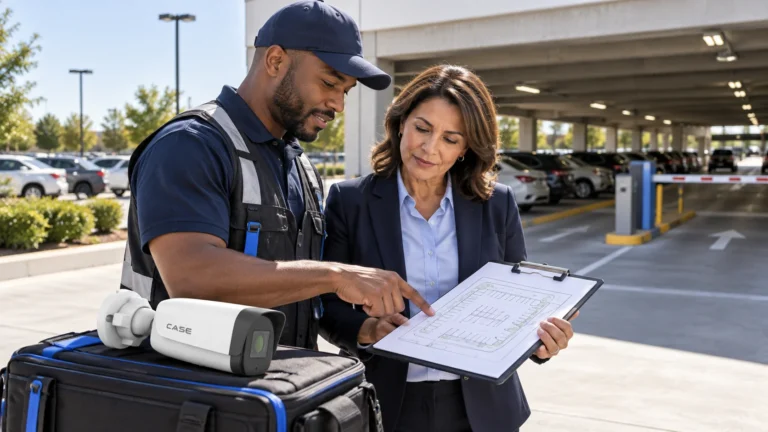
Meet the operator and the qualified electrical or project contact. Obtain the actual classified-area documentation and approved mounting, cable and equipment requirements. Treat the dispenser, canopy, shop and wash bay as different locations rather than assuming one camera package is suitable everywhere.
OSHA 1910.307 addresses electrical equipment and wiring in hazardous locations in its US scope, including gasoline dispensing sites. It calls for each room, section or area to be considered individually. The actual jurisdiction and site classification determine the applicable design. Do not infer location approval from an IP or IK label, or a broad explosion-proof series description. Resolve the exact equipment, installation and certification requirements with the qualified project team.
Define the views the operator actually needs
Compare IP cameras for each approved position after measuring the scene. At a pump, distinguish a view of the interaction from a vehicle departure route. At the store, frame the entrance and agreed counter task without readable payment details or private records.
| Area | Evidence task | Critical check |
|---|---|---|
| Pump island | Agreed vehicle and customer interaction | Approved location, canopy structure, light and obstructions. |
| Entrance or departure lane | Movement and any separate plate task | Actual lane geometry, headlights and traffic direction. |
| Store counter | Approved transaction interaction | Payment privacy, staff position and the queue. |
| Wash bay | Agreed vehicle entry and movement | Direct spray, cleaning agents, steam and service access. |
An eight-pump example with a store and two wash bays is an illustration, not a fixed camera count. Walk the route with the actual vehicle positions and a normal queue. Record what a canopy column, sign or parked van can hide.
Test canopy contrast and headlights at night
Check the scene under the normal canopy and store lighting, including the condition after any lighting reduction. Record an authorized vehicle at the pump and on departure. Review saved clips at the proposed settings, checking the useful subject rather than judging overall brightness. A WDR specification does not prove the result. Reconsider the position, direction, framing or lighting where glare obscures the task. Avoid universal mounting heights or angle recipes: canopy shape, vehicle height, lane direction and safe installation access vary from site to site. Use the WDR scene-testing guide to organize the canopy and headlight check.
Keep drive-off evidence and automated recognition separate
Ask whether the operator wants a vehicle overview, a human-readable plate at a defined point or automated recognition. Put that decision in the schedule. A wide pump view or an NVR search function is not proof that a plate will be captured reliably. For a specialist plate requirement, have the actual device, supported software, firmware, region and scene reviewed before quoting. Test the required movement and light conditions. Do not present a retired model as an active recommendation or promise that one generic camera resolves every drive-off.
Treat the wash as a specific environment
Record the cleaning method, spray direction, chemicals, temperature, steam and dryer positions. Confirm the exact camera, connections and mounting arrangement for those conditions. IP67 and IK10 alone do not establish suitability for high-pressure jets, aggressive chemicals or every car-wash process. Positioning clear of direct spray can reduce exposure; it does not extend a rating or establish chemical compatibility. Agree a protected position and safe maintenance method, then check visibility during normal operation rather than only in an empty, dry bay.
Plan the supported recording path
Select the network video recorder for the actual channel schedule, supported bandwidth, usable disk configuration and agreed growth. Use the storage calculation guide with the operator’s approved retention and stream assumptions. A drive-off discovery delay is a planning input, not a universal legal retention period. Compare PoE network switches with actual device loads and uplinks, subject to the approved installation environment. Have the network owner approve separation from payment and business systems. Camera installation does not establish payment compliance or authorize undocumented remote access.
Agree power protection, recorder security and fault checking. Test the approved outage or link-loss scenario safely. Record what continues recording, what becomes unavailable and who checks recovery before the site relies on the system.
Demonstrate a pump-to-export workflow
With permission, create a harmless test at the nominated pump and vehicle route. Retrieve it, export it and replay it with the authorized operator. Verify labels, timestamps, tested lighting and any accepted gap. Do not promise that an accepted camera view guarantees an investigation outcome. Leave the as-built plan, environmental approvals, supported configuration, named roles and service contacts. Obtain exact-model instructions from the Anabon Download Center. Include a cleaning and inspection schedule that can be performed safely.
FAQ
Is an outdoor camera automatically suitable on a dispenser?
No. Weather and impact ratings do not establish approval for a fuel-related classified location. The IP and IK rating guide explains those limits; resolve the actual site requirements with the qualified project team for the exact equipment.
Does IP67 mean a camera can take a pressure-washer jet?
That is not established by IP67 alone. Confirm the actual cleaning exposure and documented equipment suitability.
Review the difficult locations first
Send security camera technical support the classified-area requirements, site plan, wash process, night photographs and recording target. Identify any proposed camera position whose suitability has not yet been confirmed.
References
References reviewed October 30, 2026. OSHA 1910.307, Hazardous (classified) locations: US equipment/wiring, documentation and location-specific approval provisions. It is not a universal Canadian rule or approval of a particular camera. The site’s actual jurisdiction and qualified project requirements govern.